8 Operating diagram
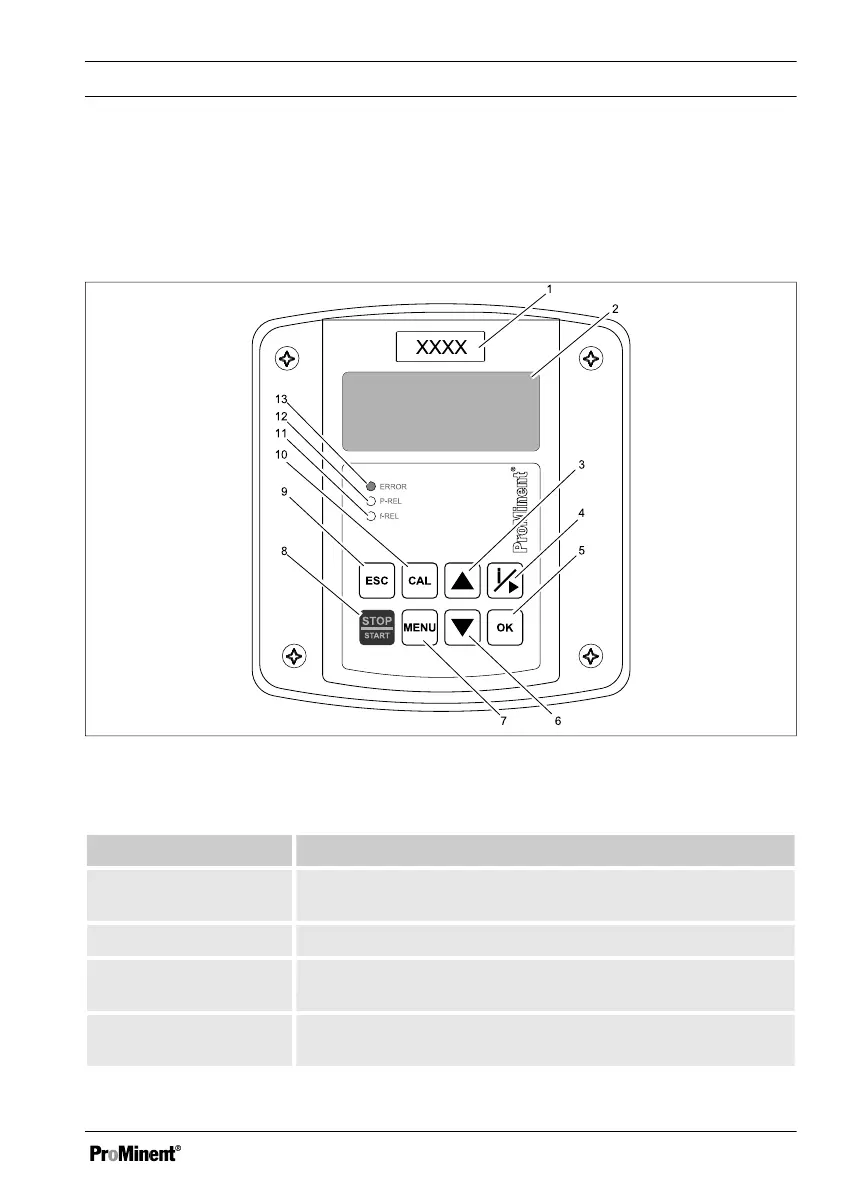
8.1 Overview of equipment/Operating elements
n User qualification: instructed user, see
Ä Chapter 3.4 ‘Users' qualifications’
on page 14
Fig. 17: Overview of equipment/Operating elements
Function Description
1st respective meas‐
ured variable
Affix the measured variable label here
2. LCD display
3. UP key To increase a displayed numerical value and move up in the
operating menu
4. INFO/RIGHT key Opens the information menu or moves the cursor one place
to the right
Operating diagram
49















 To Next Page