15.2 Replacing the lower part
of the housing (wall/tube
retaining bracket)
Complete commissioning of the
controller
Once the lower part of the housing
has been replaced, it is necessary to
fully commission the measuring and
control point, as the new lower part of
the housing does not have specific
settings, only factory settings.
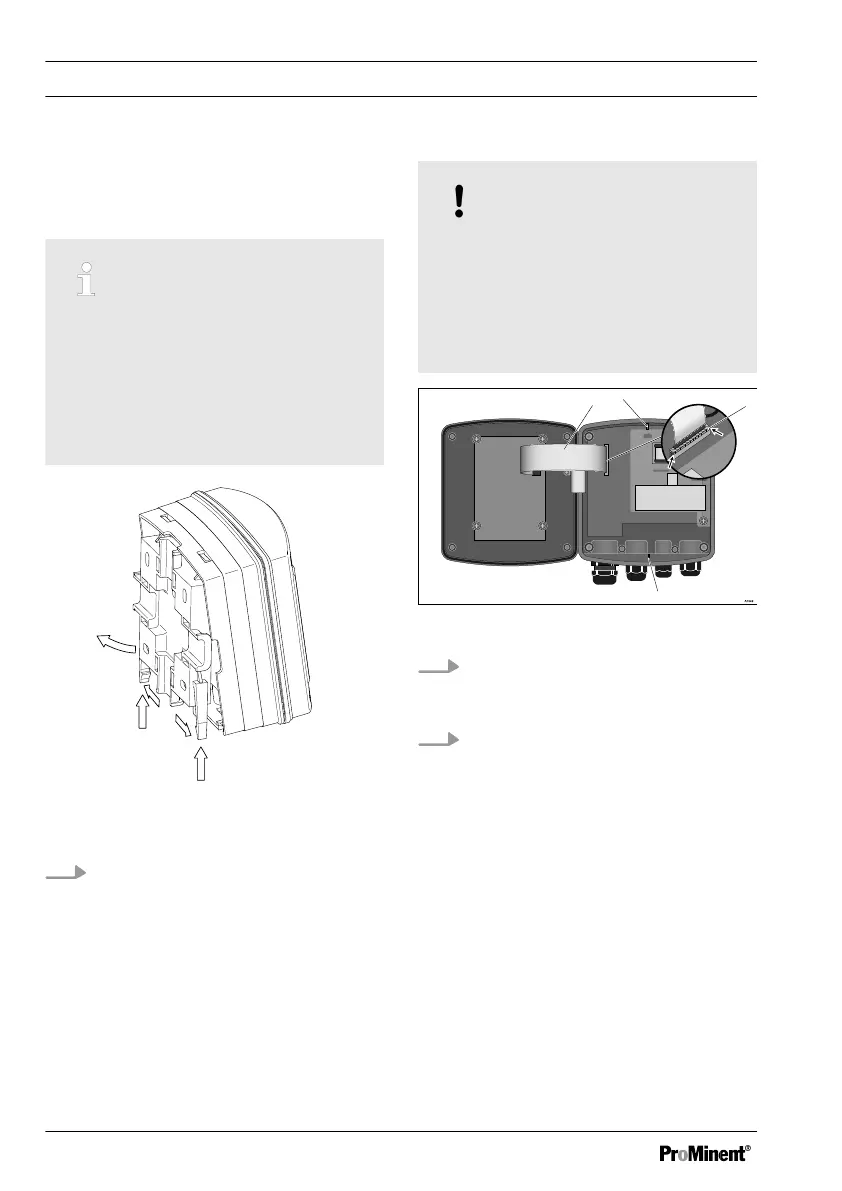
Fig. 40: Removing the wall/tube retaining
bracket
1. Remove the wall/tube retaining
bracket. Pull the two snap-hooks (1)
outwards and push upwards
NOTICE!
Ribbon cable base
The base of the ribbon cable is firmly
soldered onto the PCB. The base
cannot be removed. Open the base
lock (3) to loosen the ribbon cable,
see Fig. 36
Fig. 41: Loosening the ribbon cable
2. Undo four screws and open the
DULCOMETER
®
Compact Con‐
troller
3. Open the right and left lock (3)
(arrows) on the base and pull the
ribbon cable (1) out of the base.
The catches (2 and 4) are used to
aligned the two halves of the
housing.
Replacing spare part units
104















 To Next Page