SECTION 5—WHEELCHAIR OPERATION
Pronto
®
M50
™
, M51
™
and M61
™
with SureStep
™
28 Part No. 1125085
SECTION 5—WHEELCHAIR
OPERATION
WARNING
After ANY adjustments, repair or service and BEFORE use, make sure that all
attaching hardware is tightened securely - otherwise injury or damage may result.
Set-up/programming of the Electronic Control Unit is to be performed ONLY by a
qualified technician. The final adjustments of the controller may affect other activi-
ties of the wheelchair. Damage to the equipment could occur under these circum-
stances. IF UNQUALIFIED INDIVIDUALS PERFORM ANY WORK ON THESE
UNITS, THE WARRANTY IS VOID.
Turning the Power On/Off
M50 and M51 Wheelchairs
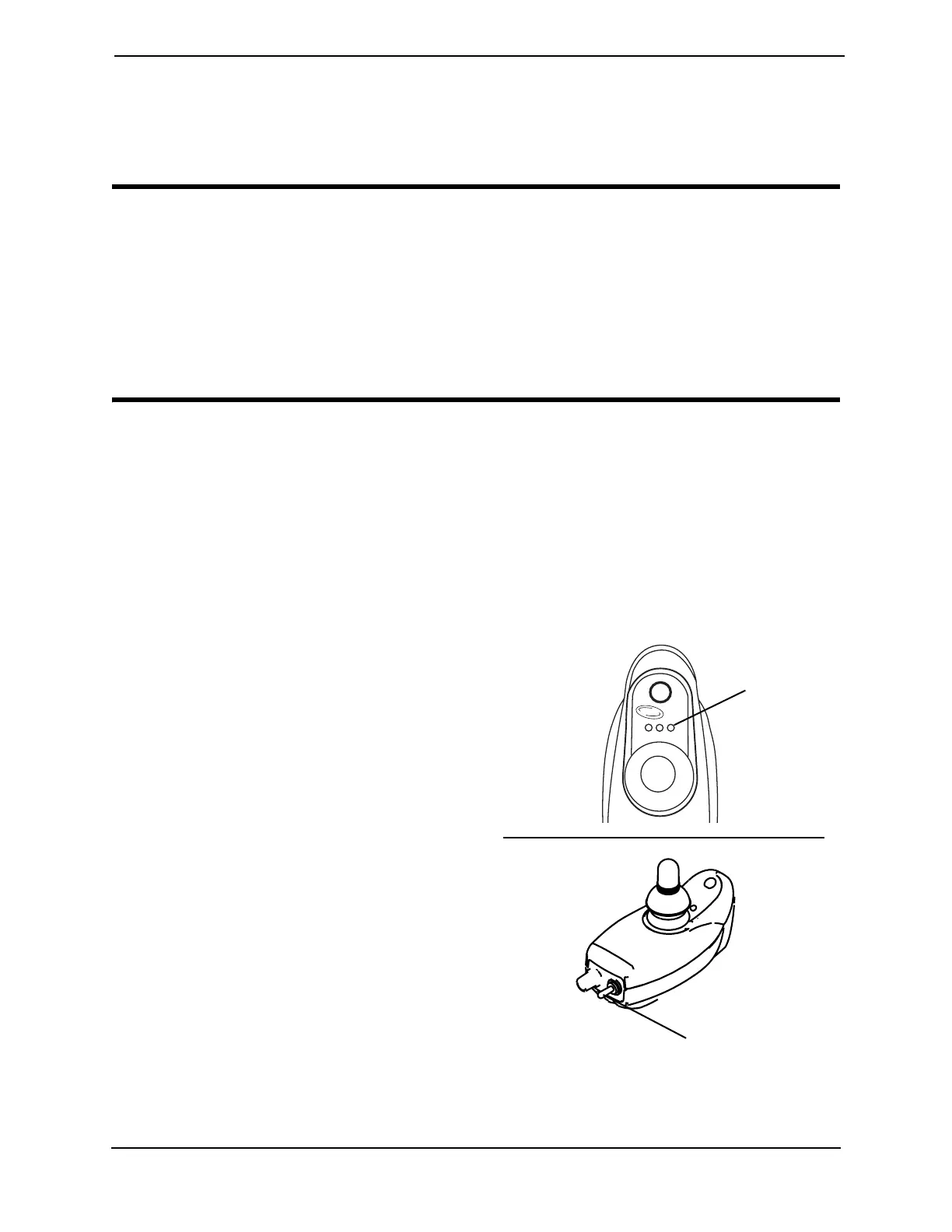
NOTE: For this procedure, refer to FIGURE 5.1.
1. To turn the power ON by moving the On/Off switch UP or DOWN. The switch
automatically retracts back to center position.
NOTE: After turning power on, all indicators
will light briefly and the display gauge will
indicate one of the following:
A. The Current Battery Charge -
Information gauge shows all LED's lit
or partial LED's lit. Refer to table on.
B. Out Of Neutral At Power Up -
Information Gauge shows all LED's
flashing slowly. This occurs when the
power is turned on when the joystick is
out of neutral. This feature prevents
sudden and unexpected movements of
the power chair.
2. Turning the power Off can be achieved
by moving the On/Off switch up or
down. The switch automatically
retracts back to center position.
FIGURE 5.1 Turning the Power On/Off -
M50 and M51 Wheelchairs
INVACARE
Information
Gauge
ON/OFF
Toggle Switch


 To Next Page