SECTION 6—ARMS
Pronto
®
M50
™
, M51
™
and M61
™
with SureStep
™
40 Part No. 1125085
Adjusting the Arms
Adjusting Width
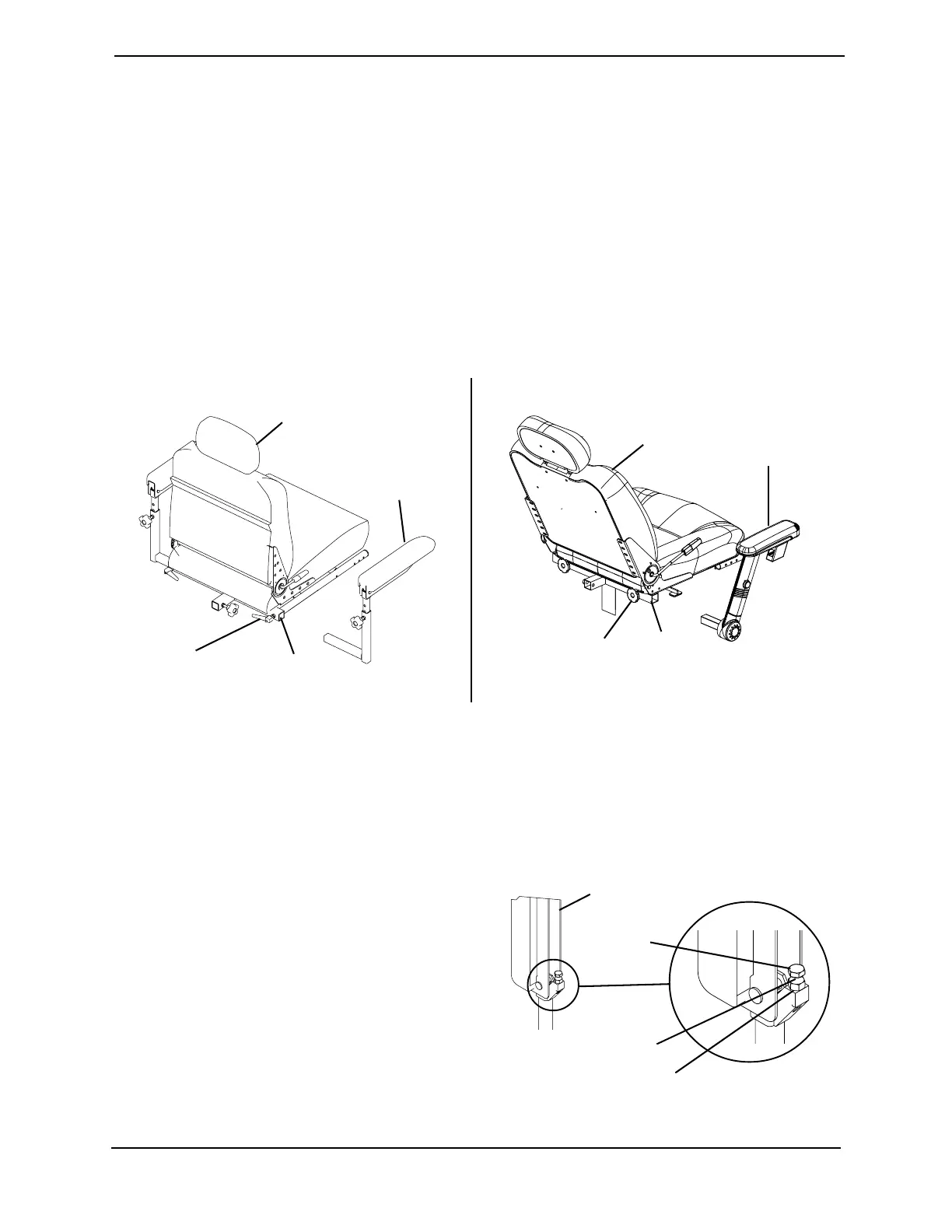
NOTE: For this procedure, refer to FIGURE 6.2.
1. Loosen the two (2) lock knobs that secure the arms to the arm support tube.
NOTE: Both arms should be adjusted to the same distance away from the arm support tube.
NOTE: Changing the width of the arms may also affect the overall width of the wheelchair.
2. Reposition the arms until desired width is achieved.
3. Securely tighten the two (2) lock knobs that secure the arms to the arm support tube.
FIGURE 6.2 Adjusting Width
Adjusting Angle (Standard Arms Only)
NOTE: For this procedure, refer to FIGURE 6.3.
1. Lift up the armrest.
2. Loosen the jam nut.
3. Adjust the socket screw up or down to
the desired arm angle position.
4. Tighten the jam nut.
5. To determine the same angle for the
opposite armrest, count the exposed
threads after the jam nut has been
tightened.
6. Repeat STEPS 1-4 for opposite armrest,
if necessary.
FIGURE 6.3 Adjusting Angle (Standard
Arms Only)
Lock
Knob
Arm
Support
Tube
Arm
Lock
Knob
Arm Support
Tube
Seat
Seat
Detail “A” - Standard Arms
Detail “B” - Office Style Arms
Arm
Armrest
Adjustment
Screw
Jam Nut
Count Exposed Thread


 To Next Page