SECTION 5—WHEELCHAIR OPERATION
Pronto
®
M50
™
, M51
™
and M61
™
with SureStep
™
34 Part No. 1125085
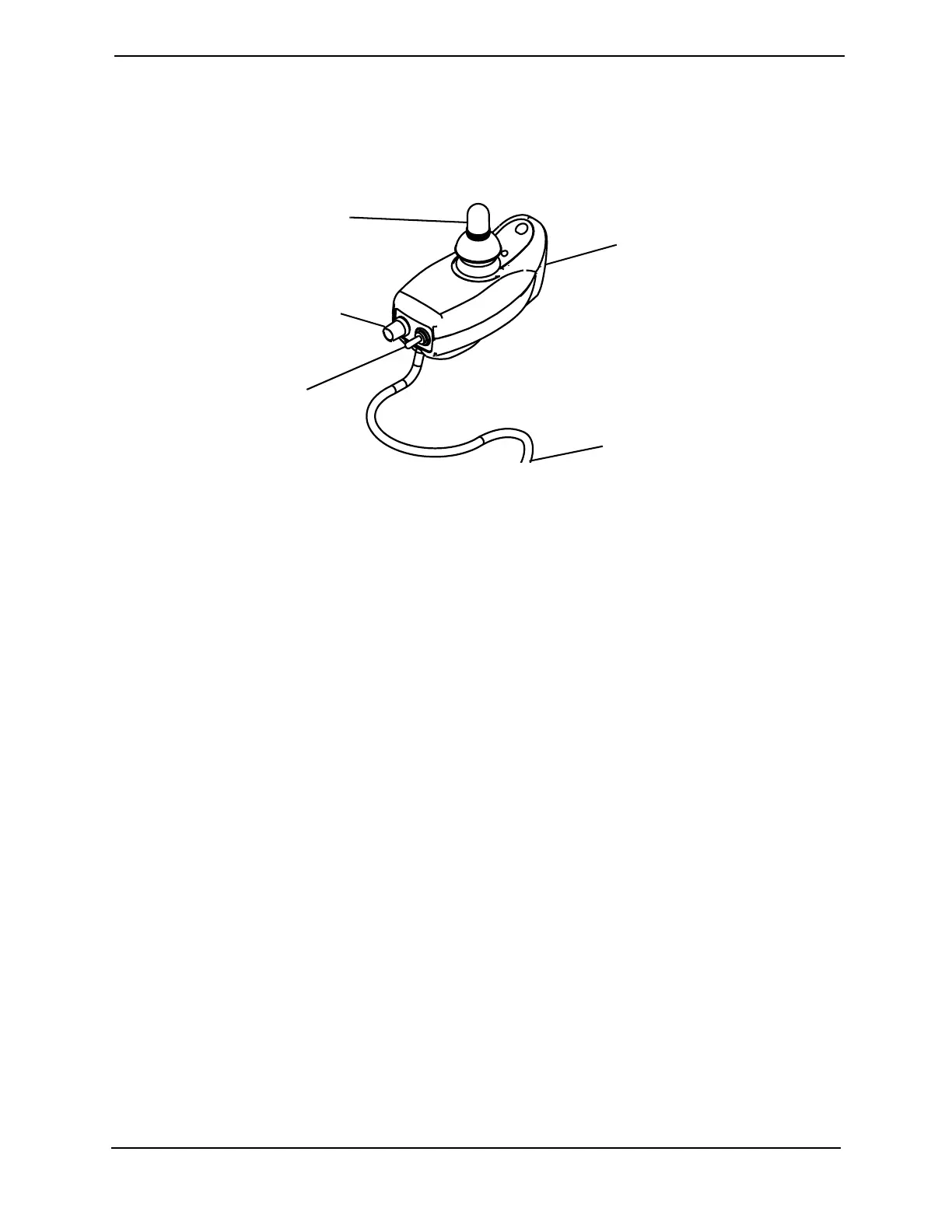
SPJ™Joystick Switches and Indicators
NOTE: For the following information, refer to FIGURE 5.9.
NOTE: The SPJ joystick is used on M50 and M51 wheelchairs only.
FIGURE 5.9 SPJ™Joystick Switches and Indicators
On/Off Toggle Switch
This toggle switch is located at the back of the joystick housing.
Speed Control Knob
The speed control knob is located on the back of the joystick housing. This rotary switch
is used for controlling the speed and acceleration of the wheelchair.
1. Turn the switch CLOCKWISE to increase the speed of the wheelchair.
2. Turn the switch COUNTERCLOCKWISE to decrease the speed of the wheelchair.
Joystick
The joystick has proportional drive control, meaning that further the wheelchair is
pushed from the upright (neutral) position, the faster it moves. Your top speed, however,
is limited by the setting of the speed-control knob and programmed settings.
To slow the wheelchair to a stop, simply release the joystick. The wheelchair has
automatic speed and direction compensation to minimize corrections.
Charger/Programming Input
Located at the front of the joystick housing. This provides easy access for charging the
wheelchair batteries. This port also serves as the Remote Programmer Communication
connection.
Joystick
Speed Control Knob
On/Off
Toggle Switch
Charger/
Programming Input
To Controller


 To Next Page