SECTION 5—WHEELCHAIR OPERATION
Part No. 1125085 33 Pronto
®
M50
™
, M51
™
and M61
™
with SureStep
™
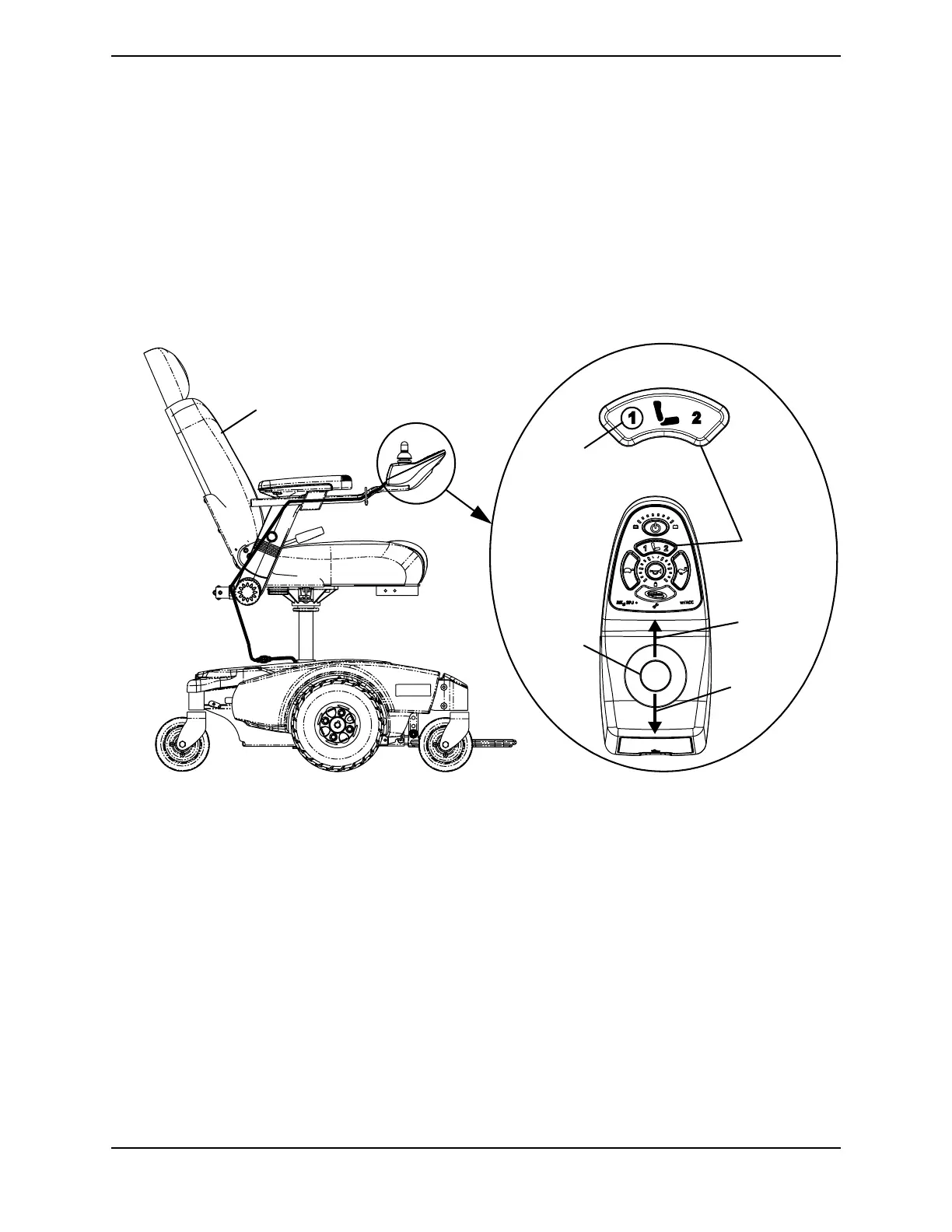
NOTE: For this procedure, refer to FIGURE 5.8.
NOTE: This procedure applies to M61 wheelchairs only.
1. Make sure the wheelchair is on a level surface.
2. Press the mode button to switch from driving mode to elevate mode.
NOTE: The LED will light up with a circle around it.
3. Move the joystick:
• Forward - Elevates the seat.
• Backward - Lowers the seat.
FIGURE 5.8 Elevating the Seat
Mode
Button
Elevate
the Seat
Lower
the Seat
Joystick
Elevated Seat
Selected
Drive
Mode


 To Next Page