MVI56E-MCMR ♦ ControlLogix Platform Start Here
Modbus Communication Module with Reduced Data Block User Manual
ProSoft Technology, Inc. Page 23 of 223
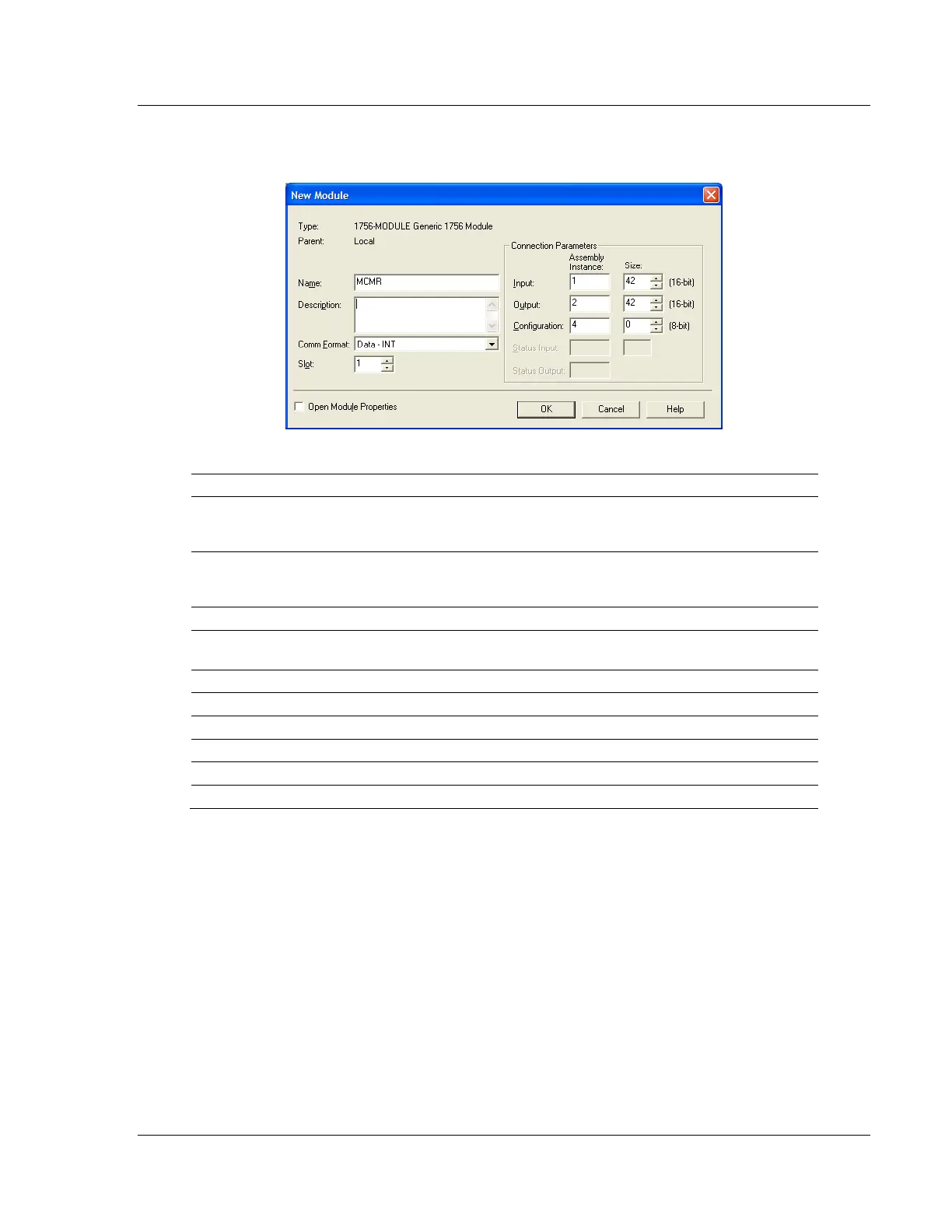
2 Select the 1756-MODULE (GENERIC 1756 MODULE) from the list and click OK.
This action opens the NEW MODULE dialog box.
3 Set the Module Properties values as follows:
Enter a module identification string. The recommended value is
MCMR, as this name will be linked automatically with the MSG
paths, irrespective of the slot location.
Enter a description for the module. Example: ProSoft
communication module for Modbus Serial protocol
communications.
Select DATA-INT (*Very Important*)
Enter the slot number in the rack where the MVI56E-MCMR
module is to be installed.
Configuration Assembly Instance



 To Next Page