20
Each zone input can use a dierent input conguraon. To program a large number of zones with a
certain conguraon use the Mulple Selecon feature in the Protégé® System Management Suite
applicaon.
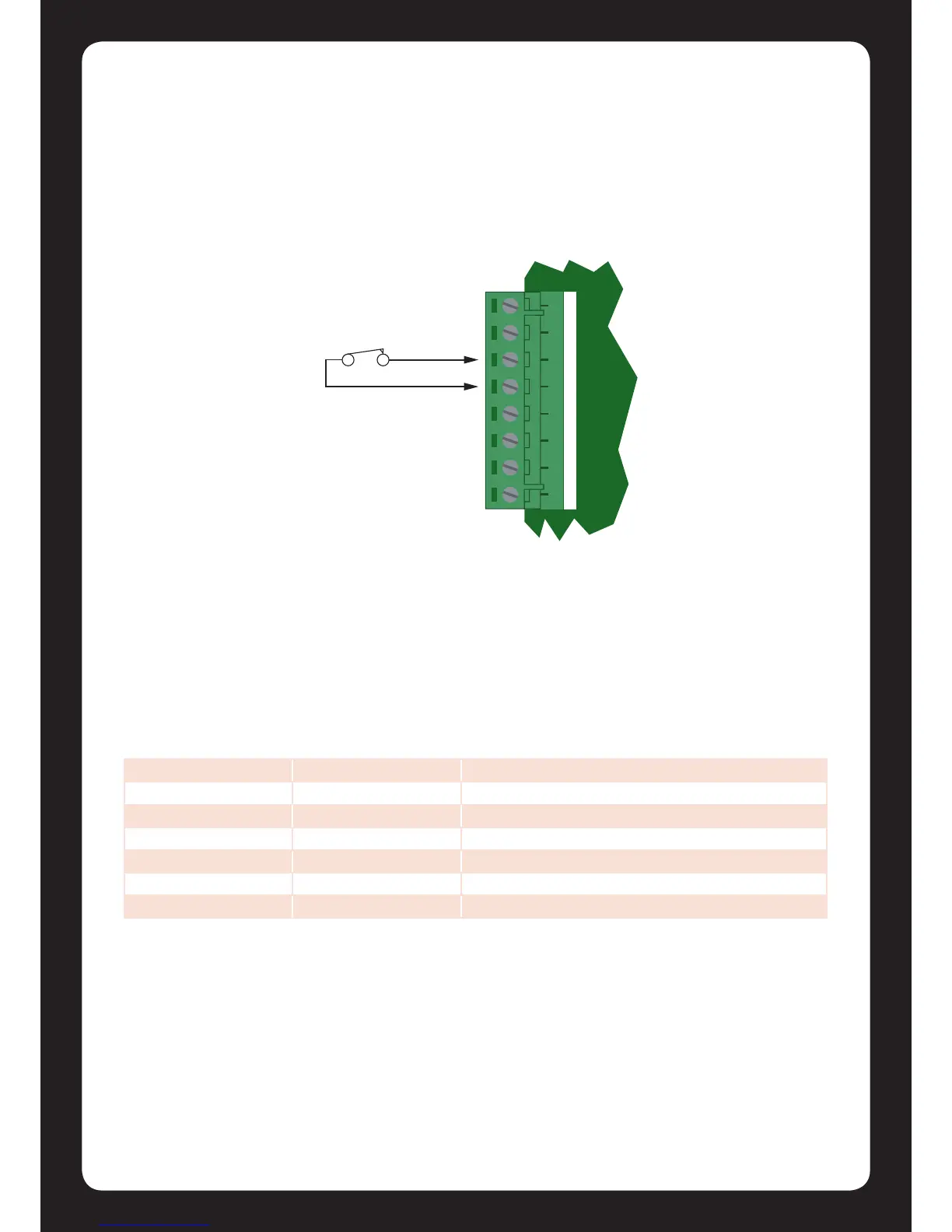
When using the No Resistor conguraon, the Protégé® SE Integrated System Controller only
monitors the opened and closed state of the connected input device generang the alarm and seal
condions.
Figure 22 - No EOL Resistor Zone Conguraon
6.2 Resistor Value Opons
When using the EOL resistor conguraon, the EOL resistor opon must be congured based on
the site requirements. Note that not all resistor opons are supported on all Protégé® eld
modules. (Refer to Zones Secon in the Protégé® Reference Manual).
Value 1 Value 2 Monitored Status
1k 1k Open, Closed, Tamper, Short
1k - Open, Closed
<5K7 - Open, Closed
No Resistors - Open, Closed
2k2 6k8 Open, Closed, Tamper, Short
10k 10k Open, Closed, Tamper, Short


 To Next Page