Home
PRÜFTECHNIK
Laser Shaft Alignment Tools
OPTALIGN smart RS5 BT
Page 98
PRÜFTECHNIK OPTALIGN smart RS5 BT - Page 98
194 pages
Manual
Save Page as PDF
To Next Page
To Next Page
To Previous Page
To Previous Page
Loading...
OPT
ALIGN smart RS5 BT handbook
98
Use
f
/
g
to
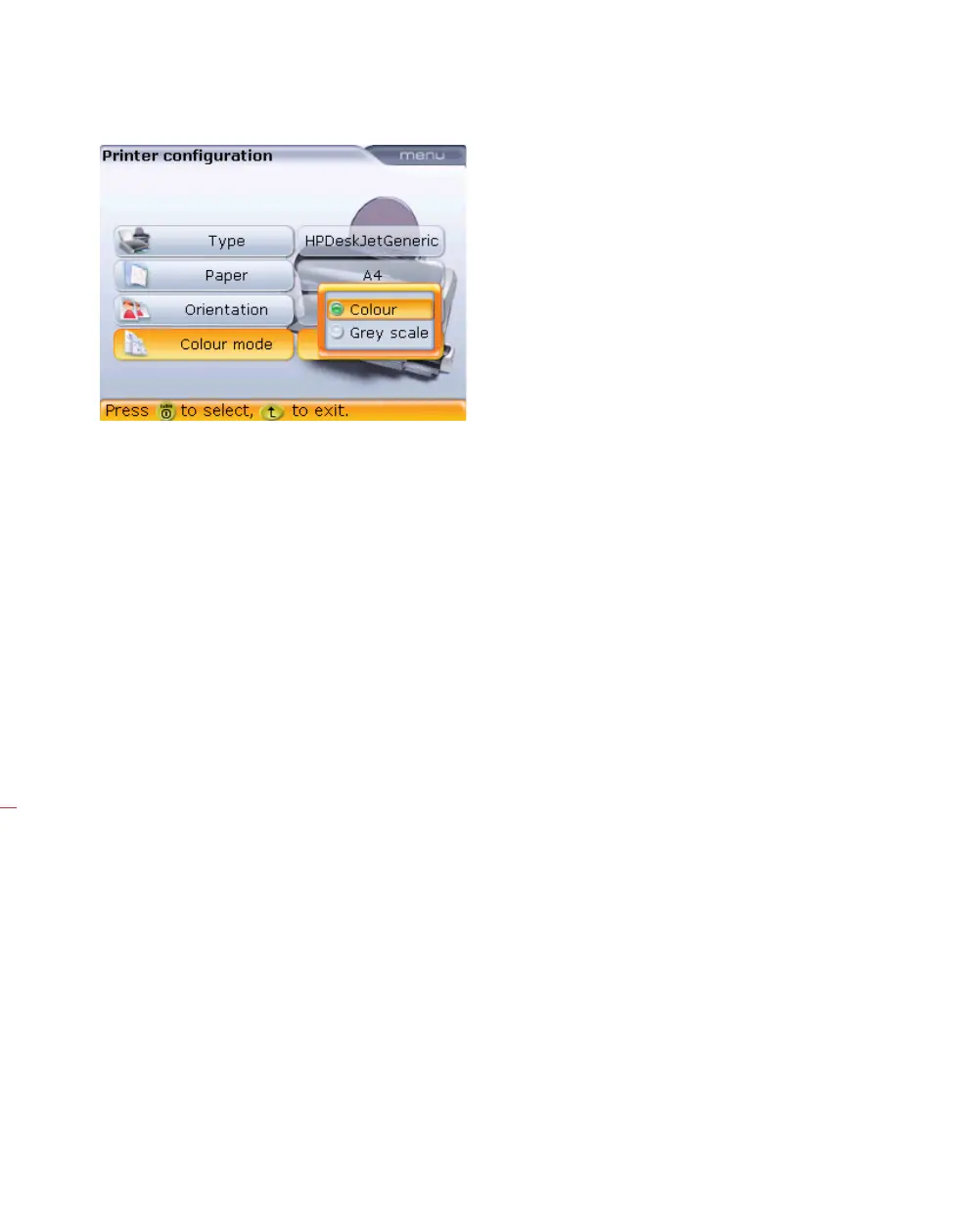
select the colour in which
the report will be printed.
Selecting ‘Colour’ results
in full colour reports, while
‘GrayScale’ results in black
and white reports.
97
99
Table of Contents
Main Page
Foreword
2
Table of Contents
3
Chapter 1: OPTALIGN Smart RS5 BT Packages
5
OPTALIGN Smart RS5 BT Package with Rechargeable Battery Computer ALI 12.015-RS5R
5
OPTALIGN Smart RS5 BT Package ALI 12.015-RS5
9
Chapter 2: Safety Notes and Operating Information
11
Safety Notes
11
Operating Information
12
Chapter 3: OPTALIGN Smart RS5 BT - Description
17
Description
17
Computer Power Supply
18
RS5 Laser and RS5 BT Sensor
20
Mini Compact Chain-Type Bracket ALI 2.118
27
Chapter 4: Getting Started
29
Set-Up
29
Set RS5 BT Sensor as Default
30
Enter Dimensions
31
Wireless Measurement
32
Results
35
Context Menu Items
37
Chapter 5: Horizontal Machine Alignment
39
Preparing for the Alignment Procedure
39
Check for Soft Foot
40
Mount the Brackets
40
Mount Laser and RS5 BT Sensor
42
Switch the Computer on and Start Application
44
Enter Machine Dimensions
44
Machine Set-Up
47
Flipping Machines
67
Laser Beam Adjustment
69
Take Measurements
74
Results
76
Rotating Machine View
84
Align Machine
85
Saving Data and Printing
94
Quick Check Measurement
99
Soft Foot
101
Checking and Correcting Soft Foot Conditions
102
Checking Pipe Strain
108
Chapter 6: Alignment Features
113
Measurement Modes
113
Distinct Measurement Features
116
Chapter 7: Special Alignment Applications
123
Machine Train Alignment
123
Cardan Drive Machines
133
Vertical and Horizontal Flanged Machines
142
Measure
148
Results
149
Machine Alignment
152
Chapter 8: Configuration and Data Management
155
Shortcut Numbers
155
Configuration
155
Chapter 9: Appendix
175
Updating System to a Newer Firmware Version
175
Sensor Firmware Update
180
Suggested Shaft Alignment Tolerances
185
OPTALIGN Smart RS5 BT Technical Data
187
Index
189
Related product manuals
PRÜFTECHNIK ROTALIGN Ultra iS
219 pages
PRÜFTECHNIK ROTALIGN ALI 3.500
164 pages



 To Next Page