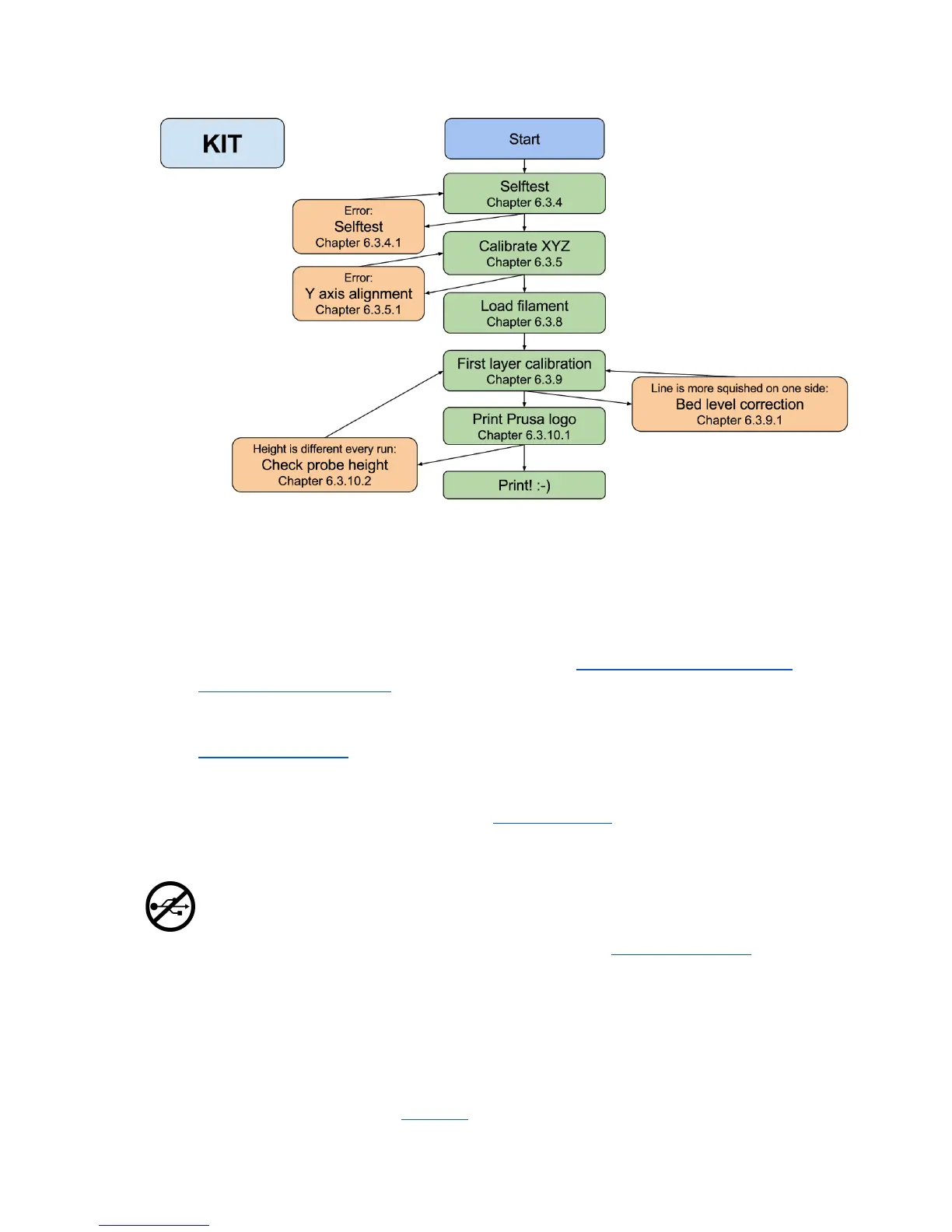
There are few special occasions where you will need to redo the calibration or part of it.
● Firmware update - Complete guide is in the chapter 11.8 Updating printer firmware.
6.3.9. First layer calibration needs to be rerun otherwise the printer will show an error
message.
● Replacing the PEI/Ultem sheet - When PEI is changed (guide is at
manual.prusa3d.com), whole heated bed is removed and reassembled. This might
change geometry of the printer and the whole KIT calibration flow should be
followed even on the pre assembled printer.
● Readjusting the P.I.N.D.A. probe - Run 6.3.6 Calibrate Z to store new reference Z
height values.
It is important to disconnect the printer USB from any computer or OctoPrint running
on RaspberryPi for the whole calibration. Printer will not respond to any request
from the host and communication will timeout, when host resets the connection, the
printer restarts and might end up in weird state requiring 7.2.3 Factory Reset.
6.3.2 PEI print surface preparation
To achieve the best adhesion on the new surface, it is important to keep the surface clean.
Cleaning of the surface is very easy. The best option is Isopropyl alcohol available in
drugstores which is the best for ABS, PLA and others (except for PETG where the adhesion
may be too strong. See the chapter 11.3 PET for instructions). Pour a little amount on
12



 To Next Page