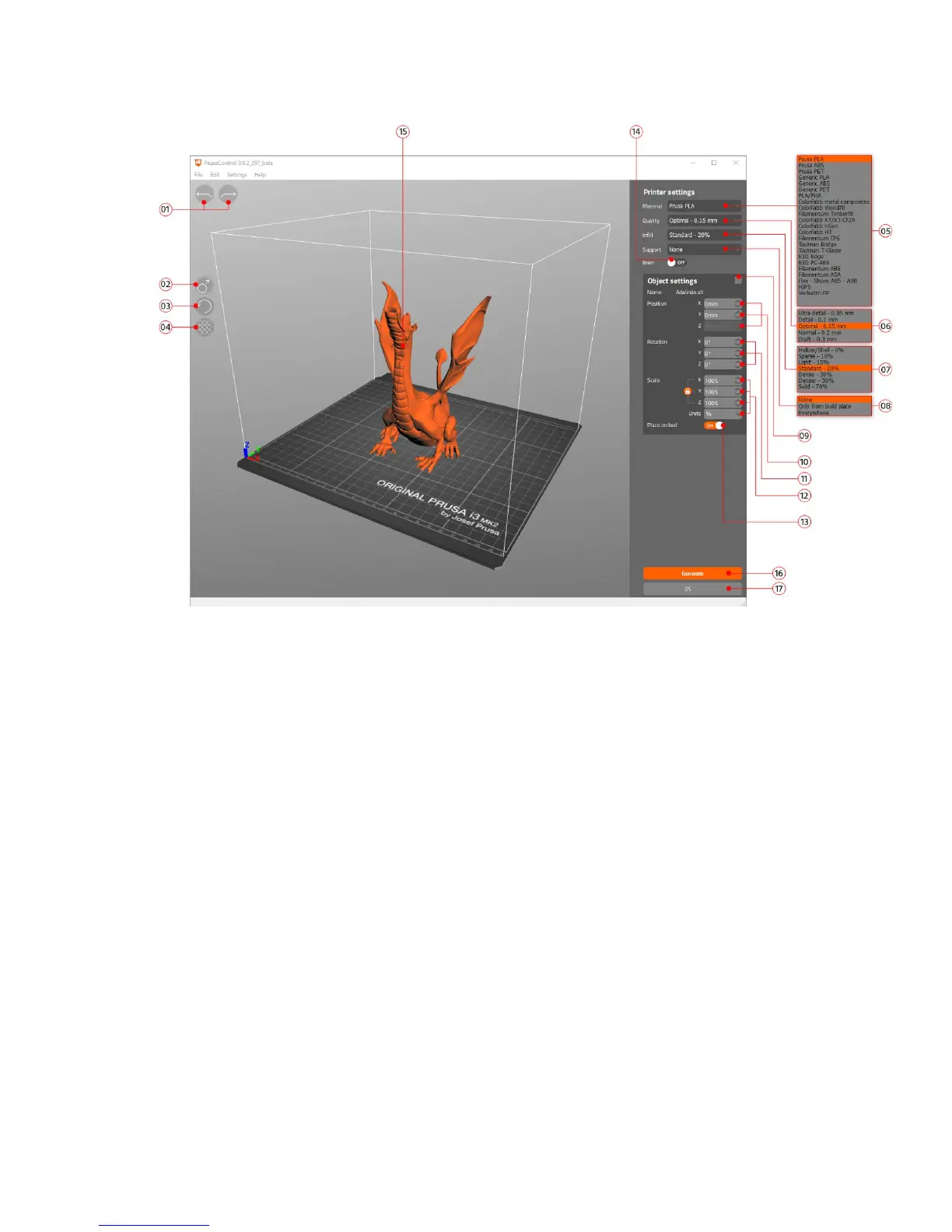
Pict.
21-
Prusa
Control
interface
1. Undo/Redo buttons return changes.
2. Scale button allows you to scale with the mouse while the model is selected.
3. Rotate button allows you to rotate with the mouse while the model is selected (outer
circle step are 0,1°, inner circle step is 45°.)
4. Auto arrange button positions objects on the print bed.
5. Material selection menu
6. Quality / Speed setting of a print menu
7. Infill menu
8. Supports menu
9. Reset transformation settings button
10. Position values
11. Rotation values
12. Scale values
13. Place on bed button turns on automatic placing of objects to Z=[0]
14. Brim On/Off button
15. Model preview
16. Generate button slices the model
17. Progress bar
39



 To Next Page