13 FAQ - common issues when assembling the printer kit
13.1 Nozzle/print surface gap is greater in the middle than at the
corners
The reason of this issue isn’t the bent printer surface or bed but a distorted Y-axis. We
suggest to remove the whole Y-axis out of the printer. Follow these steps:
● Align the Y-axis so that each Y-corner is sitting on the table - none should be off the
table.
● Align the tightening of each Y-axis threaded rod so that each Y-corner is
perpendicular (facing upright) to the table surface.
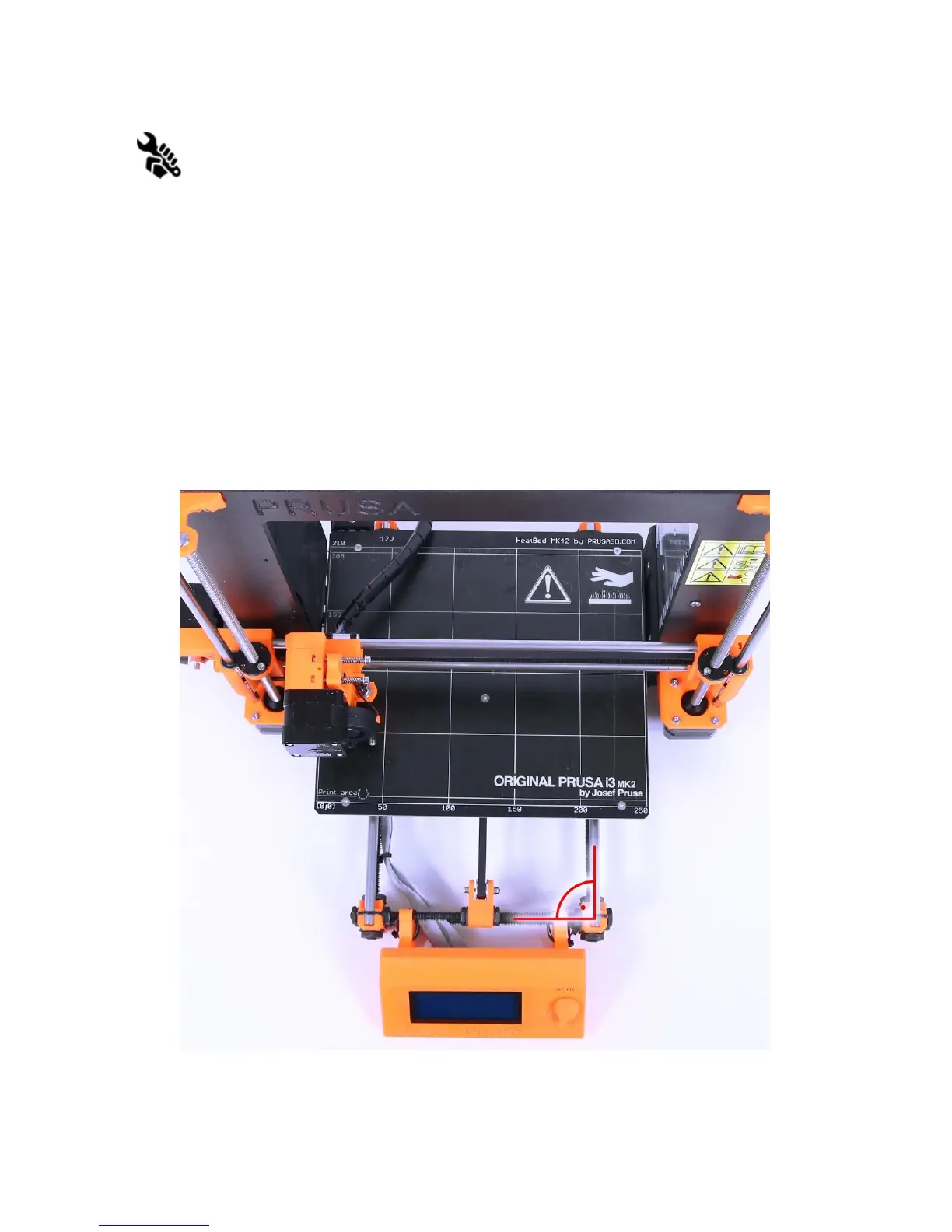
● Align the tightening of each Y-axis threaded rod so that each M8 threaded rod is at a
right angle to the M10 threaded rods - the Y-axis must form a perfect rectangle when
viewed from above (pict. 31).
Pict.
31
-
Right
angle
between
Y-axis
and
M8
/
M10
rods
54



 To Next Page