Please make sure you really move the Z carriage up to the end stoppers until you hear a
rattling sound as the Z stepper motors skip steps. This procedure ensures, that 1) the X axis
is perfectly horizontal, 2) the print nozzle is in a known distance from the print bed. In case
the Z carriage did not touch the end stoppers, the printer could not possibly know the height
of the print nozzle above the print bed and it could therefore crash into the print bed during
the Z calibration procedure.
The Z calibration procedure also prompts you to "Please
clean
the
nozzle
for
calibration.
Click
when
done."
If this advice is not followed and there is a plastic debris on the print nozzle, then the debris
may touch the print bed or even push the print bed away from the PINDA probe, so the
PINDA probe will not trigger properly and the calibration will fail.
6.3.7 Mesh bed levelling
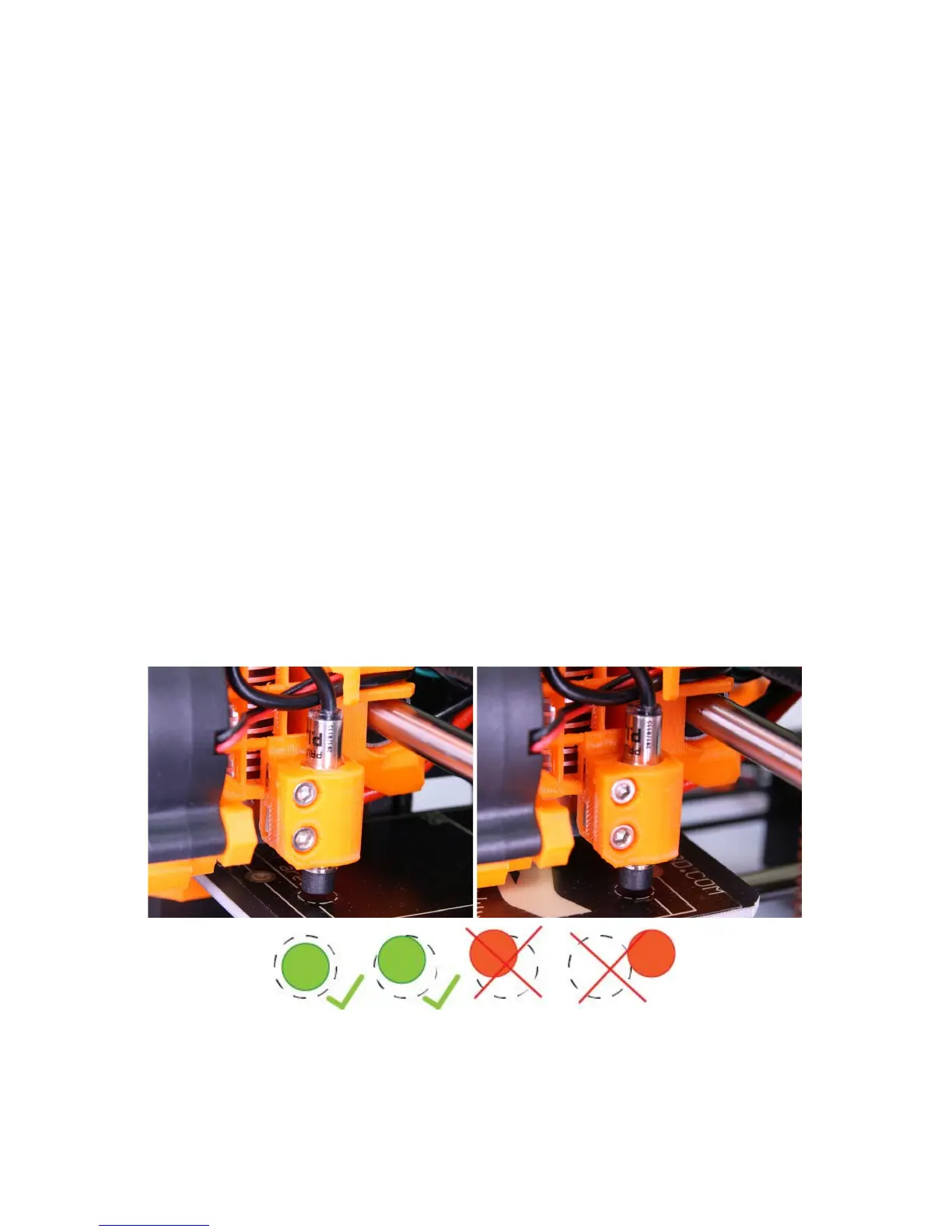
Mesh bed levelling can be found in Calibration menu. It is the same procedure which is
performed before every print. You can use it to check the P.I.N.D.A. probe alignment with
the calibration points however it is not necessary during the calibration process as Mesh bed
leveling is a part of Calibrate XYZ and Calibrate Z routines.
Before running this command clean the nozzle tip from any debris and run it while the
nozzle is cold. If the probe is misaligned and the nozzle is preheated, the nozzle can
make permanent impressions in the print surface.
Pict.
5
-
The
probe
must
be
inside
the
circles
(1st
and
9th
calibration
point)
to
successfully
level
the
bed
.
20



 To Next Page