10.4 Slic3r Prusa Edition
PrusaControl is build on top of the Slic3r Prusa Edition and hides all the unnecessary
clutter from having all settings exposed. If you choose to create your own specific print
settings or tweak material settings heavily, you can use Slic3r PE directly.
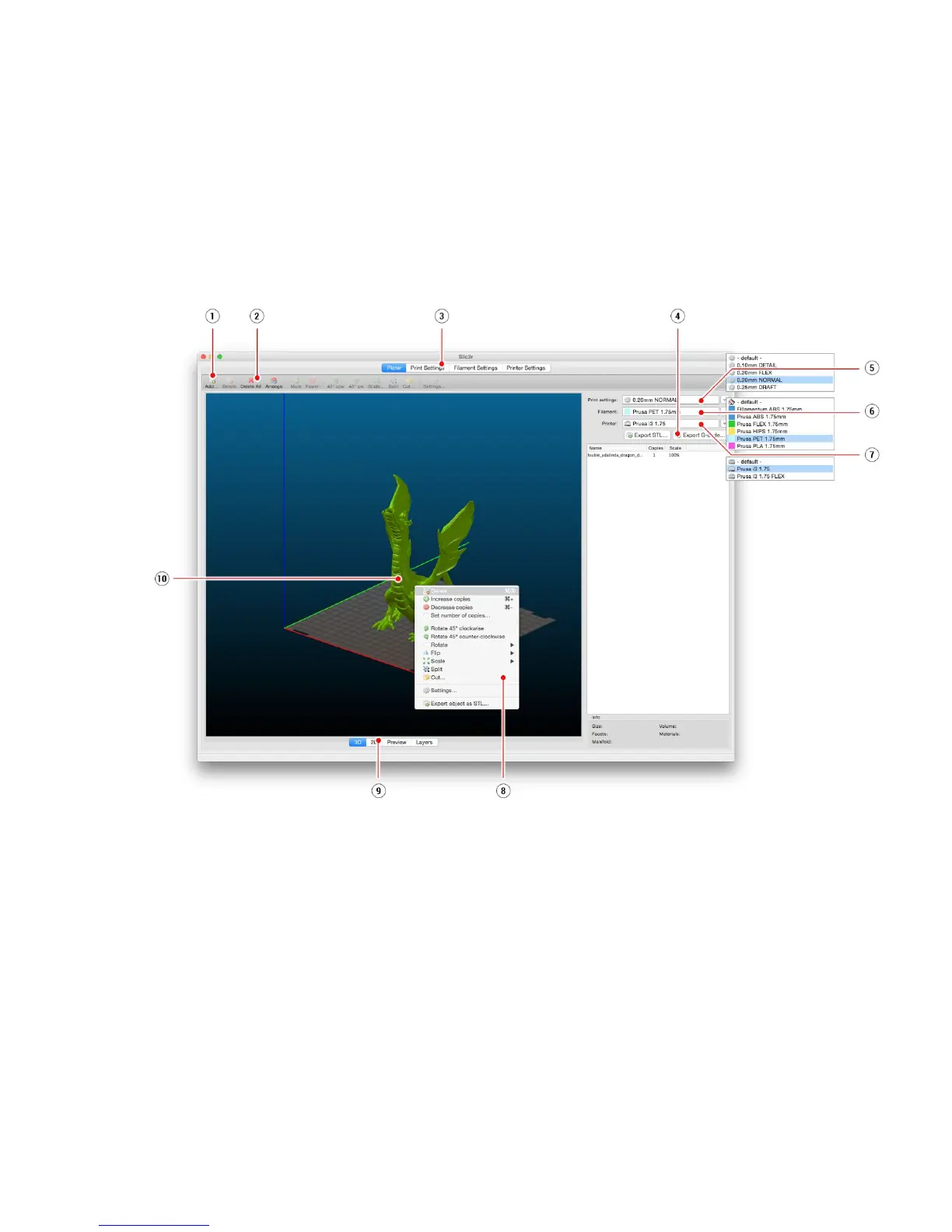
Pict.
22-
Slic3r
interface
1. Add button loads models into Slic3r.
2. Delete and Delete All buttons remove the model(s) from Slic3r.
3. Opens the detailed settings of print, filament and printer.
4. When the model is ready for print this button generates the .gcode file.
5. Quality / Speed setting of a print
6. Material selection
7. Printer selection
8. Right-click on model opens the menu with rotate, resize and other options
9. Type of model preview
10. Model preview
40



 To Next Page