12.1 Print surface preparation
Print surface preparation is described in 6.3.2 PEI print surface preparation chapter.
12.2 Clogged / jammed extruder
Material clogged in the extruder can cause problems with the printing or with the loading of a
new filament.
● Heat the nozzle, remove the filament from the extruder and cut the rod cca 10 cm
above the damaged part.
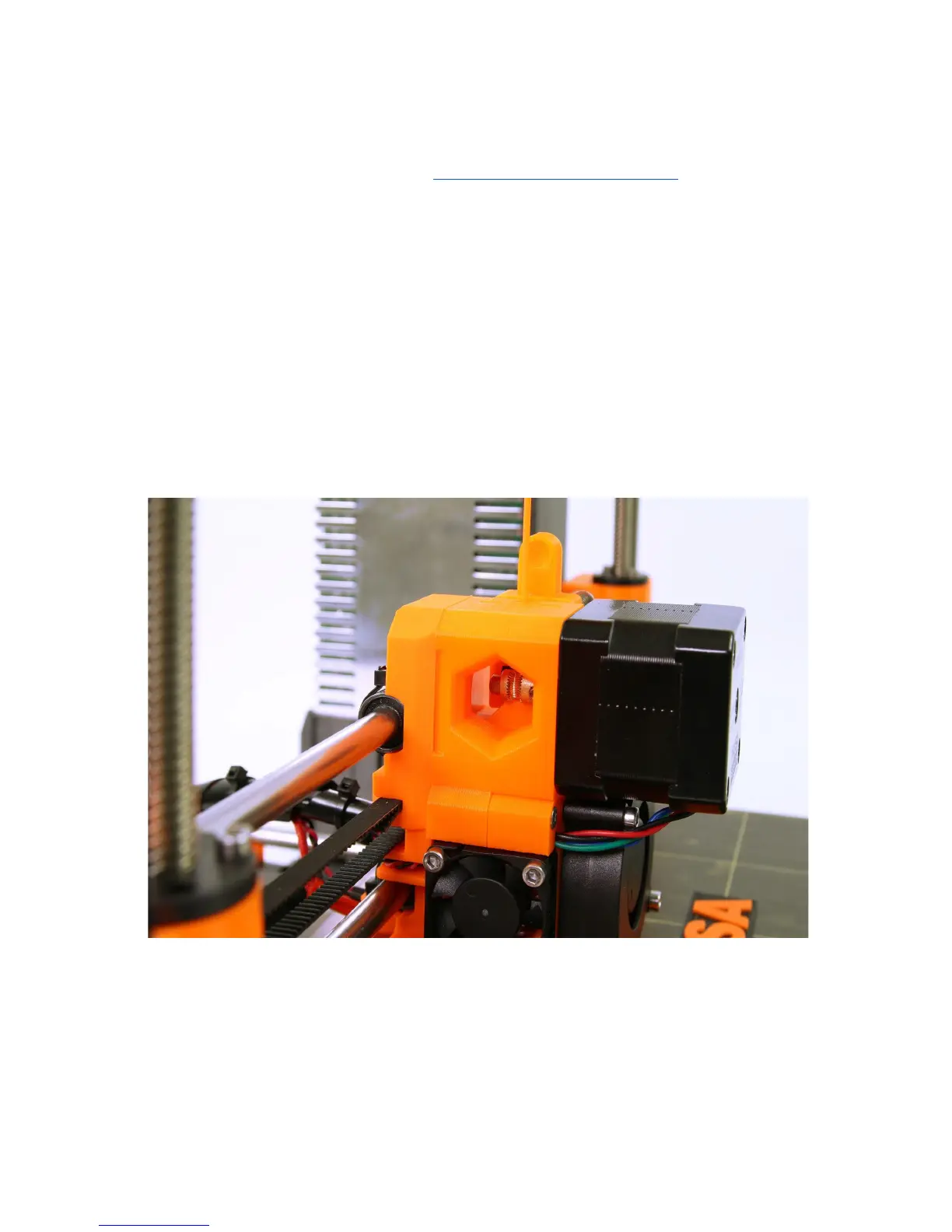
● The next step is to clean the extruder. There is a service hole on the left side of the
extruder where you can access the hobbed pulley (pict. 29).
● Clean the hobbed pulley, then heat the nozzle before reloading the filament.
● If a problem persists you will have to clean the nozzle.
Pict.
29
-
Cleaning
the
extruder
-
you
can
see
the
hobbed
pulley
through
the
service
hole
12.3 Nozzle cleaning
Use a wire brush to clean the nozzle from outside. Heat the nozzle before you do so.
50



 To Next Page