Page 33
Exporting Log Files to Excel
Log files can be transported to a computer via USB, they can then be
displayed on Flow Pulse-PC 1.2.4 or later.
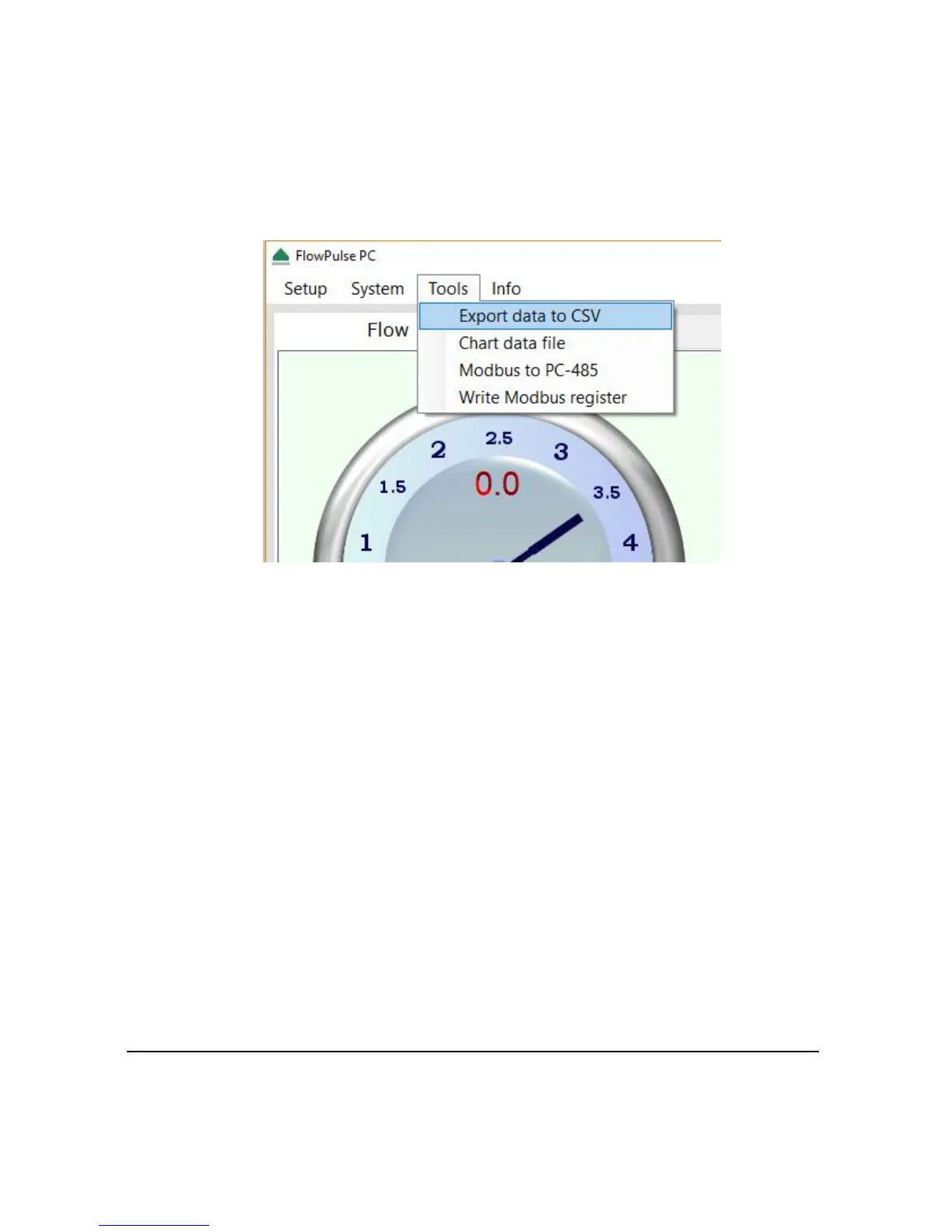
From “Tools” menu, select “Export Data to CSV”, then choose the flg files
to convert.
The new files will be generated within the same folder. Open the csv files in
Excel.
Flow Pulse Parameter Files
There are two types of parameter file; fpr (Flow Pulse parameter) and csv
(parameter list in Excel format).
fpr parameter: Whenever a Flow Pulse is connected, parameters will be
automatically retrieved from the sensor and stored in an. fpr file. Older
parameters from the same day are overwritten onto the same. fpr file to keep
the number of parameter files small. All. fpr files are named as
ParamFlowPulse-dd-mm-yy. fpr format by default.
csv parameter: Whenever data logging is manually initiated (using the F2
key), parameters will be retrieved from the sensor again to account for any
changes made, and stored in a csv parameter file. There will be one unique
csv parameter file corresponding to each data logging session. All csv
parameter files are named as ParamFlowPulse-dd-mm-yy-hh-mm.csv format
by default. A csv parameter file can be viewed in Excel.



 To Next Page