980 DP Video Generator - User Guide Rev. A4
Page 79 July 14, 2014
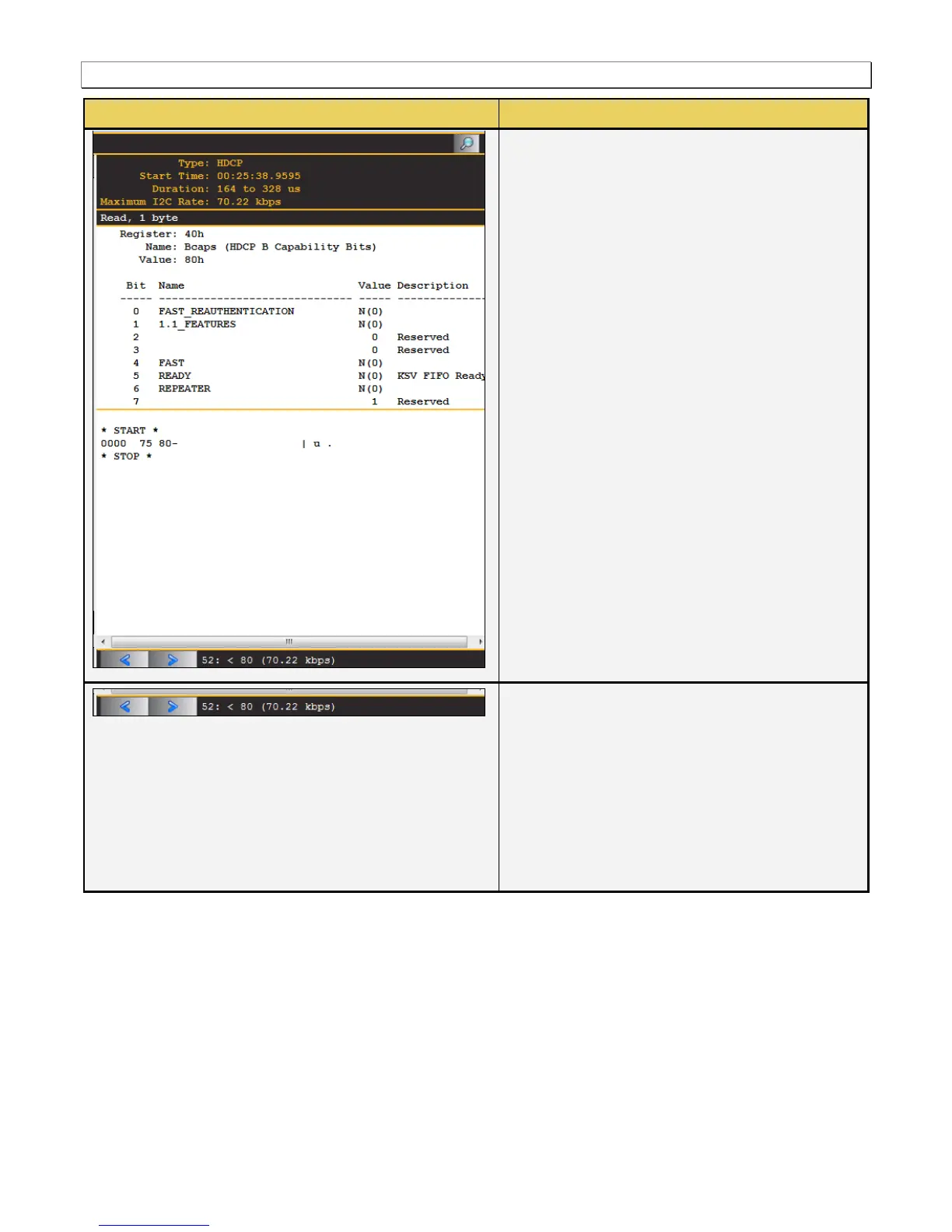
There are some control arrows and a status panel
on the bottom of the ACA Event Details panel.
These are as follows:
Left arrow – The left arrow allows you to see
the details of the next transaction.
Right arrow – The right arrow allows you to see
the details of the previous transaction.
Status field – Shows the sequence number and
the description of the selected transaction.
5.1.3 Monitoring the DisplayPort auxiliary channels with the ACA utilities
This subsection describes the procedures for monitoring the auxiliary channel data through the 980 GUI Manager
using the Aux Channel Analyzer real time utilities. You can monitor the DisplayPort transactions in real time when
module is emulating a DisplayPort source device or when the module is emulating a DisplayPort sink device with
the optional Rx analyzer port. Most of the screen examples are from the Aux. Channel Analyzer utility which is the
embedded 980 GUI utility.
5.1.4 Monitoring the DisplayPort Aux Channel Transactions in Real Time mode



 To Next Page