Introduction
Kiaro! 50 User Guide 25
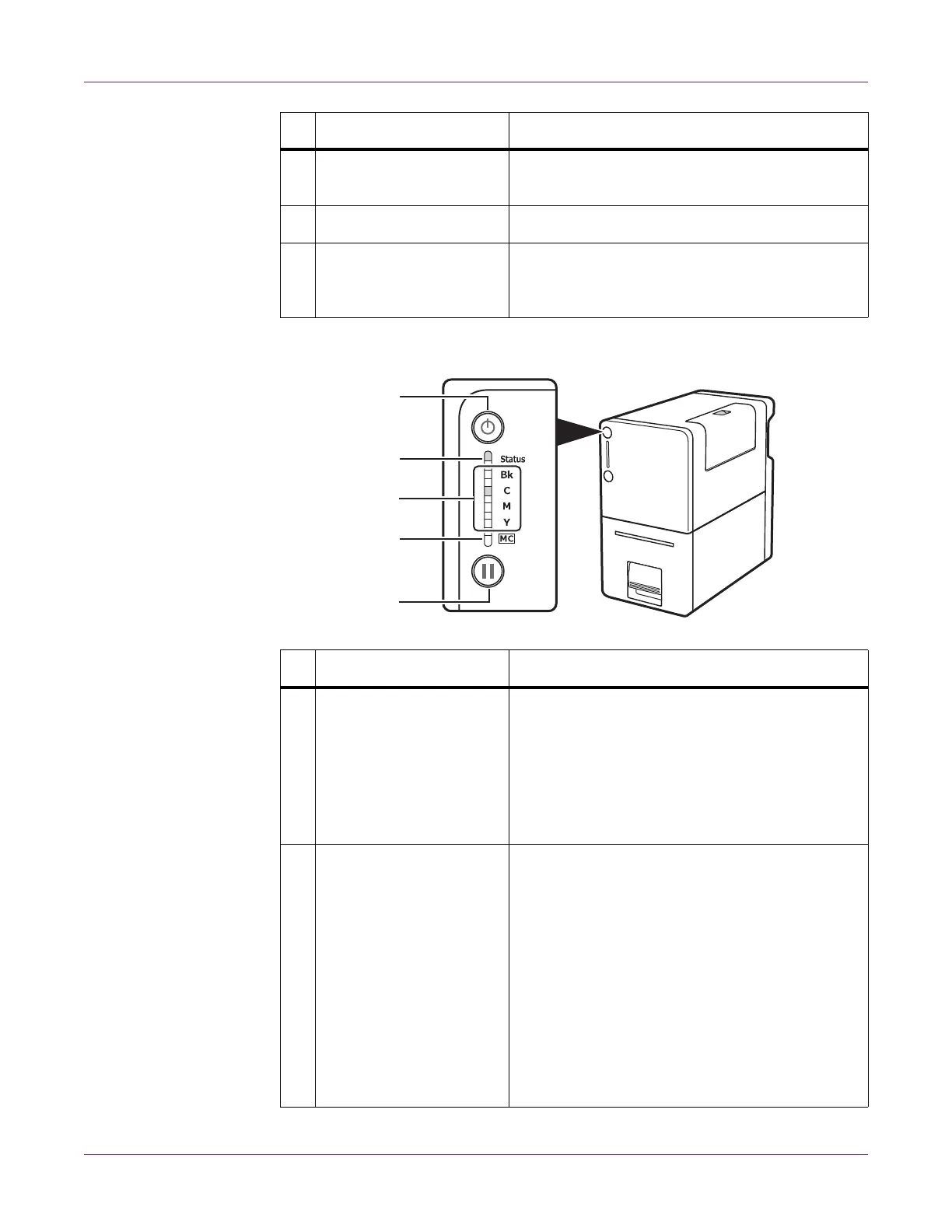
Operation Panel
4 Media Set Lever Secure the media to the transport unit using this
lever.
5 Roll Holder Set media in the roll holder.
6 Media Guide This guide presses on the media and prevents
the media from floating. Move it to fit the width of
the media.
# Part Description
1 Power Key/LED Press this key to turn on/off the printer. This LED
lights up or blinks depending on the power status.
• On - The printer power is on.
• Blinking - The printer is in sleep mode
(power-saving mode).
• Off - The printer power is off.
2 Status LED This LED lights up or blinks green or orange.
• Lit (Green) - The printer is online and printing
is possible.
• Blinking (Green) - The printer is processing or
operating (printing, cleaning, etc.).
• Lit (Orange) - An operator call error has
occurred.
• Blinking (Orange) - A service call error has
occurred.
• Off - The printer is offline and data cannot be
received.
# Part Description
[1]
[2]
[3]
[4]
[5]



 To Next Page