RaiseTouch User Manual Date:03/03/2020
- 17 / 80 -
www.raise3d.com
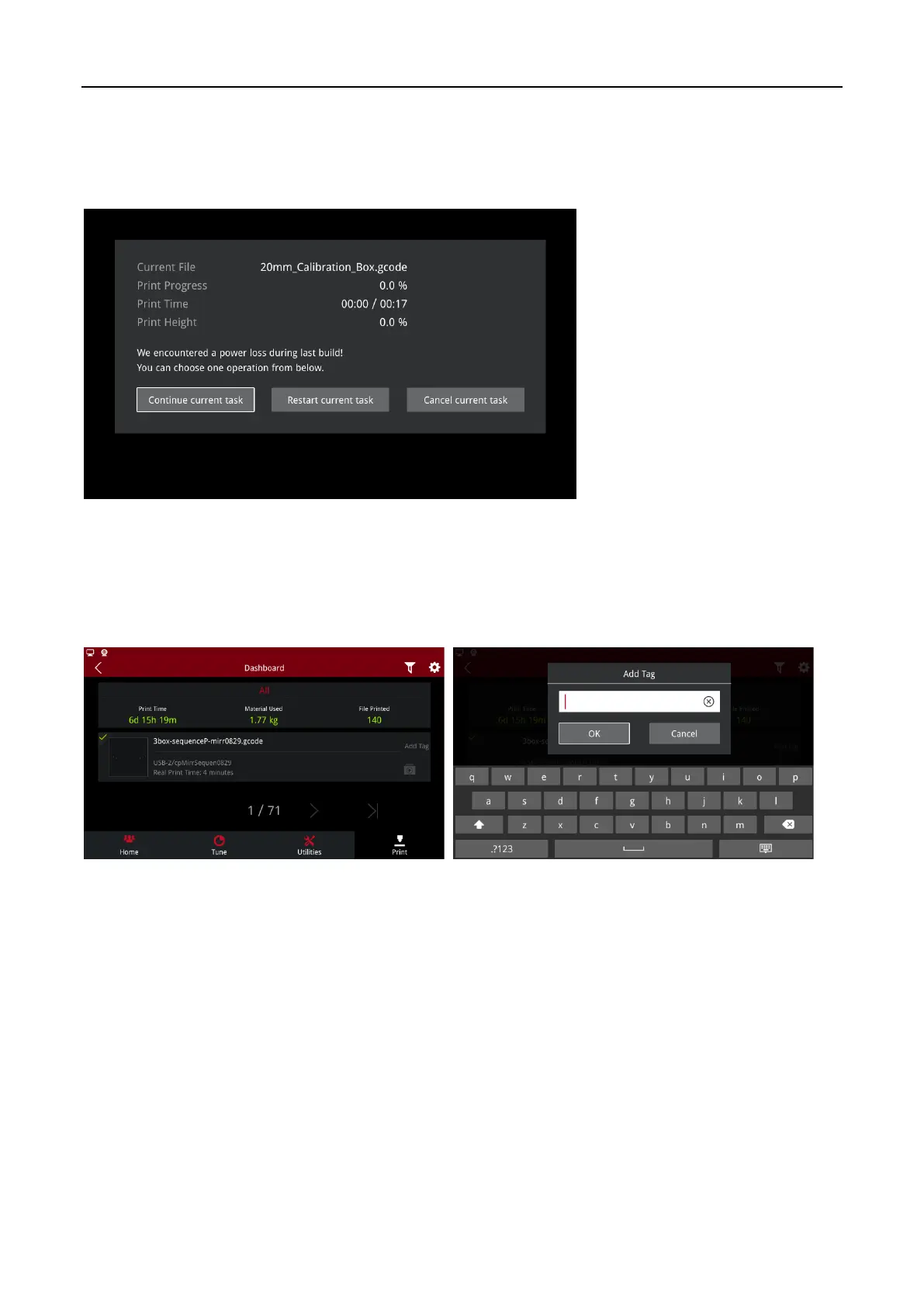
Power loss: when the printer is restarted or the serial port is reconnected, if the interrupted printing
task is detected, the print interface will pop up automatically to resume. Click “Recover current task”
to resume the printing Task. Click “Restart current task” to reprint the task. Click “Cancel current
task” to exit the interface. You can also continue the task through the Temp task after exiting.
Power loss
1.4.3 Dashboard
You can view all printed models on Dashboard. Click “Add Tag”, you can add labels for printed tasks.
The icon in the upper left corner of the print file queue shows the success or failure information.
Add Tag



 To Next Page