RaiseTouch User Manual Date:03/03/2020
- 23 / 80 -
www.raise3d.com
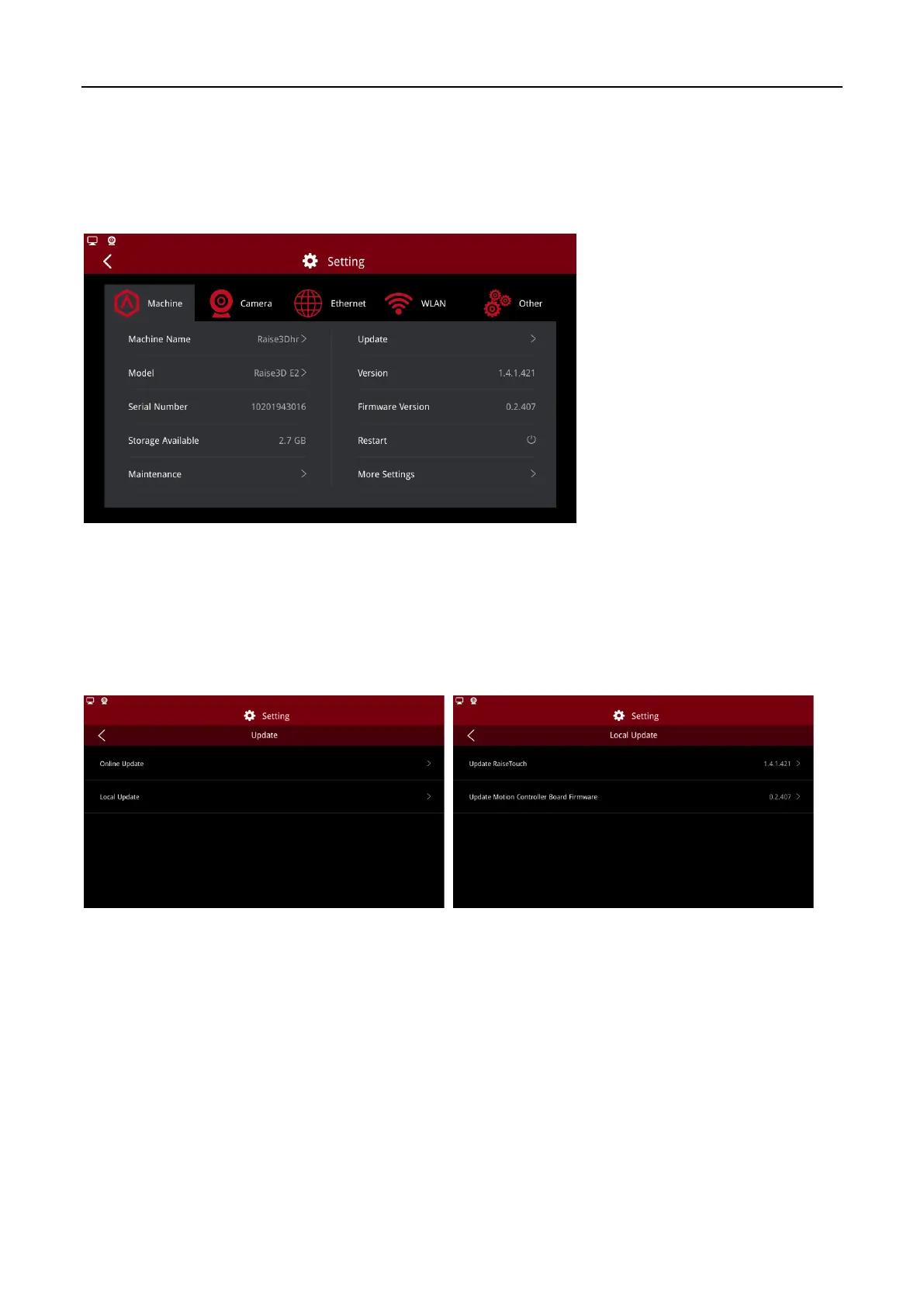
Update: Update news.
Version: Current version of RaiseTouch.
Firmware Version: Current version of firmware.
Restart: Restart the machine.
More Settings: More settings about machine.
Machine
1.5.1.1 Update
(1) Local Update
Click “Update >Local Update”, to enter local update. Insert a U disk with the installation package, the
system will automatically detect whether the U disk contains a valid installation package. Then you can
follow the wizard to update.
Update



 To Next Page