RaiseTouch User Manual Date:03/03/2020
- 53 / 80 -
www.raise3d.com
1.5.2.2 Time lapse
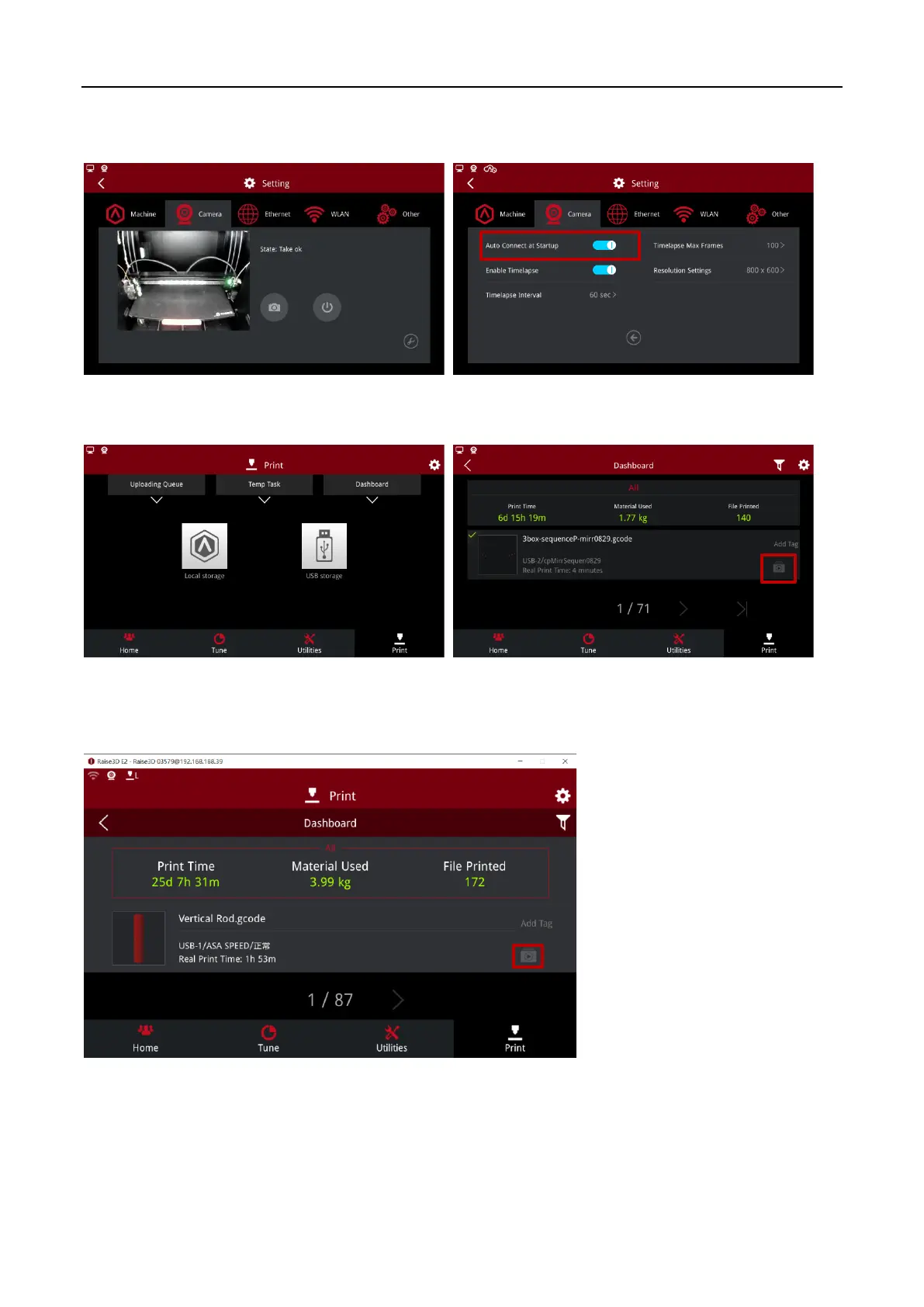
In camera advanced settings, you can set “Enable Timelapse”.
The Timelapse can be viewed on the touch screen under “Print > Dashboard”.
Check Timelapse
You can check Timelapse on ideaMaker 3.2 and above version.
Check Timelapse on ideaMaker 3.2
Note:
1. Timelapse can be viewed only when the print is finished.
2. Make sure the Timelapse setting was turned on at the touch screen.



 To Next Page