RaiseTouch User Manual Date:03/03/2020
- 62 / 80 -
www.raise3d.com
2. Operation
2.1 Quick Settings
2.1.1 Enter from Home Interface
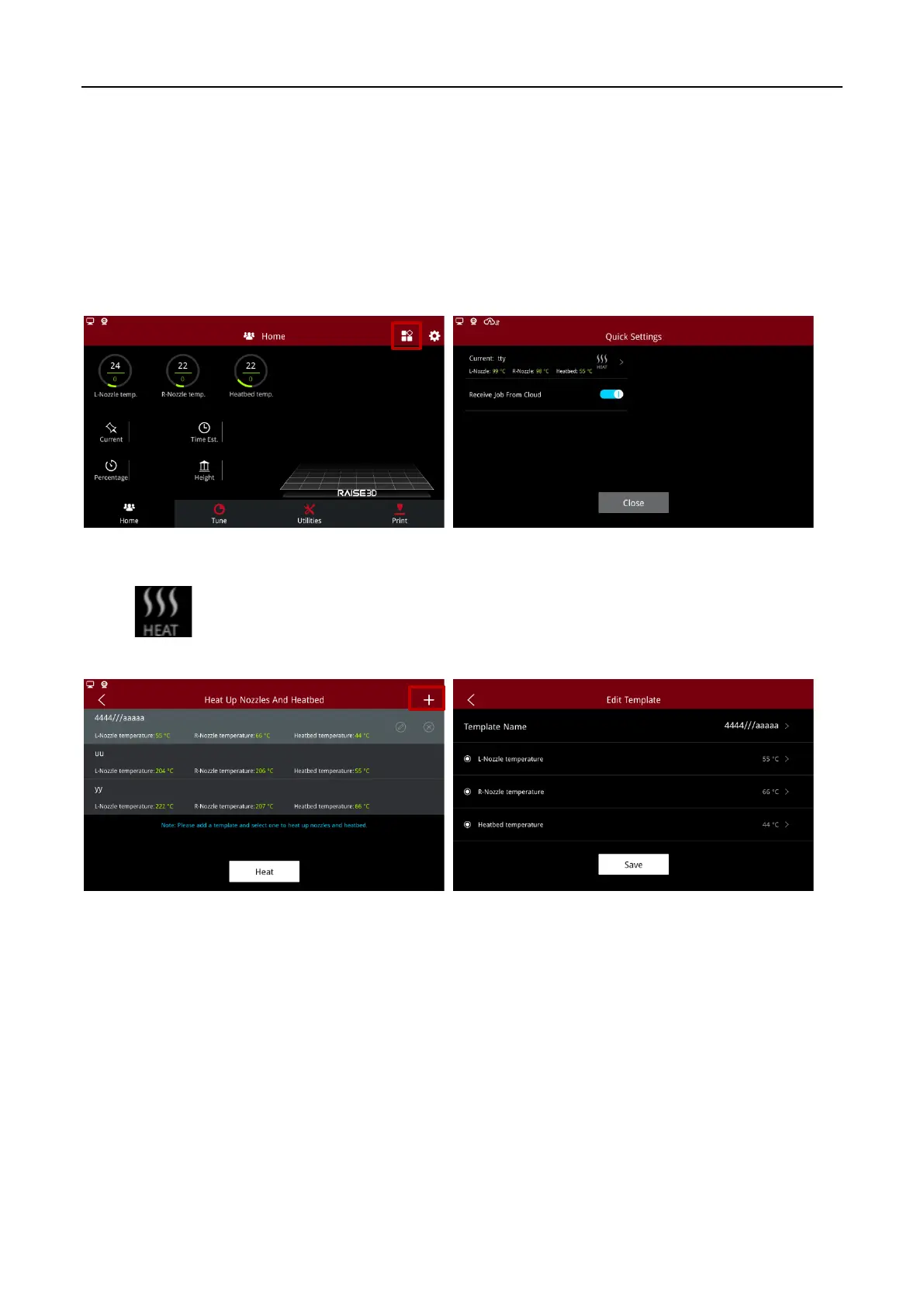
Enter the interface of temperature template management from “Home > Quick Settings”.
Quick Setting Entry on the Home Page
Click button to automatically execute the template and heat.
Add a new template by clicking the upper right button.
Add Heating Template



 To Next Page