RaiseTouch User Manual Date:03/03/2020
- 7 / 80 -
www.raise3d.com
1.3 Utilities
“The Utilities” page is divided into three functional modules, Move Axes, Filament Loader and
Levelling. The position of the nozzle and heat bed can be adjusted on the Move Axes page. In the
Filament Loader page, you can Load/Unload filaments for left and right extruders. You can carry out
the flatness detection of the heat bed on the Levelling page.
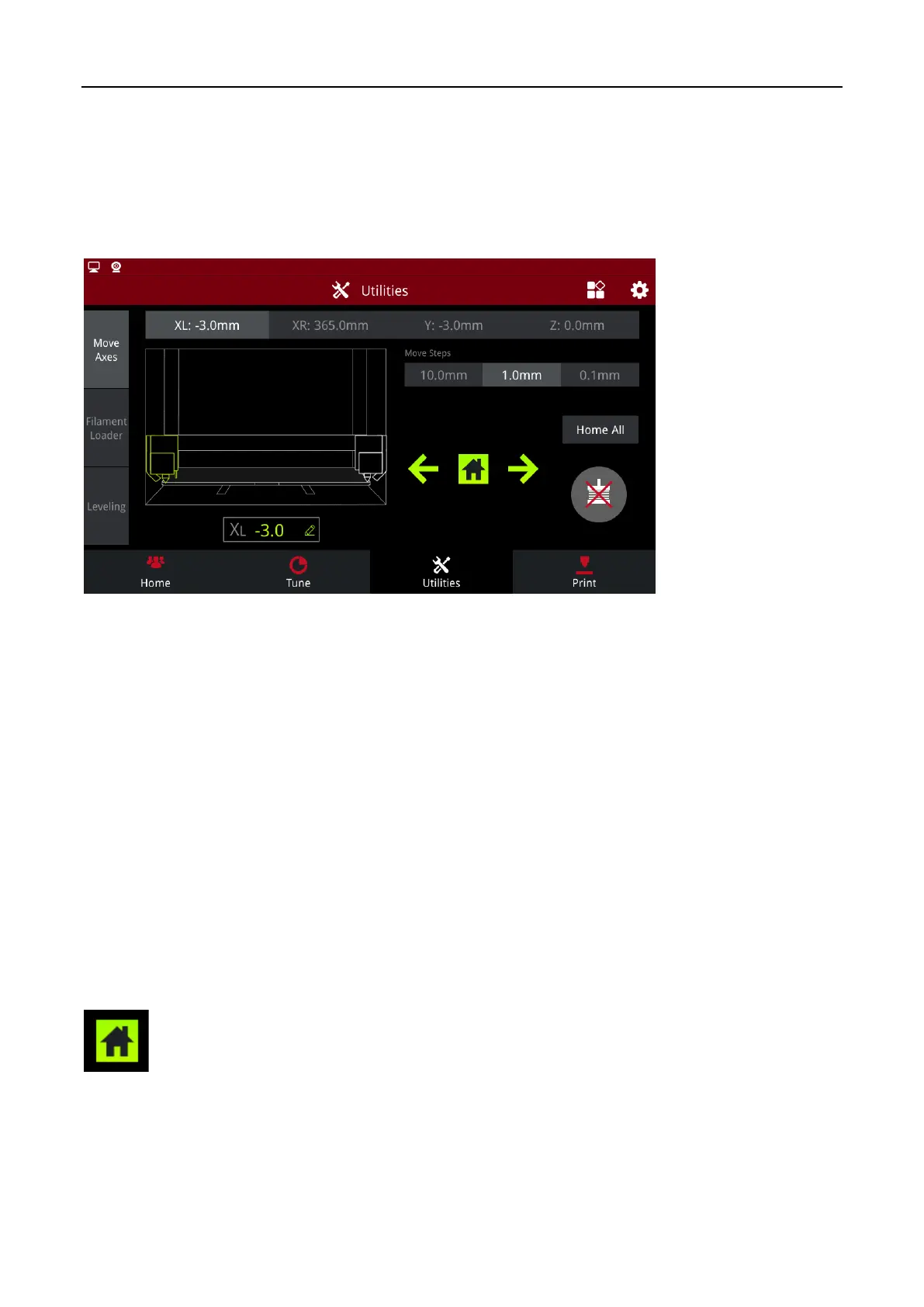
Utilities
1.3.1 Move Axes
Nozzle selection: Select the nozzle that needs to be adjusted. “XL” represents for left nozzle; “XR”
represents for right nozzle; “Y” represents for hot bed; “Z” represents for screw rod fixing nozzles.
Unit Settings: The distance that the currently selected component moves each step. It can be set to 10
mm,1mm or 0.1 mm per step.
Travel range: XL travel range [-3,330mm], XR travel range [32,365], Y travel range [-3,240], Z travel
range [-3,240]
Click on the “XL”, a dialog box will pop up, asking you to enter the “XL absolute coordinates”. Enter
the value, XL will be automatically adjusted to the corresponding position. XR, Y and Z can be adjusted
the same way.
: Nozzle homing or Y axis homing (depending on whether the nozzle or Y axis is currently
selected).



 To Next Page