RaiseTouch User Manual Date:03/03/2020
- 22 / 80 -
www.raise3d.com
Note:
this function needs to be enabled under “Setting > Privacy and Security > Enable Exporting
Local Files to External Storage”.
1.5 Setting
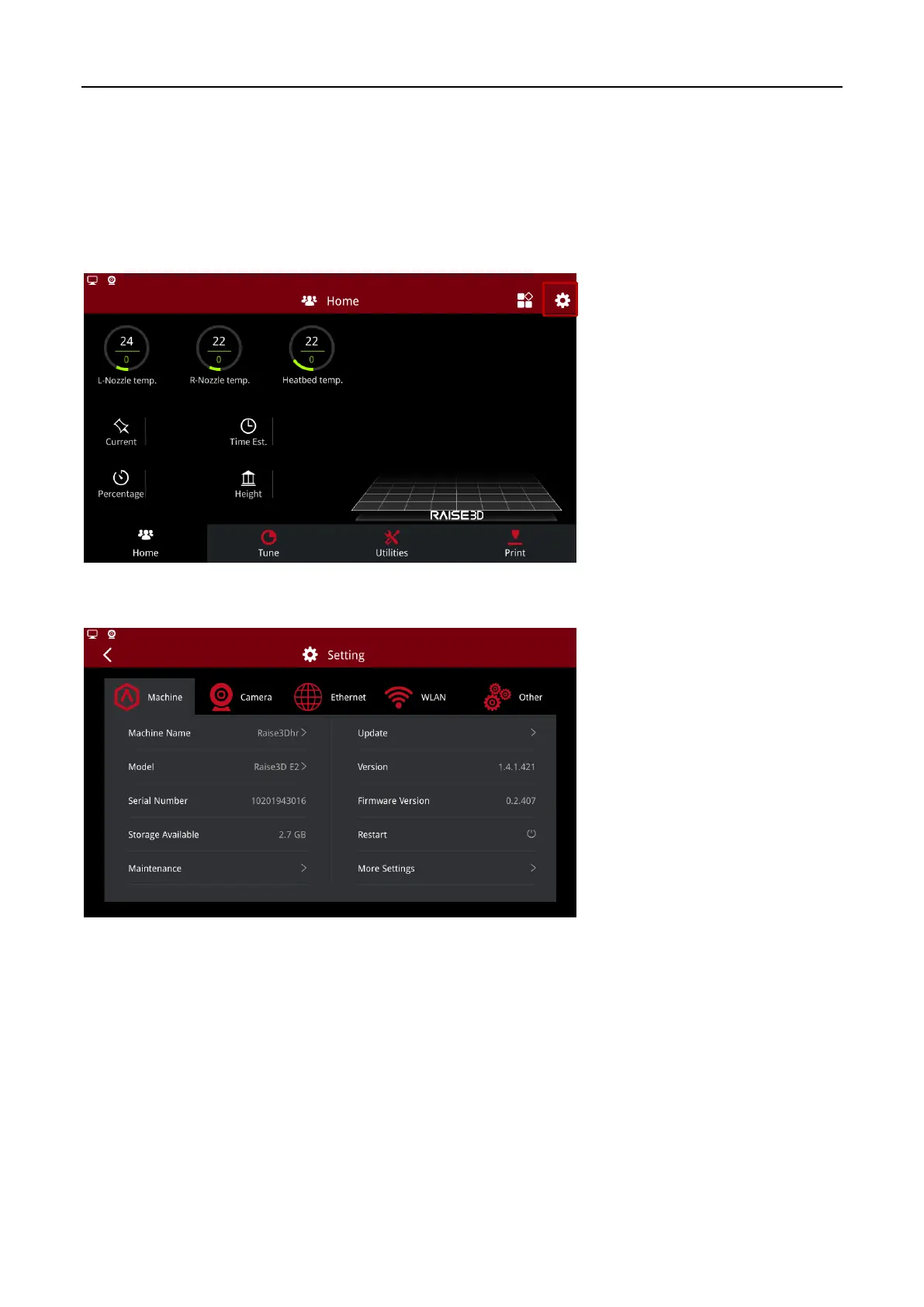
Click the gear button in the upper right corner of the screen to enter the setting interface.
Settings Entrance
Settings
1.5.1 Machine
The interface shows the printer parameters such as machine name, model, serial number, version
number and other printer parameters.
Machine Name: The name of machine which can be edit manually.
Model: Type of machine.
Serial Number: Serial Number of the machine.
Storage Available: The available storage space of the machine.
Maintenance: Maintenance settings for the printer.



 To Next Page