RaiseTouch User Manual Date:03/03/2020
- 64 / 80 -
www.raise3d.com
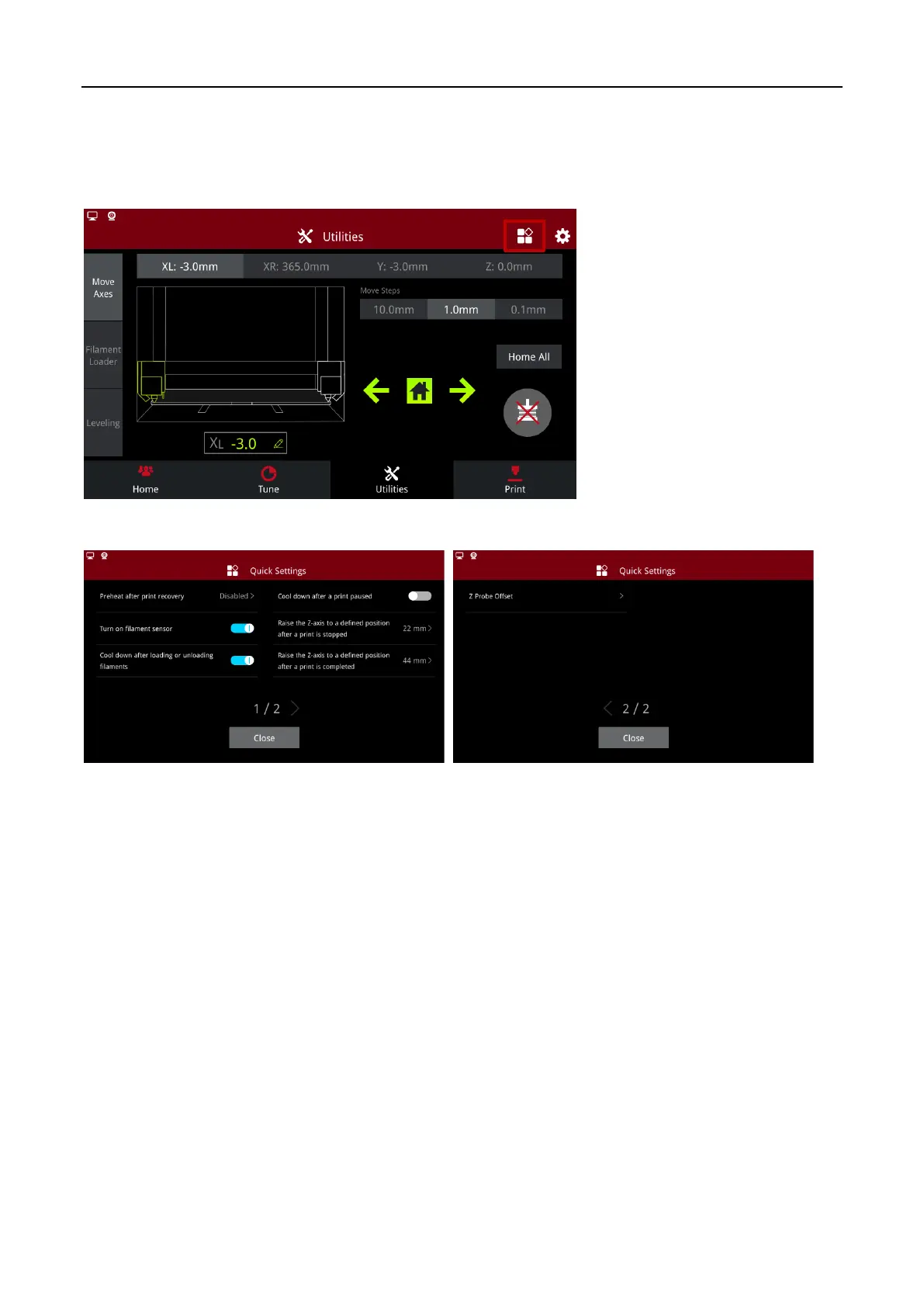
2.1.2 Enter from Utilities interface
Click the Quick Settings button located in the top right of the Utilities tab to enter the Quick Settings
interface.
Utilities Quick Settings Entry
Quick Settings Options
Preheat after recovery: Under this function, if you want to resume or restart the print job after power
off, the nozzles will automatically heat up, and then extruder head will move to avoid the nozzle
sticking to the model and causing the model to move.
Turn on filament sensor: In this function, the printer will activate the sensor to detect whether there is
a shortage of filaments.
Cool down after loading or unloading filaments: In this function, the nozzle will automatically cool
down after loading or unloading filaments.
Cool down after a print paused: In this function, the nozzle will automatically cool down after pausing
printing.
Raise the Z-axis to a defined position after a print is stopped: In this function, when printing is
stopped, the Z axis will be raised to the specified position.



 To Next Page