RaiseTouch User Manual Date:03/03/2020
- 74 / 80 -
www.raise3d.com
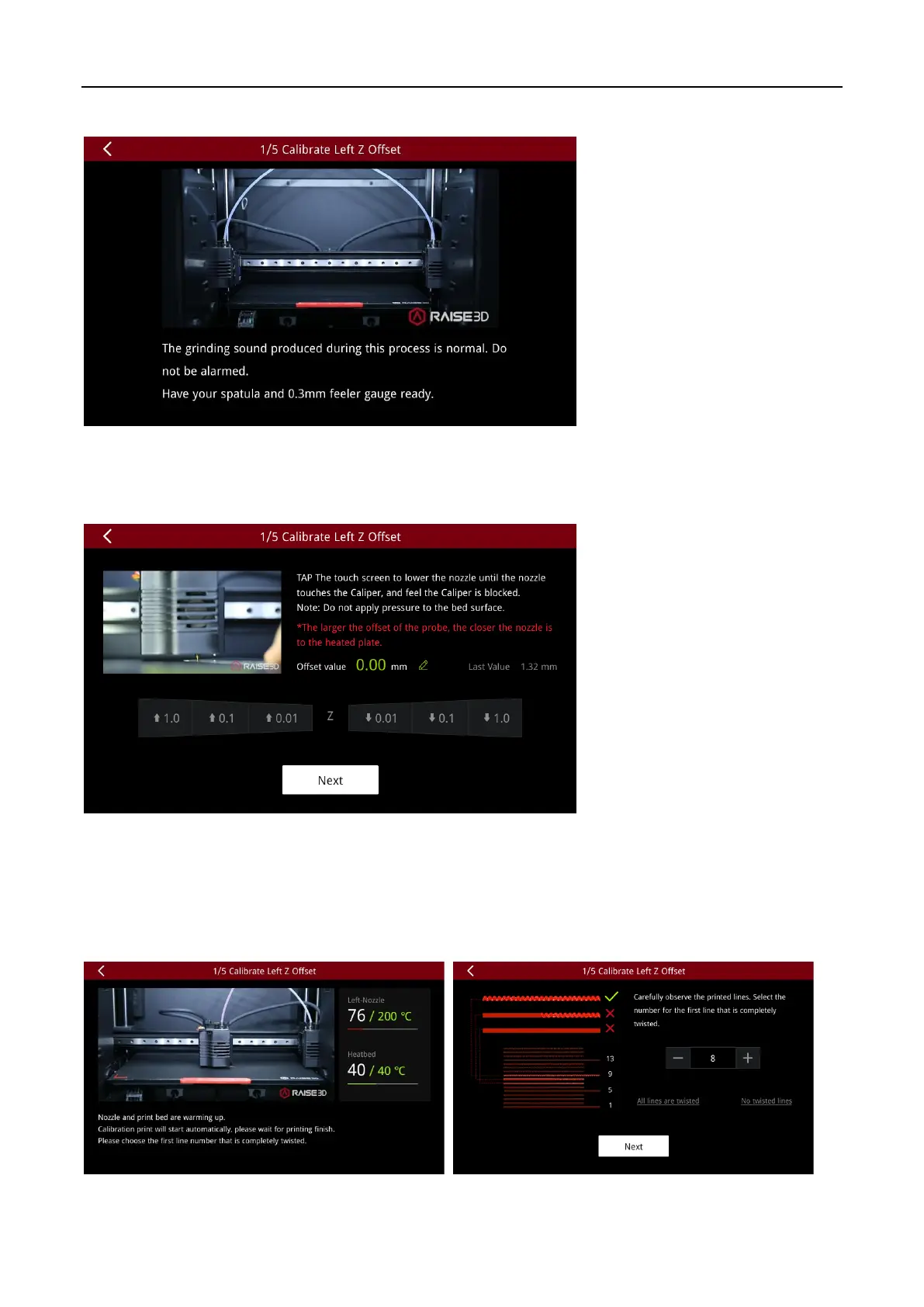
Click “Next”. Wait for the extruder to move to the specified location.
After the nozzle drops to the specified position, according to the wizard, put a feeler gauge between
the nozzle and the bottom plate, and choose to lift or lower the nozzle until the nozzle just touches the
feeler gauge.
If the nozzle is far away from the feeler gauge, please choose to lower the nozzle downward; if the
nozzle and feeler gauge are too close that squeezing the card, please choose to lift the nozzle upward.
After adjusting the nozzle position, click “Next” and wait for the machine to print the calibration line.
After printing is finished, follow the prompts and select the first line that is completely twisted. Then
click on “Next”.



 To Next Page