RaiseTouch User Manual Date:03/03/2020
- 9 / 80 -
www.raise3d.com
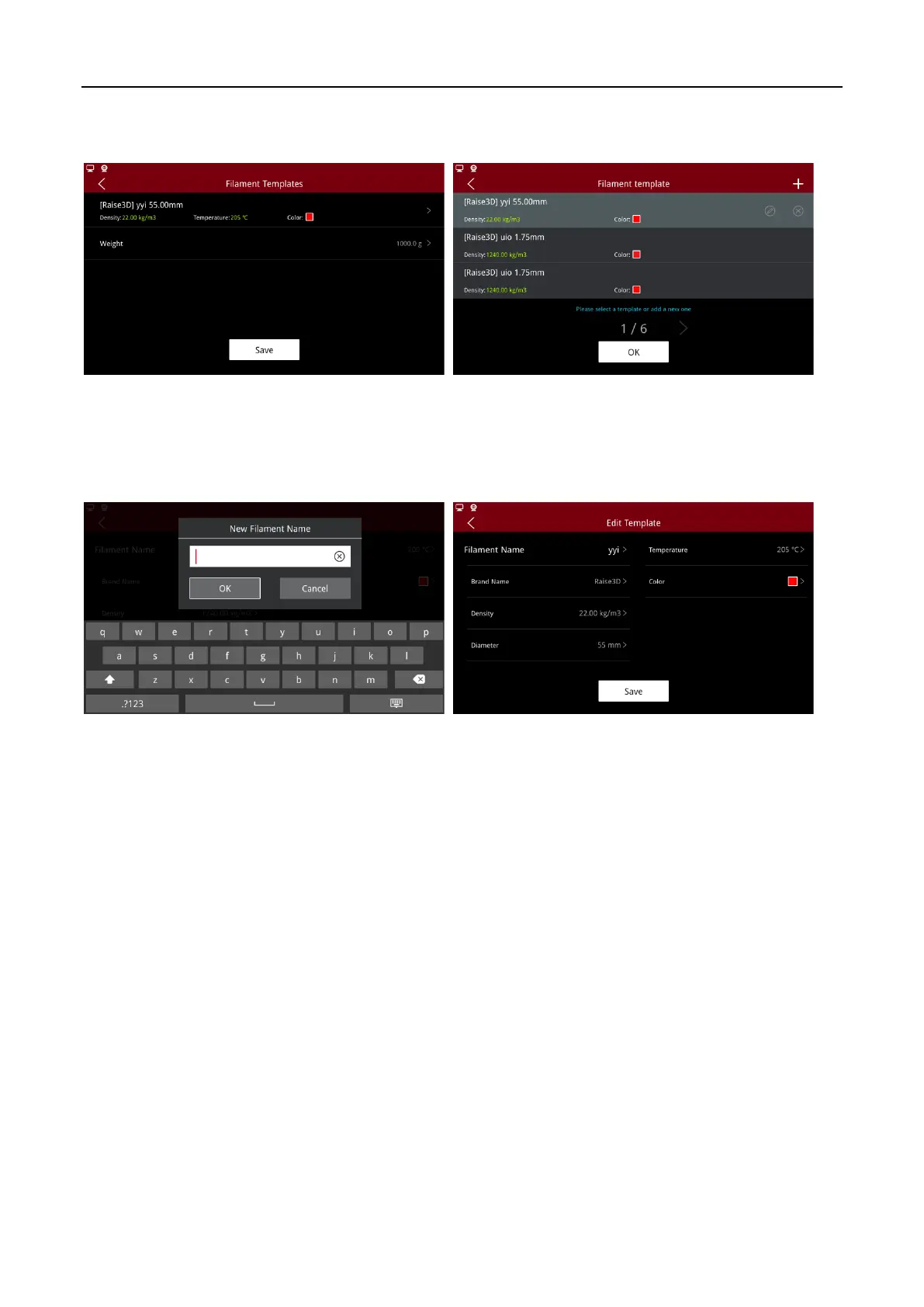
Click on the red box area to enter the Filament Templates list. Please select the filaments template that
needs to be loaded or unloaded.
Template List
Click “+” icon on the top right corner of the interface to enter the filament template page. By default,
the system provides the template for Raise3D Premium PLA filaments, please modify the template
parameters as needed. Click “Save” to save template information.
New Template



 To Next Page