20
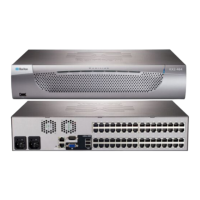
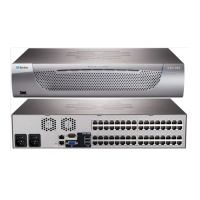
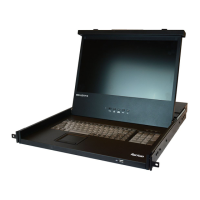
This section provides instructions on setting up a basic MCD or
MCD-LED system and accessing connected servers.
For instructions on rack-mounting each product, see
MCD Rackmount
Procedure
(on page 10) or
MCD-LED Rackmount Procedure
(on page
18).
Major steps for setting up a basic system include:
1. Connect servers to the MCD or MCD-LED switch. See
Basic
Installation
(on page 20).
2. Unlock and open the MCD-LED. See
Using the MCD-LED
(on page
24).
Skip this step if your prod
uct is the MCD KVM switch.
3. Log in to the MCD or MCD-LED switch to access servers, and then
log out. See
Initial OSD Operation
(on page 25).
In This Chapter
Basic Installation .......................................................................................20
Using the MCD-LED...................................................................................24
Initial OSD Operation .................................................................................25
Basic Installation
Server connection methods are the same for both MCD switches and
MCD-LED KVM drawers. The only difference is that you do NOT need to
connect a keyboard/mouse/video to MCD-LED.
Tip: If preferred, you can connect an additional "wired" or "wireless" USB
keyboard and/or mouse to the front USB port of MCD-LED. See
Front
View
(on page 16).
To connect servers to MCD, perform these steps:
Step A: Select Proper MDCIMs or MDUTPs
(on page 21)
Step B: Connect the Keyboard/Mouse/Monitor
(on page 21)
Step C: Connect Servers
(on page 22)
To connect servers to MCD-LED, perform these steps:
Step A: Select Proper MDCIMs or MDUTPs
(on page 21)
Step C: Connect Servers
(on page 22)
Chapter 4 Quick Start


 To Next Page
 Loading...