Chapter 8: Firmware Upgrade
66
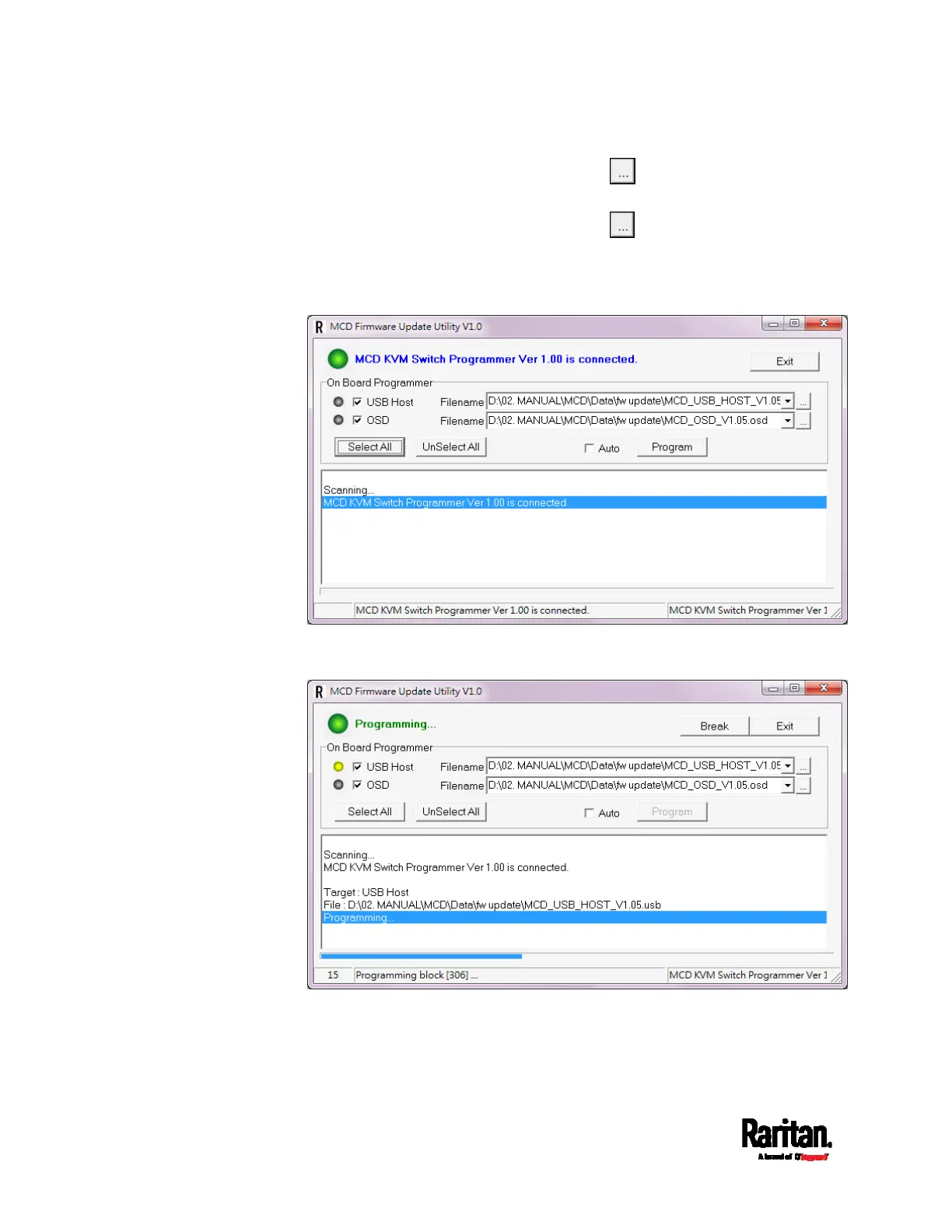
3. To upgrade the USB functionality, click in the row of the "USB
Host" to select the appropriate MCD USB file.
4. To upgrade the OSD functionality, click
in the row of the "OSD"
to select the appropriate MCD OSD file.
5. Select the checkbox of the functionality that you want to upgrade. To
upgrade both functionalities, simply click Select All.
6. Click Program to start the upgrade. The upgrade progress is
displayed at the bottom.
7. When the upgrade completes, verify the upgrade result. If it is
successful, a green bullet and blue text 'Program OK' is displayed on
the top of the utility.


 To Next Page
 Loading...