3.
1Multifunctiondisplay(MFD)requirement
TheAlphaSeriesperformancedisplayisnotastandaloneproduct.ItMUST
beconnectedtoaRaymarine®AxiomSeriesorAxiom2SeriesMultifunction
display(MFD)/chartplotter.Alldisplaysmustberunningthelatestavailable
softwareversions.
TheAlphaSeriesiscompatiblewiththefollowingRaymarine®Multifunction
displays/chartplotters:
CompatibleR
aymarine®MFDsRequiredMFDsoftwareversion
Axiom2Series:
Axiom2Pro ,Axiom2XL
LightHouse4,v4.5orlater
AxiomSeries:
Axiom,Axiom+,AxiomPro ,Axiom
XL
LightHouse4,v4.5orlater
Note:
Forlatestsoftware ,visit:www.raymarine.com/software
3.2P
oweringontheunit
Oncethepowercablehasbeenconnectedandadequatepowerisbeing
supplied,theperformancedisplaywillpoweron.
Theperformancedisplaywillremainonuntilpowerisnolonger
beingsuppliedtotheunit.Ifyourdisplayappearstobeturnedoff,
[Power-savemode]maybeactive.Formoreinformation,referto:
p.17—Enablingpower-savemode
3.3Languageselection
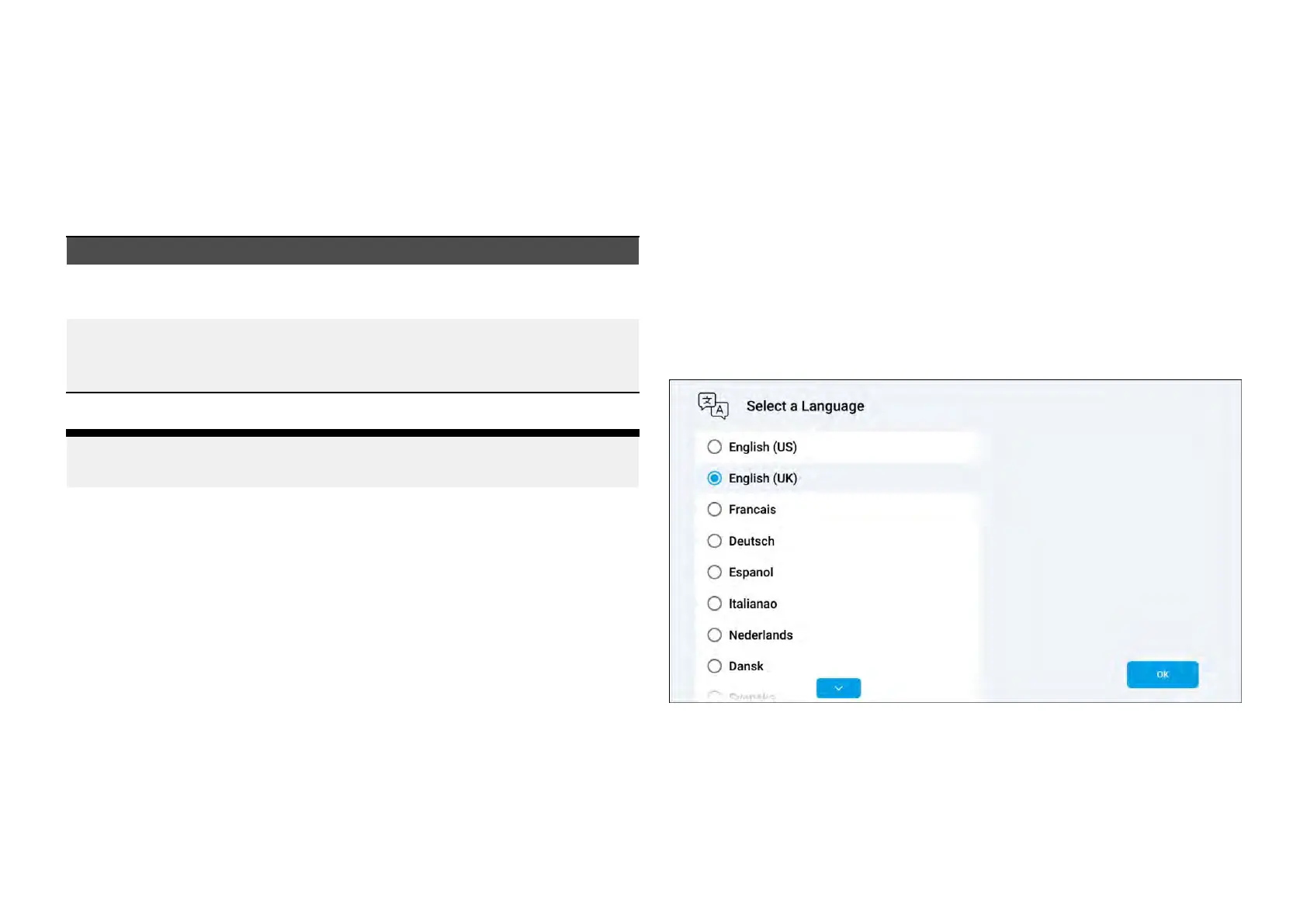
Ifyourperformancedisplayisbeingpoweredforthefirsttime,or,ifa
factoryresethasjustoccurred,alanguageselectionscreenwillappearifno
multifunctiondisplay/chartplotterisdetectedbyyourperformancedisplay:
Inordertoselectalanguage:
1.(Ifrequired)horizontallyscrollupanddowntofindthelanguagethatyou
wishtouse,tapthelanguagetoselectit,andthenselect[OK]tocontinue.
Once[OK]hasbeenselected,aseriesoftutorialpageswillappear.
Foracomprehensivelistoflanguagesthatcanbeselectedonthe
performancedisplay,referto:p.61—Languagesettings
14







 To Next Page