4.2P
ageoptions
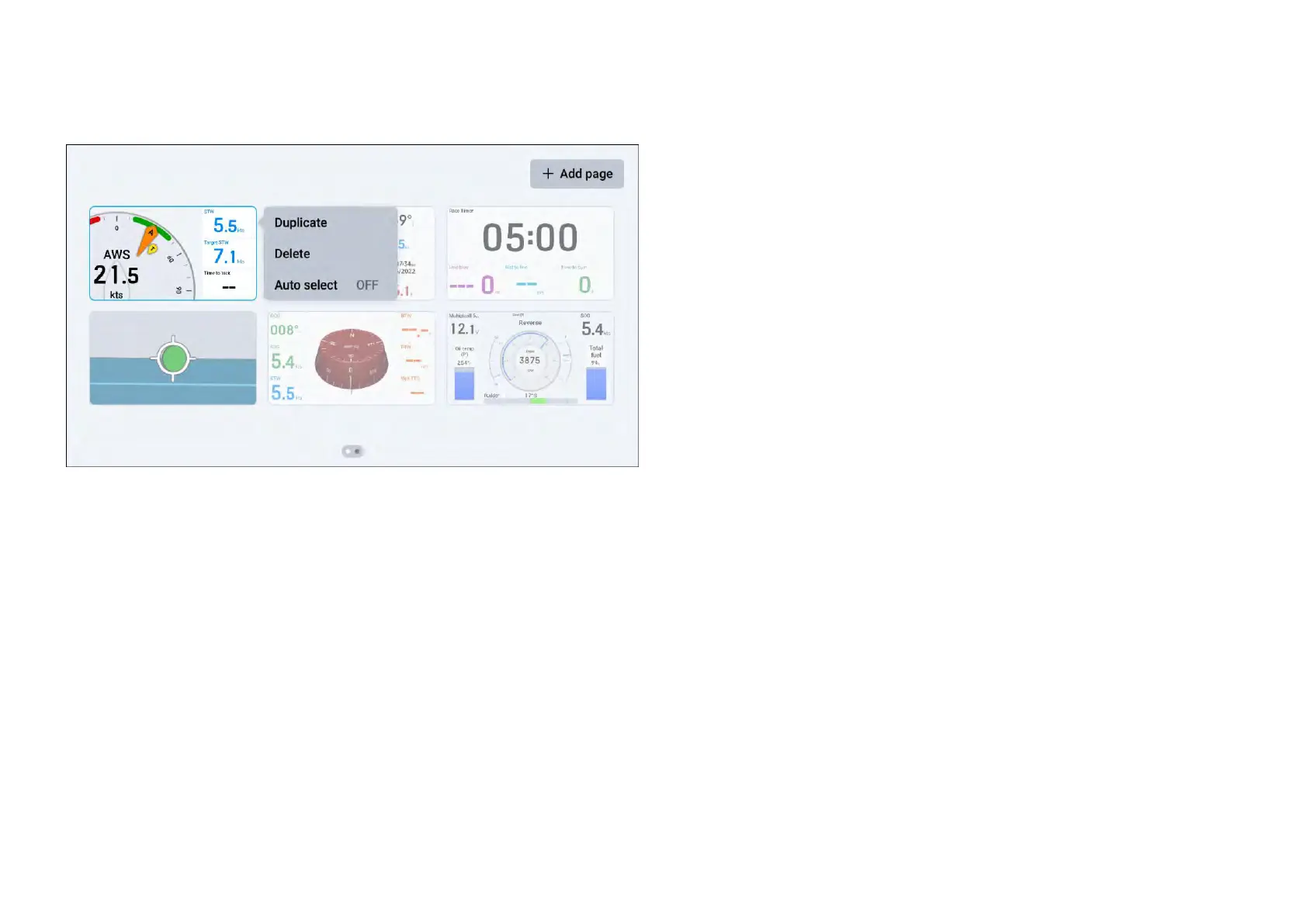
Whenviewingthe[Pages]screen,youcantapandholdonadatapageto
displayadditional[Pageoptions].
Thefollowingoptionsareavailable:
1.[Duplicate].
2.[Delete].
3.[A uto-select].
Duplicatingdatapages
Y oucanmakeacopyofanexistingpagebyusingthe[Duplicate]option.
To[Duplicate]adatapage:
1.Navigateto:[Datapageview>Overlaymenu>Pages]todisplaythe
[Pages]screen,oruseapinch-ingesturewhenviewingadatapage.
2.(Ifapplicable)scrollleftandrighttofindthedatapagethatyouwishto
duplicate.
3.Tapandholdonyourdatapage,untilitishighlighted.
4.Oncehighlighted,releaseyourdatapagetodisplaythe[Pageoptions]
menu.
5.Select[Duplicate]toduplicateyourhighlighteddatapage.
Y ourduplicateddatapagewillappearnexttotheoriginaldatapage.
Deletingpages
Y oucanalsodeleteunwanteddatapagesusingthe[Delete]option.
To[Delete]adatapage:
1.Navigateto:[Datapageview>Overlaymenu>Pages]todisplaythe
[Pages]screen,oruseapinch-ingesturewhenviewingadatapage.
2.(Ifapplicable)scrollleftandrighttofindthedatapagethatyouwishto
delete.
3.Tapandholdonyourdatapage,untilitishighlighted.
4.Oncehighlighted,releaseyourdatapagetodisplaythe[Pageoptions]
menu.
5.Select[Delete]todeleteyourhighlighteddatapage.
Aconfirmationpop-upwillappear:
•Select[Y es]toconfirmyourchoice.
•Select[No]toreturntothe[Pages]screen.
Onceconfirmed,yourselecteddatapagewillbedeleted.
Auto-selectingpages
Y oucanconfigureyourdatapagestobeautomaticallyselectedonceoneof
thefollowingconditionshasbeenmet:
•Never(default).
•Sailingupwind.
•Sailingdownwind.
•Reaching.
•Racetimercounting.
To[Autoselect]yourdatapage(s):
1.Navigateto:[Datapageview>Overlaymenu>Pages]todisplaythe
[Pages]screen,oruseapinch-ingesturewhenviewingadatapage.
2.(Ifapplicable)scrollleftandrighttofindthedatapagethatyouwishto
configure.
3.Tapandholdonyourdatapage,untilitishighlighted.
4.Oncehighlighted,releaseyourdatapagetodisplaythe[Pageoptions]
menu.
5.Select[Autoselect].
6.Selectoneoftheconditionsthathastobemetinorderforyourdatapage
toautomaticallyappearonscreen:
22







 To Next Page