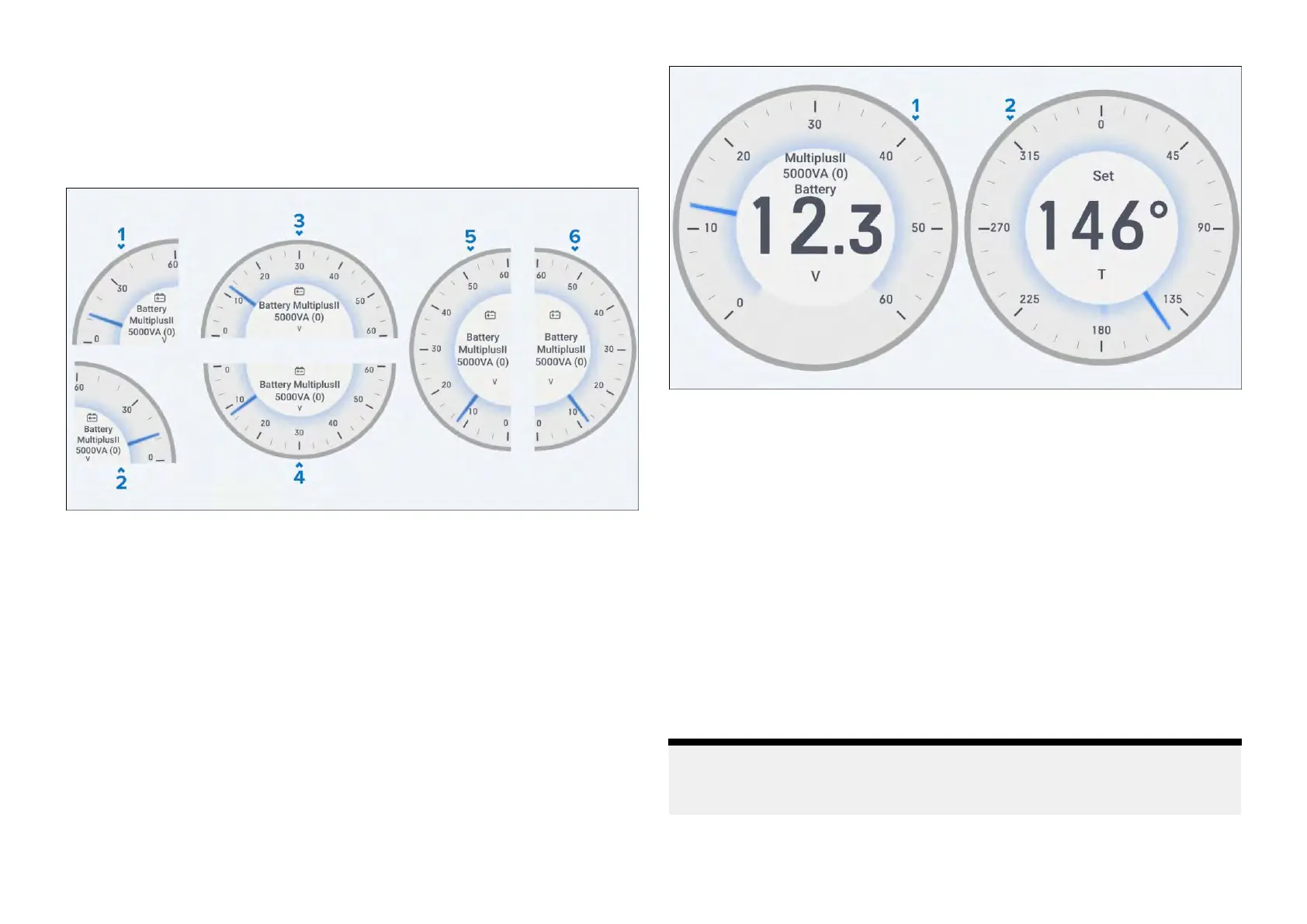
Gaugewidgets
The[Gauge]widgetoptionsprovideaselectionofgraphical90°(left/right),
180°(up/down/left/right),270°and360°dataitemindicatorviews,which
canbefurthermovedandresizedtosuityourpreference
.
Example:Gaugewidgets1
1.[90°Gaugeleft]
2.[90°Gaugeright]
3.[180°Gaugeup]
4.[180°Gaugedown]
5.[180°Gaugeleft]
6.[180°Gaugeright]
Example:Gaugewidgets2
1.[270°Gauge]
2.[360°Gauge]
Gaugewidgetoptions
Youcantap-holdawidgetandselect[...]todisplayadditionalwidgetoptions
whicharespecifictotheselectedwidgettype.
Thefollowingwidgetoptionsareavailable:
•[Editdata]—replacestheselectedwidgetwithanotherchosenfromthe
[Selectdatacategory]sub-menus.Thenewwidgetwilladoptthesame
positionanddimensionsasthepreviouswidget.
•[Delete]—deletestheselectedwidget.
•[Showbackground]—togglestheselectedwidget’sbackgroundeither
[On](todisplayashadedbackground)or[Off](todisplaynoshaded
background).
Note:
Formoreinformationonhowtoedityourwidgets,refertothefollowing
section:p.32—Widgetcustomization
Widgetcreationandcustomization
35







 To Next Page