The[A
utobrightness]settingwillautomaticallyadjusttheperformance
display’sbrightnesslevelbasedonthesurroundingambientlightlevel.
Whenusingthe[Autobrightness]setting,adjustingthe[Brightnessbar]will
addanoffsetvaluetothecurrentbrightness.
Note:
Ifyourperformancedisplayisconfiguredtobepartofashareddisplay
group
,the[Brightnessbar]and[Autobrightness]settingcanbeused
tosimultaneouslyadjustthebrightnesslevelofeachcompatible
deviceassignedtothesamegroup.Formoreinformationonhowto
configureyourperformancedisplay’sdisplaygroupsettings,referto:
p.56—Displaygroupsettings
Inordertochangethebrightness:
1.Whenviewingadatapage ,swipedownfromthetopedgeofthescreen
todisplaythe[Overlaymenu].
2.Manuallyadjustthescreenbrightnessviathe[Brightnessbar],orselect
[Auto]toautomaticallyadjusttheperformancedisplay’sbrightnesslevel
basedonthesurroundingambientlightlevel.
Changingcolormodes
Inadditiontothedefault[Colormode(Day)]configuration,theperformance
displaycanalsobeconfiguredfornighttimeuseviatheavailable[Color
mode(Night)]setting.
Important:
Ifyouareusingthe[Colormode(Night)]settingatnight,beawarethatyour
visionmaybecompromisedwhenrevertingbacktoeitherthe[Colormode
(Day)]settingoradisplayscreenwithahigherlevelofbrightness.
Note:
The[Colormode(Day)]and[Colormode(Night)]settingsareapplied
globallytoallcompatibledevicesinthesystem,andwilltherefore
automaticallysynchronizewithanynetwork edmultifunctiondisplays/
chartplottersanddaisy-chainedperformancedisplays.
Inordertochangebetweencolormodes:
1.Whenviewingadatapage
,swipedownfromthetopedgeofthescreen
todisplaythe[Overlaymenu].
2.Selectbetween[Colormode(Day)]and[Colormode(Night)].
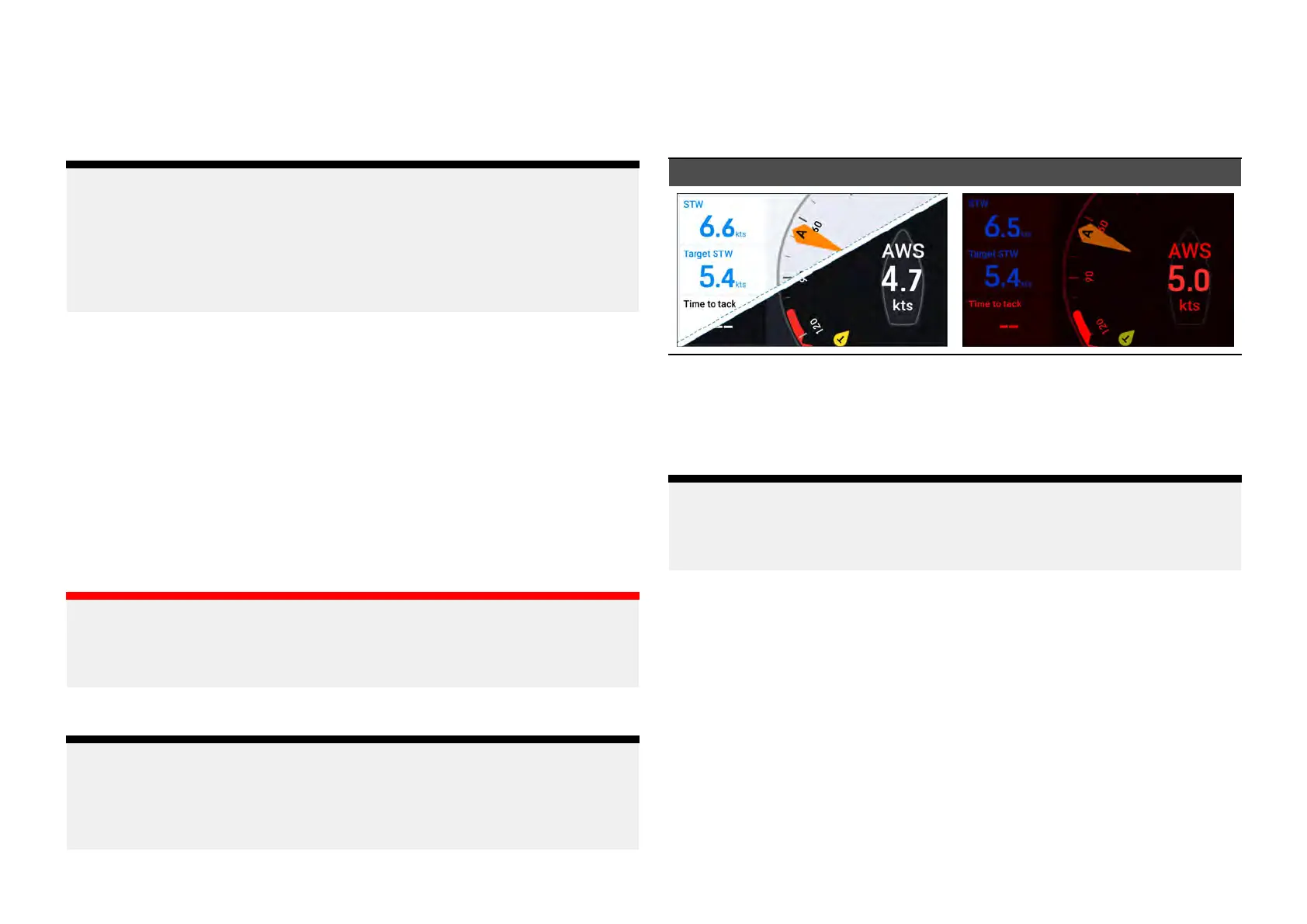
Colormode(Day)
Colormode(Night)
[Colormode(Day)]—thedefaultcolormode,whichusesstandardlight
(default)ordarkcolors(intendedfordayuse).
[Colormode(Night)]—thenon-defaultcolormode,whichusesredtextand
iconsonadarkenedbackgroundscreen(intendedfornightuse).
Note:
Forinformationonhowtoconfigureyour[Colormode(Day)]color
scheme,refertotheinformationfoundinthefollowingsection:
p.56—Daytimecolorsettings
3.8Softwareupdates
Thesoftwarerunningontheproductcanbeupdated.
•Raymarine®periodicallyreleasessoftwareupdatestoimproveproduct
performanceandaddnewfeatures.
•Thesoftwareonmanyproductscanbeupdatedusingaconnectedand
compatiblemultifunctiondisplay(MFD)/chartplotter.
•Refertowww.raymarine.com/softwareforthelatestsoftwareupdatesand
thesoftwareupdateprocedureforyourspecificproduct.
18







 To Next Page