7
.1Multifunctiondisplay(MFD)requirement
TheAlphaSeriesperformancedisplayisnotastandaloneproduct.ItMUST
beconnectedtoaRaymarine®AxiomSeriesorAxiom2SeriesMultifunction
display(MFD)/chartplotter.Alldisplaysmustberunningthelatestavailable
softwareversions.
TheAlphaSeriesiscompatiblewiththefollowingRaymarine®Multifunction
displays/chartplotters:
CompatibleR
aymarine®MFDsRequiredMFDsoftwareversion
Axiom2Series:
Axiom2Pro ,Axiom2XL
LightHouse4,v4.5orlater
AxiomSeries:
Axiom,Axiom+,AxiomPro ,Axiom
XL
LightHouse4,v4.5orlater
Note:
Forlatestsoftware ,visit:www.raymarine.com/software
7
.2AlphaSeriesnetworkoperations
(LightHouse™4MFD)
SomefunctionscanbeinvokedremotelywhenusingaRaymarine®
LightHouse™4(version4.5orlater)multifunctiondisplay/chartplotter
whichisconnectedtothesamenetworkasyourAlphaperformance
display(s).Thesefunctionsaresplitbetweeneitherthemultifunctiondisplay/
chartplotter’s[Network]page(forconfiguration-basedoptions)and[Sidebar]
menu(forfeaturesoftenrequiredwhilstsailing).
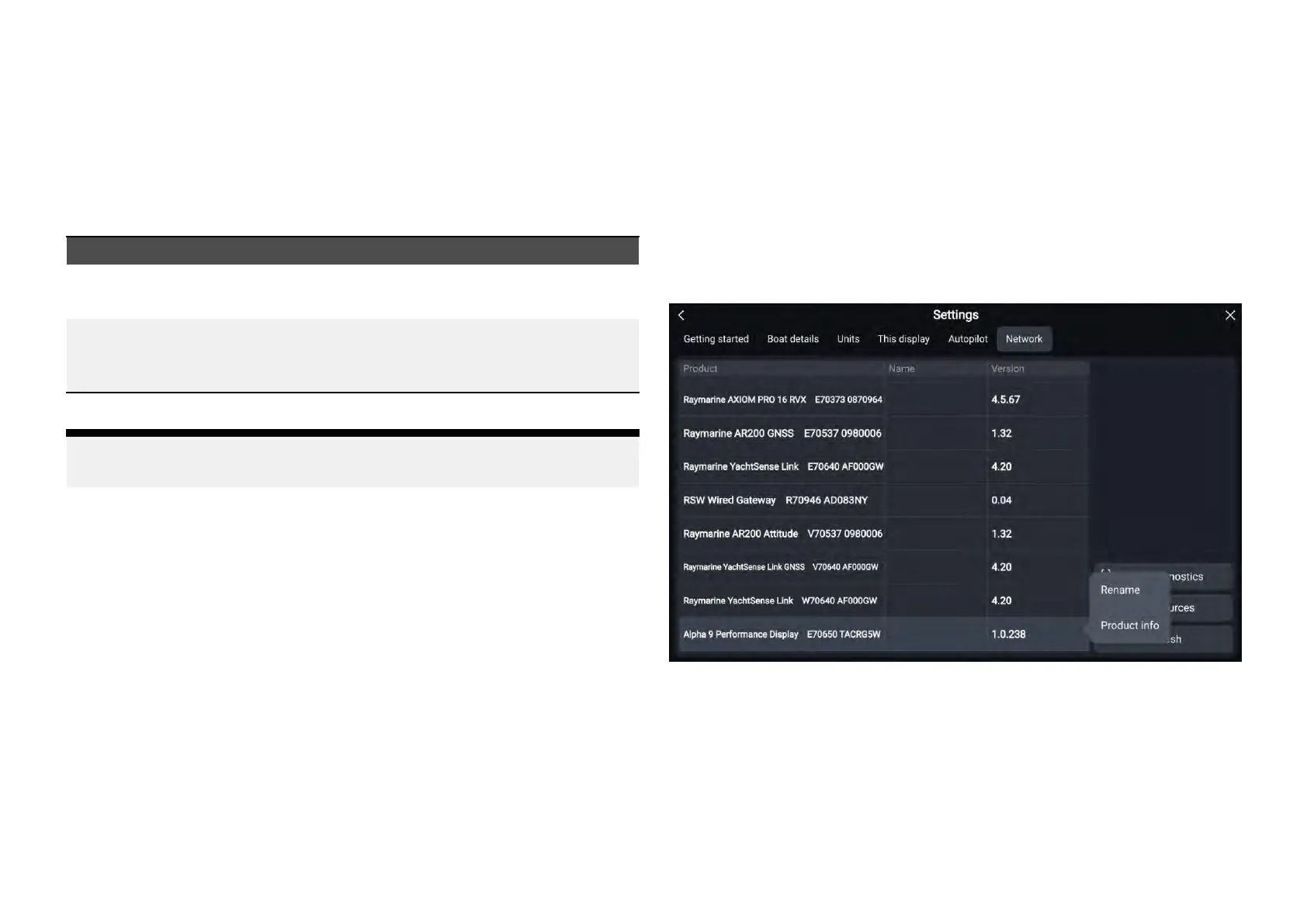
Thefollowingconfigurationrelatedfunctionscanbeinvokedfrom
theLightHouse™4[Network]page:[Homescreen>Settings>Network]
•[Rename]—Renamestheselectedperformancedisplay.Ifno[Name]has
beenset,theunitmodelandserialnumberwillappearinsteadiftheunitis
selectedonyourmultifunctiondisplay/chartplotter’s[Network]tab.
•[Productinformation]—Displaysaseriesofproductinformationrelatedto
theselectedperformancedisplay.
OperationviaR aymarine®multifunctiondisplay
53







 To Next Page