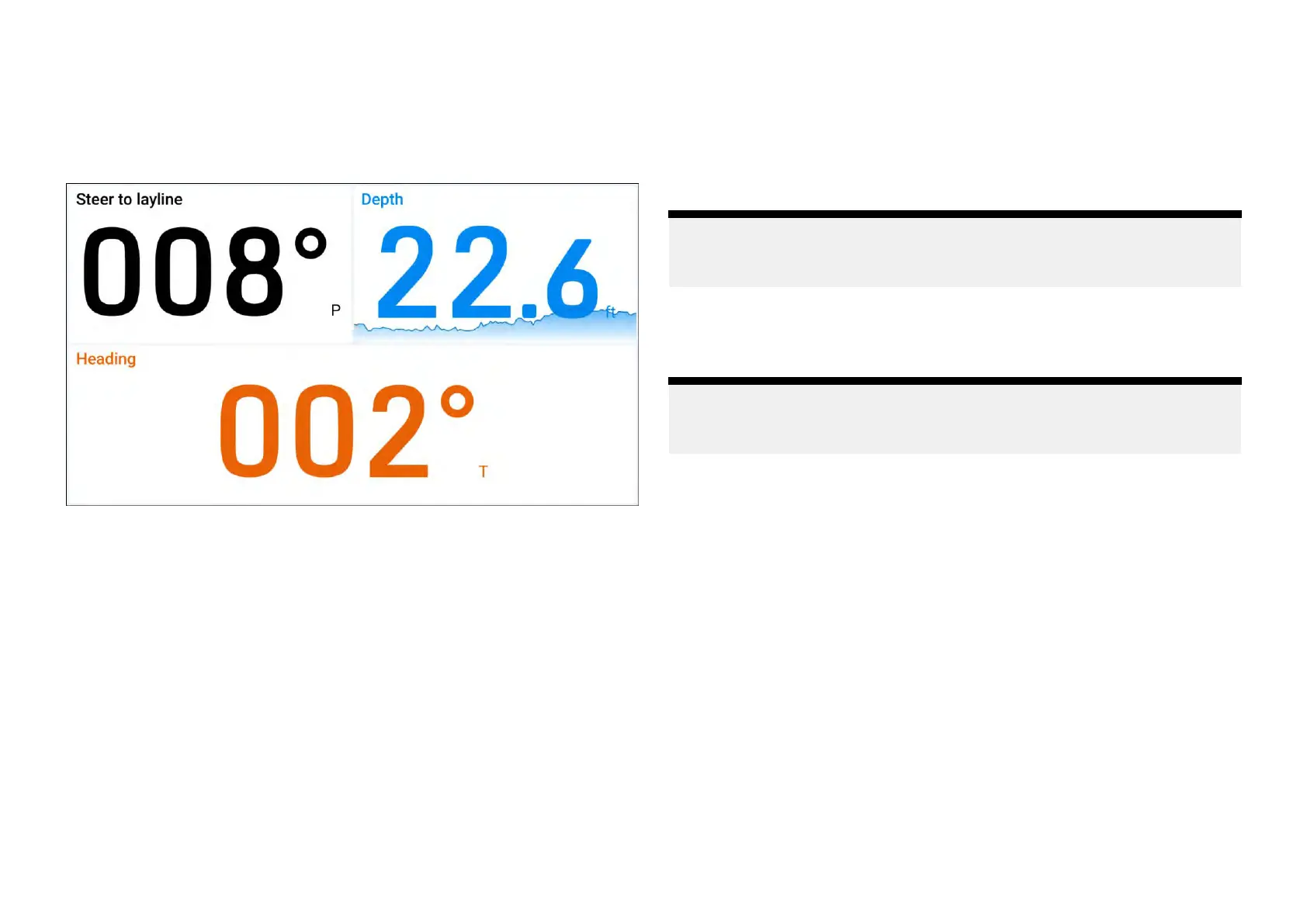
Digitaldatawidgets
The[Digits]widgetoptionprovidesaclear
,andeasytounderstandnumerical
viewofthedataitemthatyouhaveselected,whichcanbefurthercustomized
tosuityourpreference.
Example:Digitwidgets
Digitwidgetoptions
Y oucantap-holdawidgetandselect[...]todisplayadditionalwidgetoptions
whicharespecifictotheselectedwidgettype.
Thefollowingwidgetoptionsareavailable:
•[Editdata]—replacestheselectedwidgetwithanotherchosenfromthe
[Selectdatacategory]sub-menus.Thenewwidgetwilladoptthesame
positionanddimensionsasthepreviouswidget.
•[Delete]—deletestheselectedwidget.
•[Textcolour]—opensamenuwithselectablecolorpalettes,whichcan
beusedtochangetheselectedwidget’scolor.Thesamecolorcanbe
appliedtootherversionsofthesamedataitemwidgettypebyusingthe
[Applytoallwidgetdata]tickboxlocatedunderneaththecolorpalettes.
•[Texttitle]—opensamenuwithselectablewidgettitlesizeoptions,which
canbeusedtochangetheselectedwidget’stitlesizebetween:[Large],
[Medium]and[Small].
•[Showbackground]—togglestheselectedwidget’sbackgroundeither
[On](todisplayashadedbackground)or[Off](todisplaynoshaded
background).
•[Showmini-graph(toggle)]—displaysaminiaturegraphatthebottomof
theselectedwidget,whichshowsthevalue’strendovertimeonselect
dataitems.
Note:
Amaximumof10[Showmini-graph]optionscanbetoggled[On]per
performancedisplay
.
•[Mini-graphscale]—changesthe[Mini-graph]timescalefortheselected
widgetbetween:[1min],[10mins],[1hour],[12hours],[24hours].
Note:
Formoreinformationonhowtoedityourwidgets,refertothefollowing
section:p.32—Widgetcustomization
34







 To Next Page