8.6S
tandbyimagesettings
Y oucansetapresetstandbyimageoracustomstandbyimagetodisplayon
theperformancedisplay’sscreenonceyourboathasenteredastationary
position.
Note:
TheboatisconsideredtobestationaryoncebothyourGPSpositionand
headinghaveremainedunchangedfora5minuteduration.
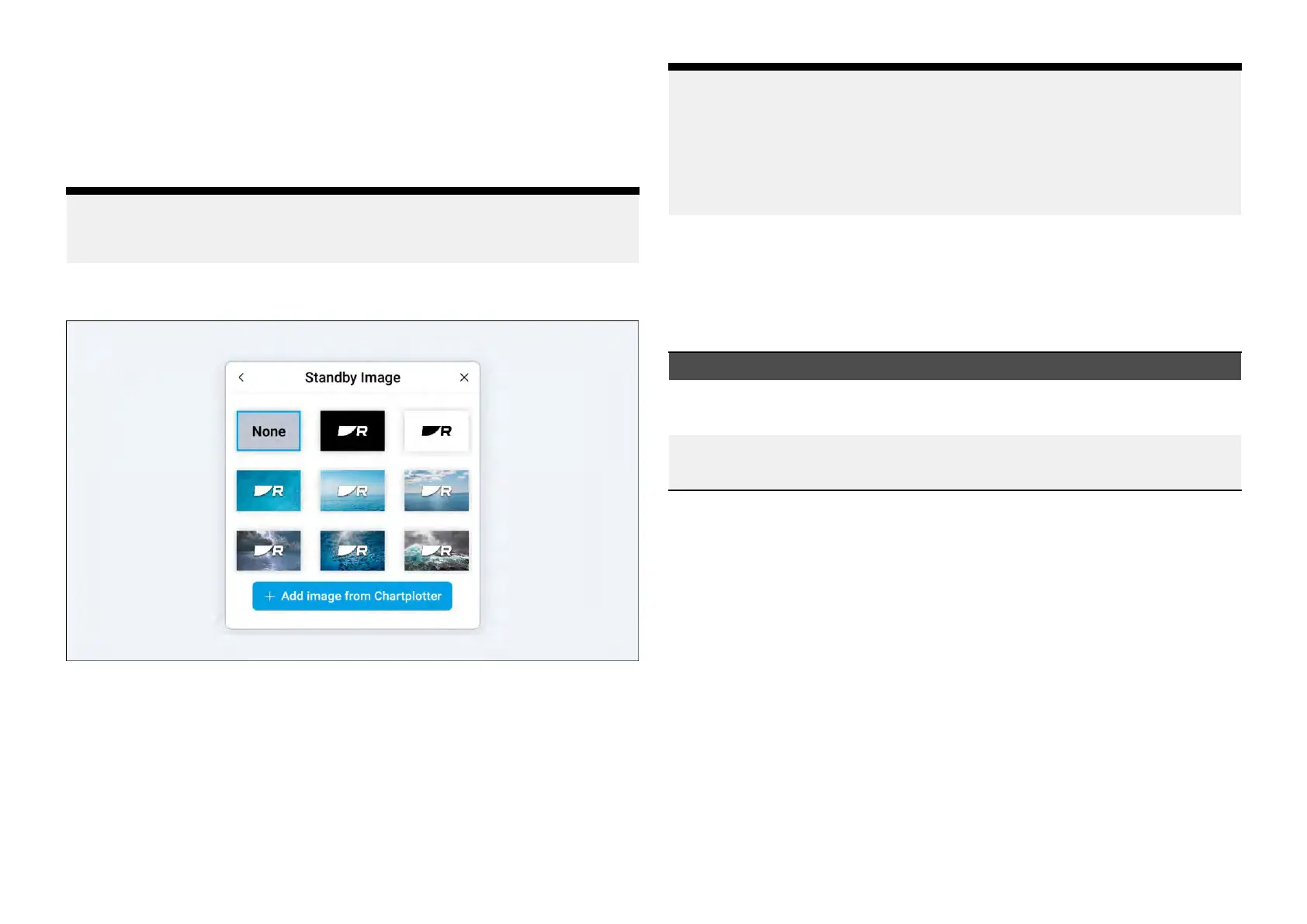
Thefollowingpresetimagesareavailable:
Alternatively ,youcanaddandsetacustomstandbyimagefromacompatible
multifunctiondisplay/chartplotterthatisconnectedtothesamenetwork
asyourperformancedisplay.
Beforeattemptingtoaddacustomstandbyimage,animagefilemustfirstbe
copiedtoaMicroSDcardusinganexternaldevice(suchasaPCortablet)
andtheninsertedintotheMicroSDcardslotonyourmultifunctiondisplay/
chartplotter.
Y ourcustomimagemustmeetthefollowingrequirements:
Note:
•Customimagesmustbeinthe.pngformat.
•Y
oucannotusecopyrightedimageswithoutpermissionfromthe
copyrightowner.
•Foroptimumimagequality,theresolutionoftheimageshouldmatchthe
resolutionofyourperformancedisplay.
Customimagesareuniquetoeachperformancedisplayandwillneedto
beconfiguredindividually
.
Performingafactoryresetwillremoveanycustomimagesthathavebeen
uploadedtotheperformancedisplay.
Refertothefollowingtableforafulllistofscreenresolutions:
DisplayvariantScreenresolution/DPI
Alpha7performancedisplay
•Screenresolution:1024(H)x600(V)
•DPI:170
Alpha9performancedisplay
•Screenresolution:1280(H)x720(V)
•DPI:163
Selectingapresetstandbyimage
Inordertosetapresetstandbyimage:
1.Navigateto:[Datapageview>Overlaymenu>Settings>S
tandby
Image].
2.Selectthestandbyimagethatyouwishtodisplay.Onceselected,ablue
highlightwillappeartoindicatethatyourselectionshasbeenconfirmed.
Onceyourboathasenteredastationaryposition,yourselectedimagewill
appear.
Addingandselectingacustomstandbyimage
Inordertosetacustomstandbyimage:
1.Navigateto:[Datapageview>Overlaymenu>Settings>Standby
Image].
2.Selectthe[AddimagefromMFD]blueplusicon.
3.Navigatethefilebrowserandselectthemultifunctiondisplay/chartplotter
andMicroSDcardwhereyourimageissaved.
58







 To Next Page