•[Delete]—deletestheselectedwidget.
Note:
Formoreinformationonhowtoedityourwidgets,refertothefollowing
section:p
.32—Widgetcustomization
Barwidget
The[Bar]widgetoptionprovidesahorizontalbarindicatorwhichmoves
left(port)orright(starboard)toreflectthelivestateofthedataitemthat
youhaveselected.The[Bar]widgetcanbefurthermovedandresizedto
suityourpreference
.
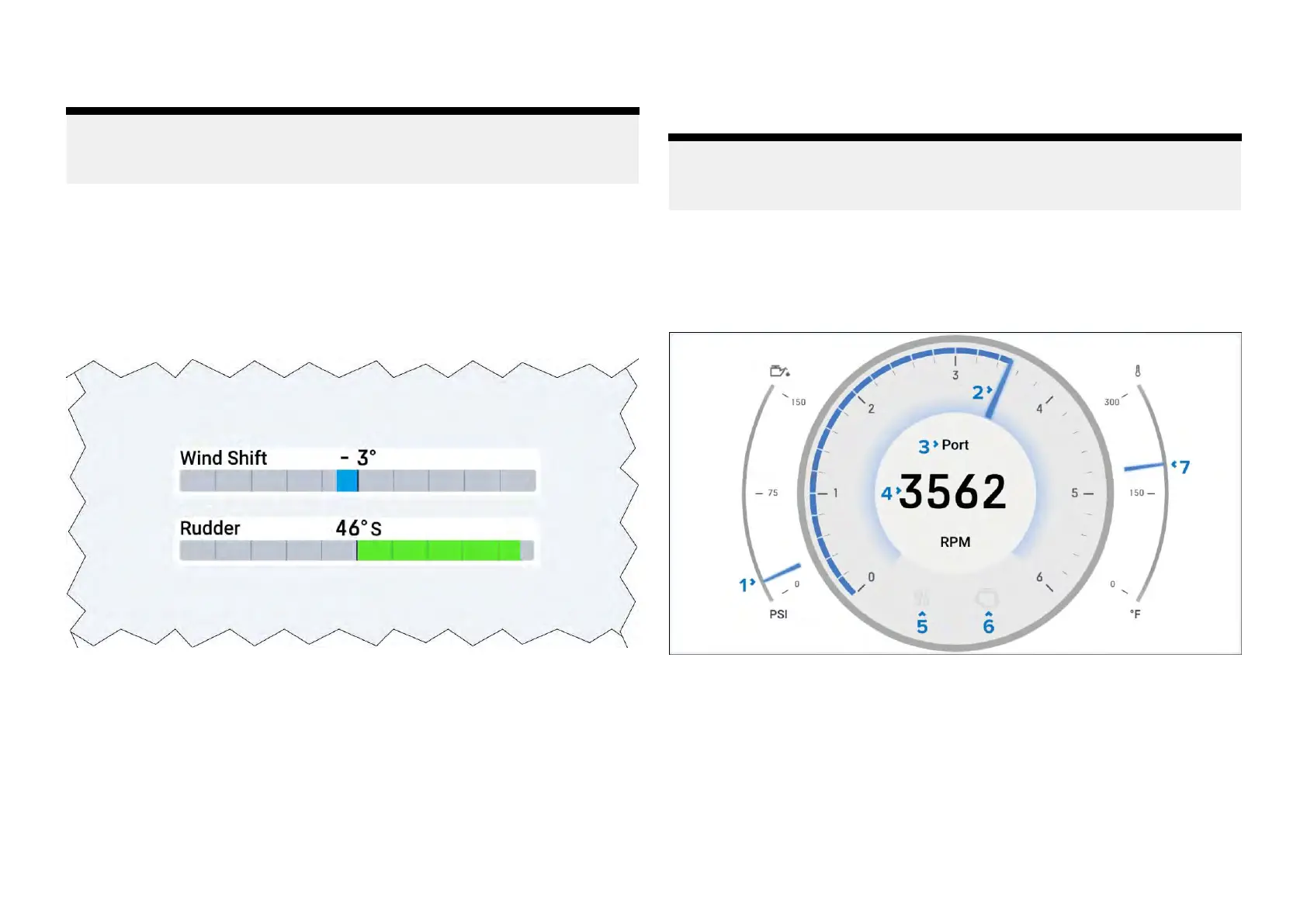
Example:Barwidgets
Barwidgetoptions
Y oucantap-holdawidgetandselect[...]todisplayadditionalwidgetoptions
whicharespecifictotheselectedwidgettype.
Thefollowingwidgetoptionsareavailable:
•[Editdata]—replacestheselectedwidgetwithanotherchosenfromthe
[Selectdatacategory]sub-menus.Thenewwidgetwilladoptthesame
positionanddimensionsasthepreviouswidget.
•[Delete]—deletestheselectedwidget.
•[Showbackground]—togglestheselectedwidget’sbackgroundeither
[On](todisplayashadedbackground)or[Off](todisplaynoshaded
background).
Note:
Formoreinformationonhowtoedityourwidgets,refertothefollowing
section:p
.32—Widgetcustomization
Enginecombogauge
The[Enginecombogauge]widgetcombinesadynamicgraphicalRPM270°
gaugewithoilpressure
,enginetemperatureandotherstatusindicators.
Example:Enginecombogauge
1.Oilpressureindicator—Currentengineoilpressureindication.
2.RPMindicator—GraphicalrepresentationofengineRPM.
3.Enginename—Asdefinedonmultifunctiondisplay/chartplotter
.
4.RPM—DigitalRPMvalue.
5.Maintenanceindicator—Illuminateswhenenginemaintenanceis
required.
6.Enginecheck—Illuminateswhenanenginefaultisdetected.
7.Coolanttemperature—Currentenginecoolanttemperatureindication.
Widgetcreationandcustomization
37







 To Next Page