9
.8Shortcutlist
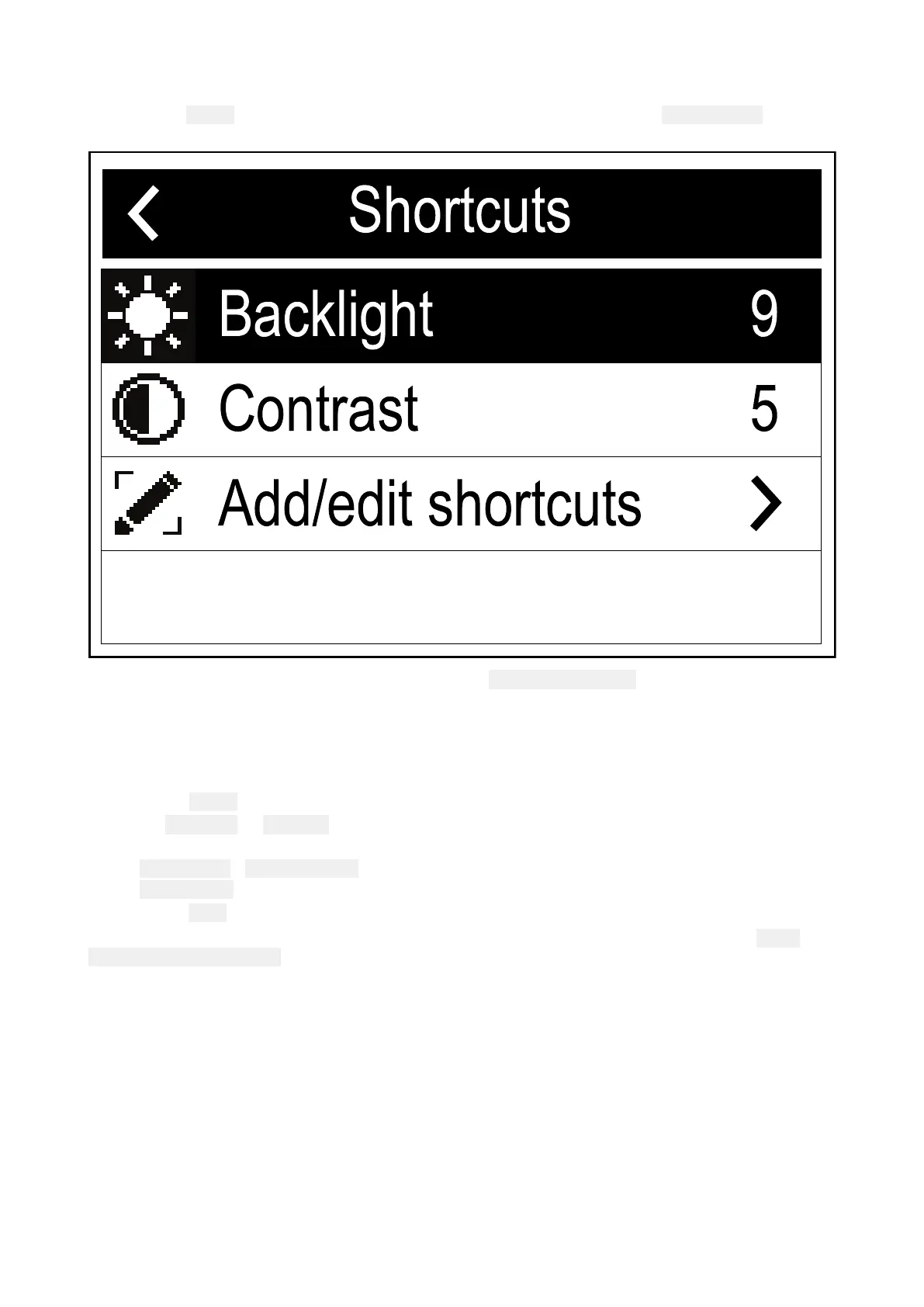
Pressingthe
P
owerbuttononcewhiletheradioisswitchedonwillopenthe
Shortcutslist.The
Shortcutslistcanbeusedtoadjustthebrightness,contrastandaccessfrequentlyusedfunctions.
Frequentlyusedfunctionscanbeaddedbyselecting Add/editshortcuts.
AdjustingBrightnessandContrast
TheLCDBrightness(Backlight)andContrastcanbeadjustedusingtheShortcutslist.
Fromanyscreen:
1.Pressthe Powerbutton.
2.Select Backlightor Contrast.
3.AdjusttheBacklightorContrasttothedesiredlevelusing:
i.
ChannelUp/ ChannelDownbuttonsonaconnectedHandset.
ii.RotaryknobontheBasestation.
4.Pressthe Backbuttontoreturntothepreviousscreen.
TheBacklightandContrastsettingscanalsobeaccessedfromtheDisplayset-upmenu: Menu
>Set-up>Displayset-up.
9 .9SharedBrightness
Sharedbrightnessenablessimultaneousbrightnessadjustmentofallproductsthatarepartof
thesamegroup.
Thefollowingproductsarecompatiblewithsharedbrightness:
•LightHouse™3MFDsusingsoftwareversion3.4orgreater.
•LightHouse™orLightHouse™2poweredMFDs.
•SeaTalkng®InstrumentdisplaysandPilotcontrollers.
•SeaTalkng®VHFDSCRadios.
•RMK-9andRMK-10remotebuttonpads.
104



 To Next Page
 Loading...




