1.Checktheselectedlocationforthemountingholster ,aclearflatareaisrequired,withsufficient
spacearoundittoplaceandremovethehandset.
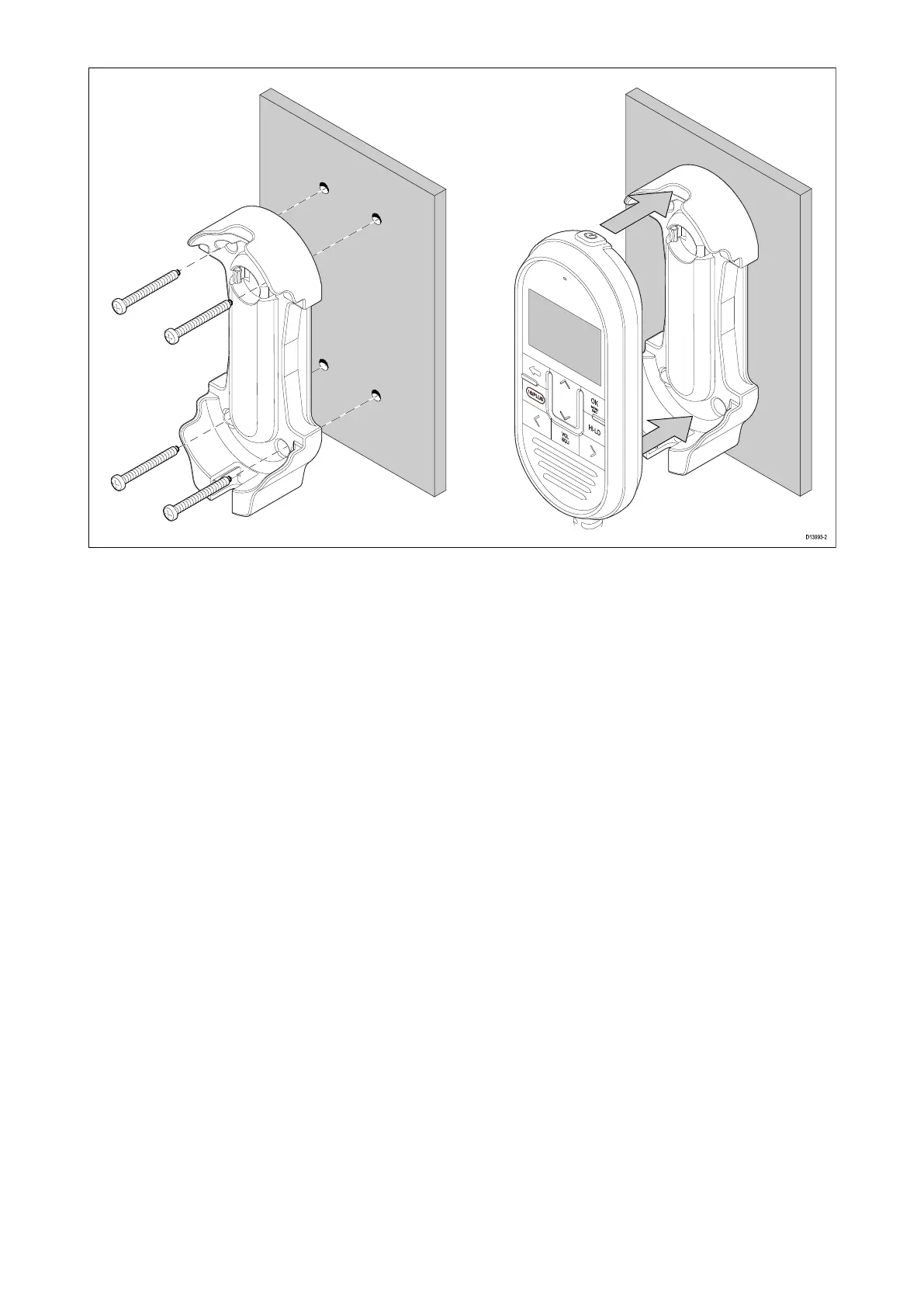
2.Usingapencil,offeruptheholstertothedesiredlocationandmarkthelocationofthescrew
holesonthemountingsurface.
3.Drillthemountingholesusingasuitablesizedrillbit.
4.Holdtheholsterinplaceandsecureusingthescrewsprovided.
5.Placethehandsetintotheholsteruntilitclicksintoposition.
Wiredandwirelessspeakermounting
Beforemounting,ensurethatyourselectedlocationmeetsthelocationrequirementsfoundin
thisdocument.
Installation65



 To Next Page
 Loading...




