8.
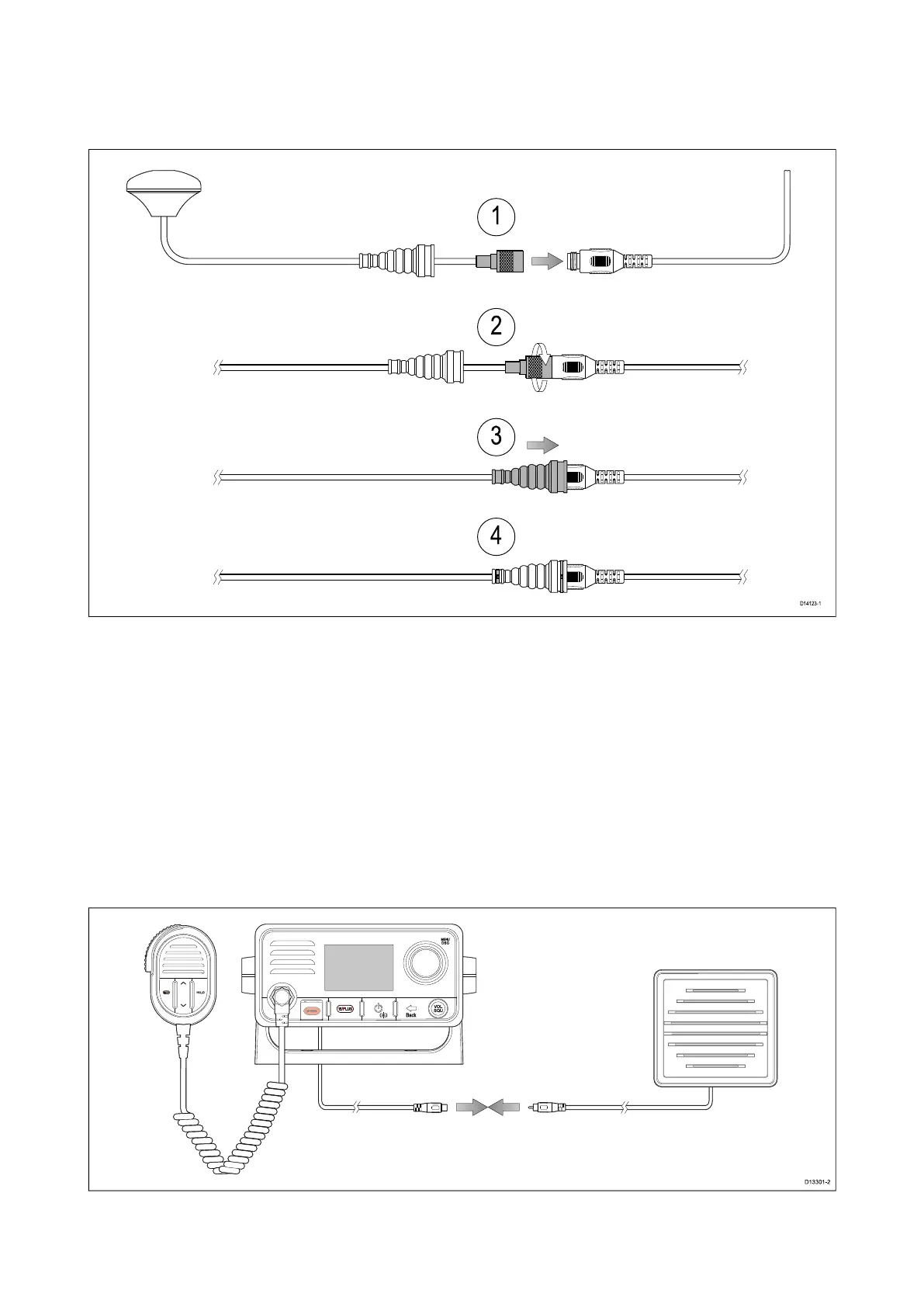
10GNSS(GPS)antennaconnection
Youcanimprovetheperformanceofyourradio’sbuilt-inGNSS(GPS)receiverusinganexternal
antenna.
Followthestepsbelowtoconnectthee xternalantenna:
1.Removethedustcapfromtheexternalantennaconnectoronyourradio.Ensuringcorrect
connectororientation,fullyinserttheexternalantennaconnectorintotheGA150’sconnector.
2.Tightentheantennaconnector’slockingcollarbyrotatingtheGA150’sconnectorclockwise
untiltight.
3.Pushtheprotectivebootintopositionoverbothconnectors.
4.Securetheprotectivebootusingacabletieoneachend.
8.11Passivespeakerconnection
Apassivespeaker(A80542)canbeconnectedusingtheRCAleadontheradiooronthehandset
adaptorcable.
Cablesandconnections87



 To Next Page
 Loading...




