9
.10Initialstartup
Unlessyourradiohasbeenpre-programmed;thefirsttimeyoupower-upyourradioyouwillbe
requestedtoselectcertainoptions.WiththeexceptionofyourMMSIandATISID,youwillalsobe
requestedtoentertheseoptionsafterafactoryreset.
Afteracknowledgingthestartupscreen,unlesspreviouslysetyouwillbepromptedtomakethe
followingselections:
1.Languageselection—See9.12Selectingalanguageforavailablelanguages.
2.TurnonAISreception(Ray70andRay91only)—Enablesthebuilt-inAISreceiver.Thisstep
isonlyapplicabletoradioswithabuilt-inAISreceiver.See9.13SwitchingontheAISreceiver
formoreinformation.
3.Selectnetworktype—SelectswhichconnectiontotransmitAISandDSCinformationon,to
connectedequipment.ThisstepisonlyapplicableiftheAISreceiverwasturnedoninthe
previousstep.See9.14Selectinganetworktypeforavailableoptions.
4.EnterMMSInumber—RequiredtoenableDSCfunctions.Thisoptionisnotrequiredaftera
factoryreset,oriftheradiohasbeenpre-programedinMARCOM-Cmode,orhasATISenabled.
See9.15EnteringanMMSInumberformoreinformation.Ifnotalreadyselectedyouwillalsobe
promptedtoselectyournetworktype.
5.EnterATISID—RequiredwhentheradiowillbeusedintheinlandwaterwaysofEurope.This
stepisonlyapplicableiftheradiohasbeenpre-programedinMARCOM-Cmode.See9.16
EnteringanATISIDformoreinformation.
6.Frequencybandselection—Setstherelevantchannelsforyourregion.Thisstepisnot
applicableiftheradiohasbeenpre-programedinMARCOM-Cmode.See9.17Changingthe
radioregionformoreinformation.
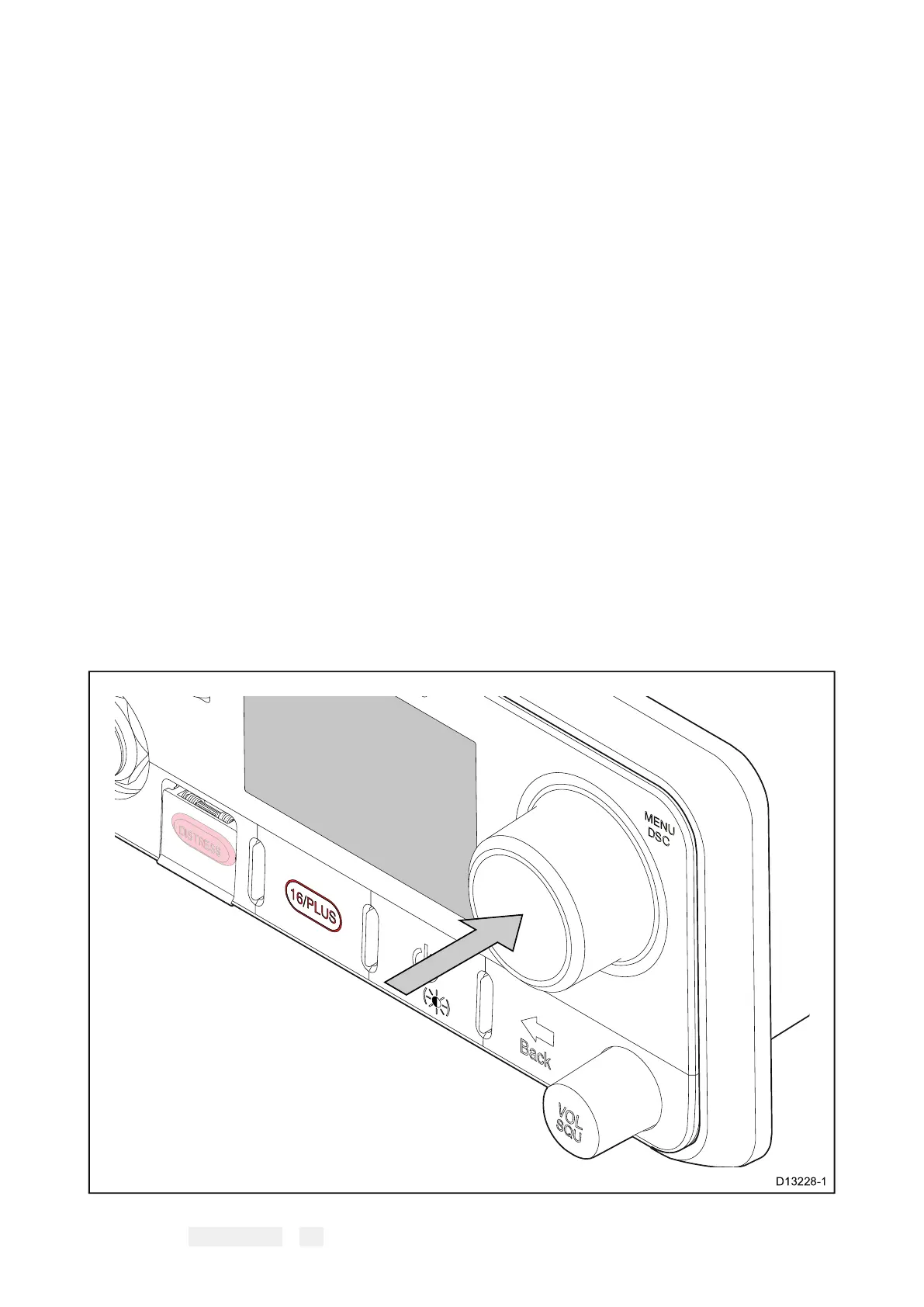
9.11Accessingthemenu
Theradio’svariousoptionsandsettingsarecontainedwithinthemenu.
FromtheHomescreen.
1.Pressthe Rotaryknob’s OKpushbutton.
106



 To Next Page
 Loading...




