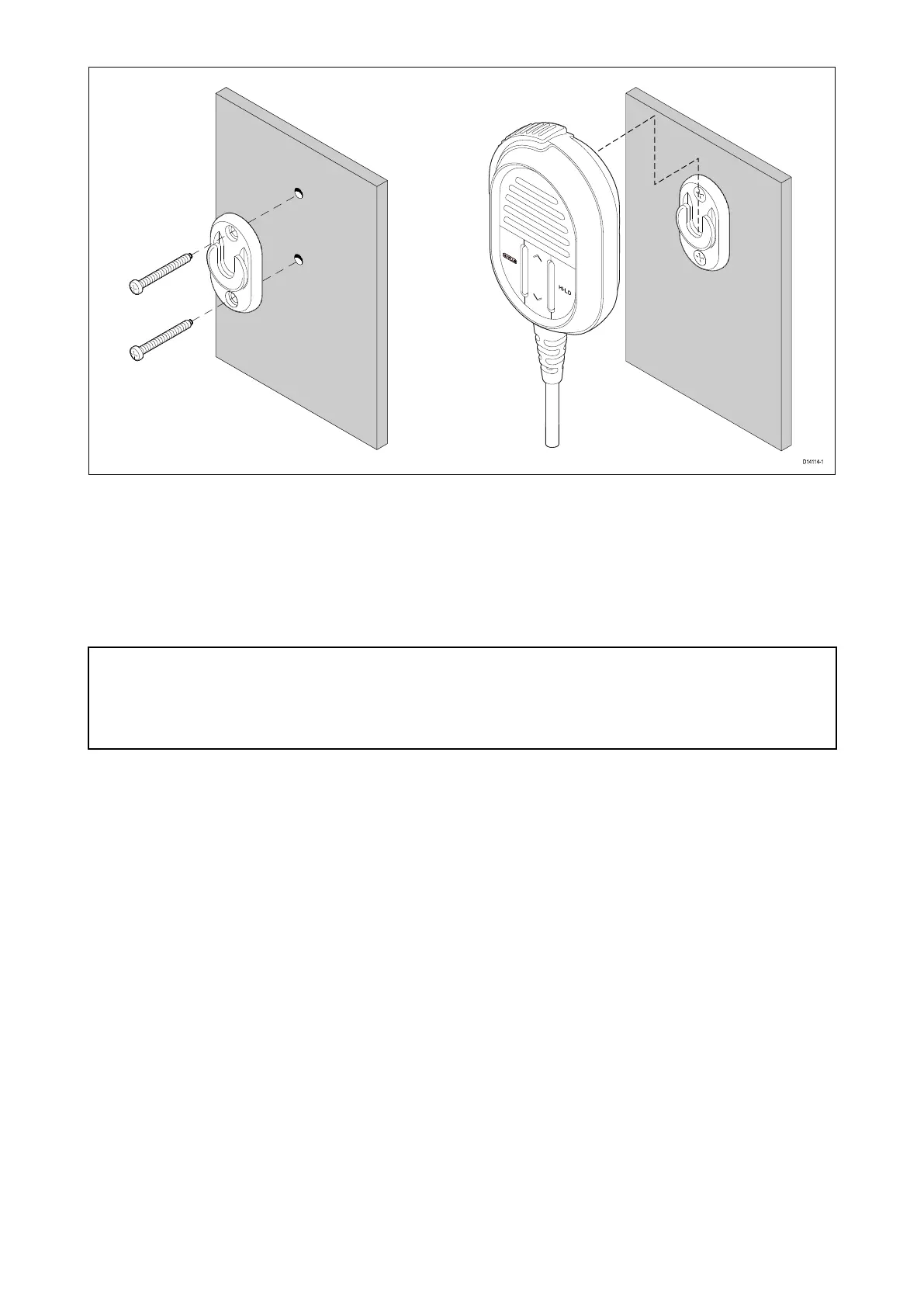
1.ChecktheselectedlocationfortheHookplate ,aclearflatareaisrequired,withsufficientspace
aroundittoplaceandremovetheFistmic/Handsetandcoiledcable.
2.Usingapencil,offeruptheHookplatetothedesiredlocationandmarkthelocationofthe
screwholesonthemountingsurface.
3.Drillthemountingholesusingasuitablesizedrillbit.
4.HoldtheHookplateinplaceandsecureusingthescrewsprovided.
5.HooktheFistmic/HandsetovertheHookplateandgentlypushdownuntilitclicksintoposition.
Important:
•TheFistmiccanonlybehook edandunhookedfromtheHookplatewhenheldvertically.
•Drillbit,tapsizeandtighteningtorqueisdependentonthethicknessandtypeofmaterialthe
unitistobemountedon.
Wiredhandsetmountingusingtheholster
Followthestepsbelowtomountthewiredhandset.
Beforemounting,ensurethatyourselectedlocationmeetsthelocationrequirementsfoundin
thisdocument.
64



 To Next Page
 Loading...




