9
.3Controlsandinterface
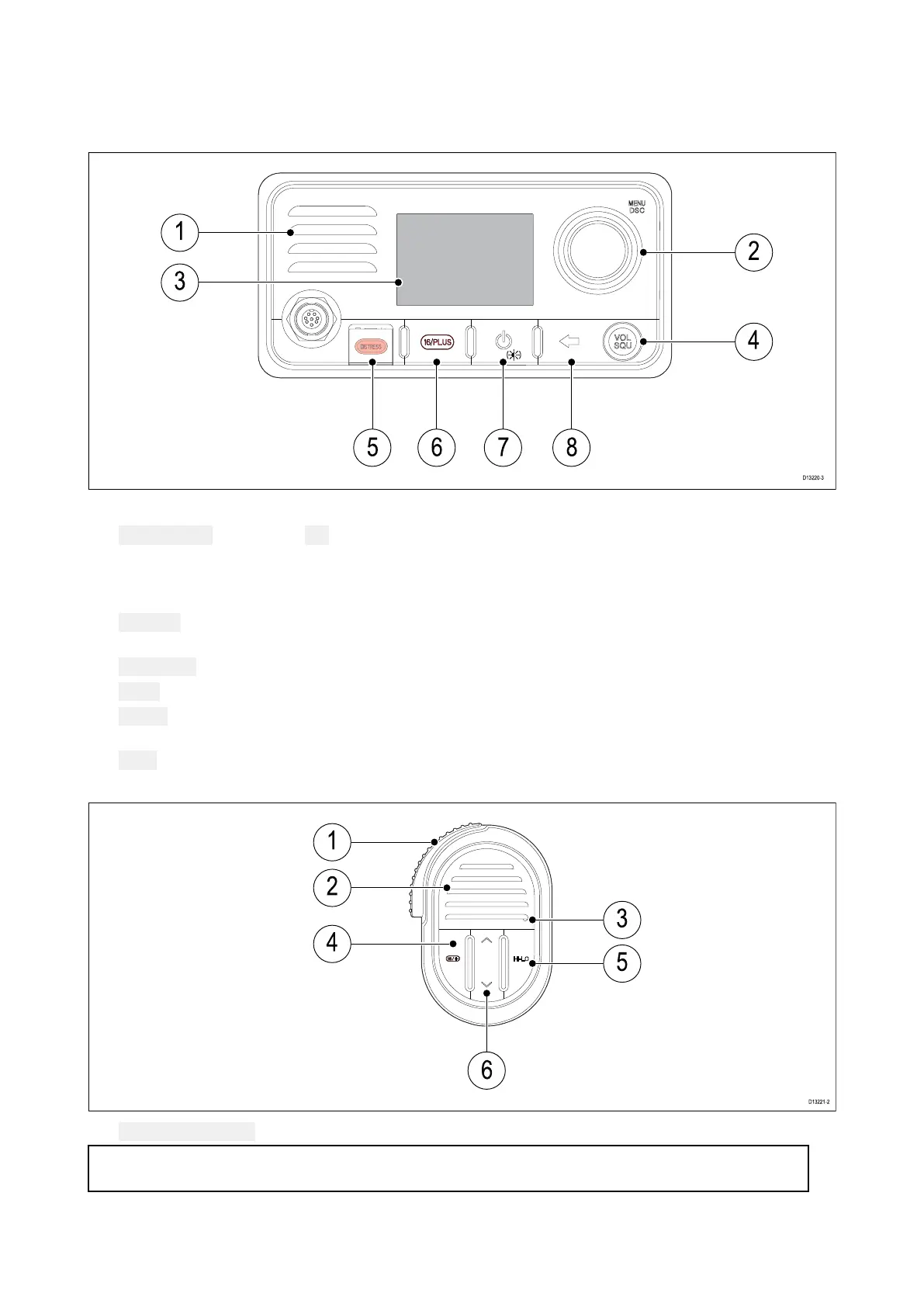
Thecontrolsandinterfaceavailableareasfollows:
Basestation
1.Built-inspeak er
2.Rotaryknobwithcenter OKpushbutton—PressknobintoaccessmenuandDSCfunctions
andtoconfirmselections.Turnrotaryclockwiseoranti-clockwisetomoveupanddownthrough
menuitemsortochangechannelfromtheHomescreen.
3.LCD
4.
VOL/SQ—Turnknobtoadjustvolumeorsquelchupanddown.Presscenterbuttontoswitch
betweenvolumeandsquelchcontrol.
5.
DISTRESS—PushupthespringloadedcoverandpressthisbuttontomakeaDSCdistresscall.
6.16/+—Whenpoweredonpresstoswitchbetweenprioritychannels.
7.
Power—Presstopowertheuniton.Pressandholdfor3secondstopowertheunitoff.
Momentarypresstoaccesstheshortcutlist.
8.Back—Movebackthroughmenuoptions.
Fistmic
1. PTT(PushtoTalk)—Pressandholdtosendavoicemessage.Releasetoreturntoreceivemode.
Note:Themaximumtransmittimeislimitedto5minutestopreventun-intentionaltransmissions
fromoccupyingtheVHFchannel.
2.Speak er
3.Microphonelocation
Gettingstarted
95



 To Next Page
 Loading...




