GB.46
Edit route
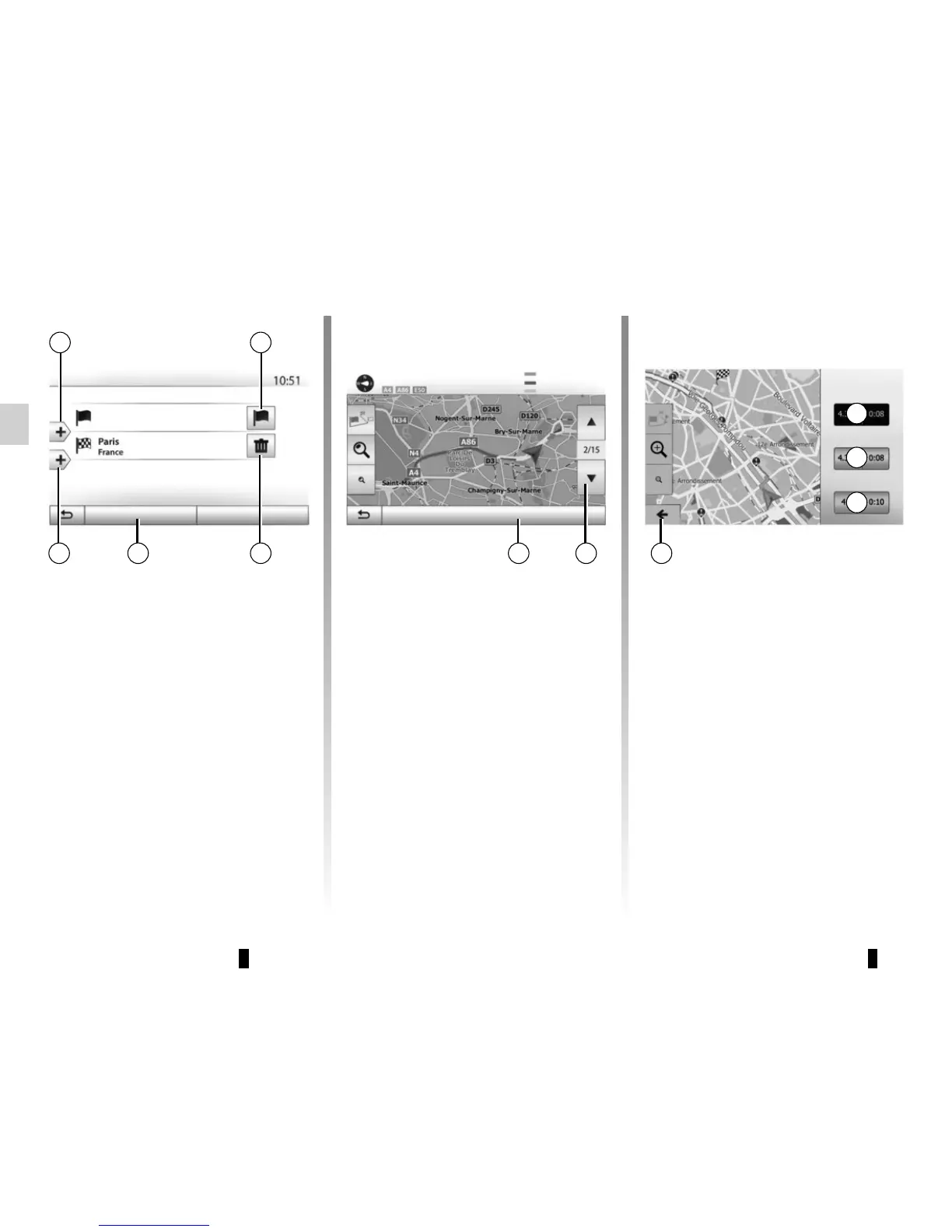
Press “Home” > “Nav” > “Route” > “Edit
route” to change the route by adding,
modifying or deleting steps.
Press 21 to add steps and 25 to add
a new destination. It offers several
methods to enter a destination. see the
“Entering a destination” section.
– Press 23 to delete a destination.
– Press 24 to reorder the list.
– Press 22 to change the route depar-
ture address.
25 24
21
Options
OK
23
Edit route
Current GPS position
22
GUIDANCE (5/6)
Route Alternatives
This section enables you to change the
route planning method. Three modes
are available, enabling you to change
the route planning method.
– « Fast » ;
– “Economical”;
– « Short ».
Please refer to the information on
“Route settings” in the section entitled
“Navigation settings”.
Press “Home” > “Nav” > “Route” >
“Alternative routes” then A, B or C to
confirm the new route. Tap 28 to go
back to previous screen.
Avoidances
Press “Home” > “Nav” > “Route” > “To
avoid” to make a detour. Press an area
of the list depending on the desired
detour.
To change the area, press 27.
Confirm the new route by pressing 26.
Cancel the route
At any given moment, you can stop the
guidance.
Press “Home” > “Nav” > “Route” >
“Cancel Route” to cancel the active
route.
2726 28
OK
Alternative routes
Fast
Economical;
Short
Avoided section
Original route
New route
Length: -250 Time +0:06
A
B
C



 To Next Page