repligen.com XC-LAB-UG-V4
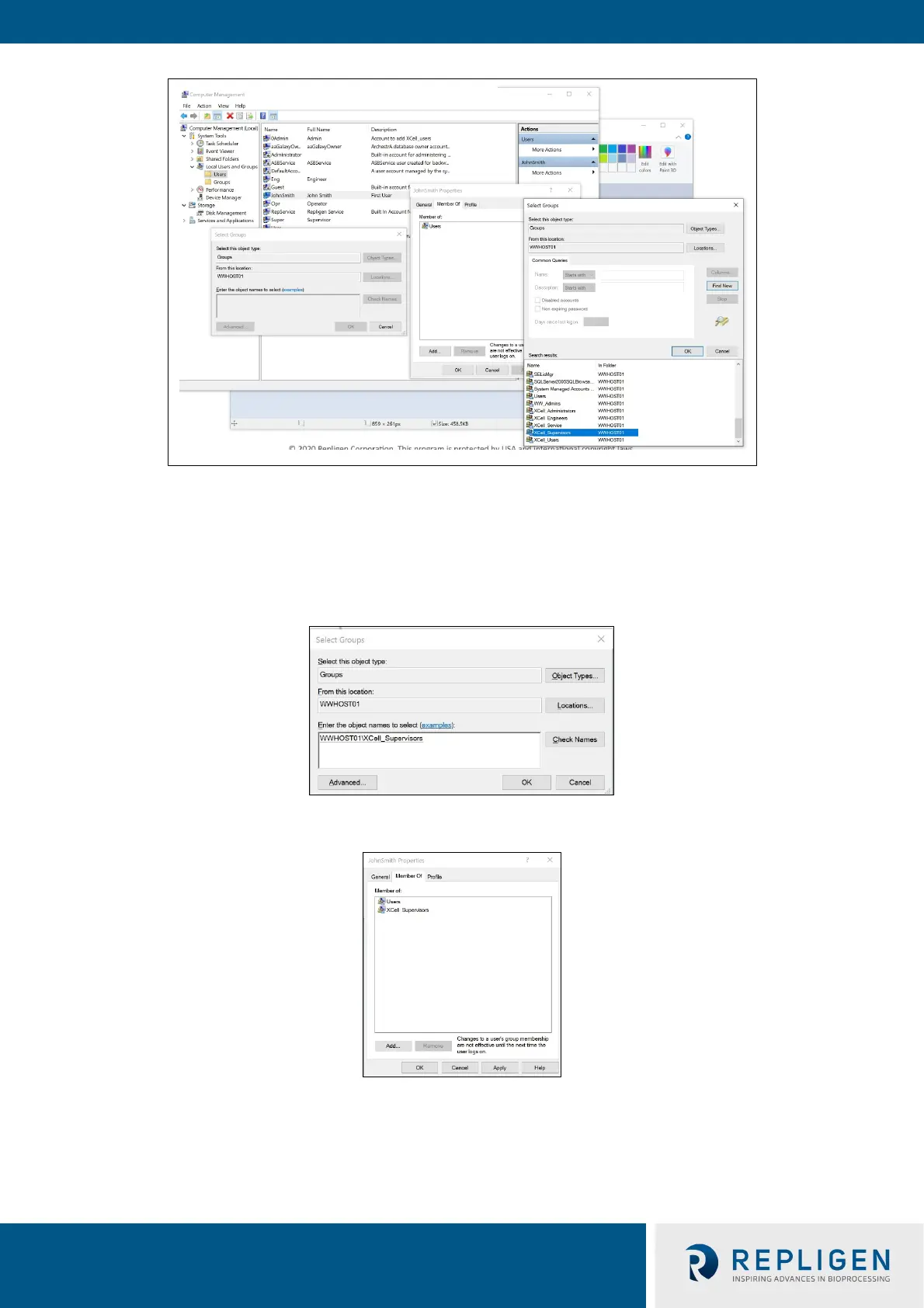
12. Assign to a group. Double click (or right click and select properties).
13. Navigate to the Member Of tab and press the Add button. Another window appears.
14. Press the Advanced Button. Another window appears. Press the Find Now button.
15. Scroll to the bottom and select one of the XCell™ groups. XCell Supervisors is selected.
16. Press the OK button. The window closes.
17. Press the OK button. The user is assigned.
18. Select the Users group, and press the Remove button, then Press the OK button.



 To Next Page