Chapter 5
Diagnostic Mode and Troubleshooting
REF 1029568 Rev A BiPAP® Focus™ Ventilator Service Manual © Respironics, Inc. 5-7
7. Click OK.
8. The blank HyperTerminal window remains. Continue configuring the
properties. Click File > Properties from the menu bar.
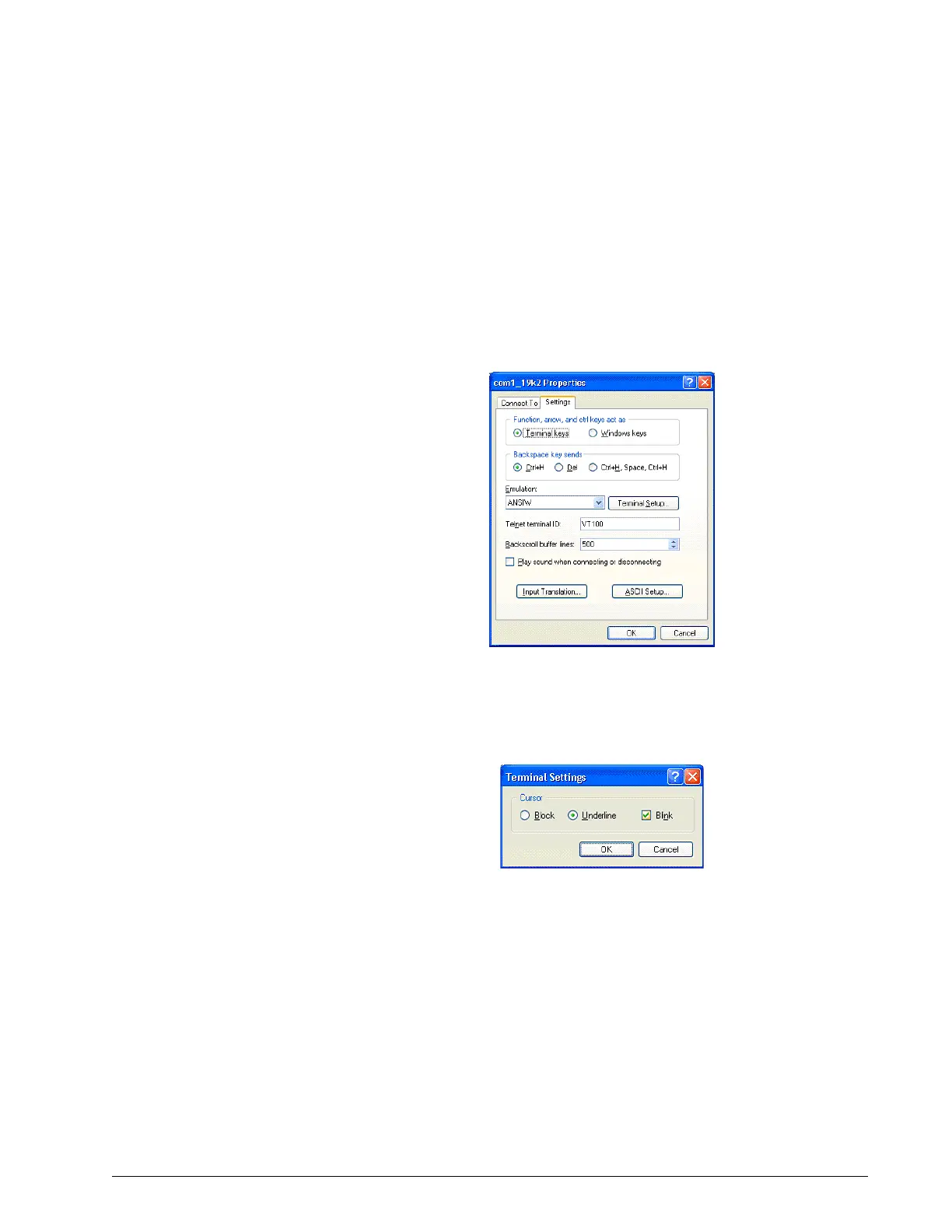
9. Click on the Settings tab (Figure 5-9).
10. Select ANSIW from the Emulation drop-down list box.
Figure 5-9: HyperTerminal Settings Tab
11. Click the Terminal Setup button.
12. Select underline and blink for cursor settings then click OK.
Figure 5-10: Terminal Settings
13. Click the ASCII Setup button (Figure 5-9).















 To Next Page