Chapter 6
6-12 BiPAP® Focus™ Ventilator Service Manual © Respironics, Inc. REF 1029568 Rev A
Ventilator Communications
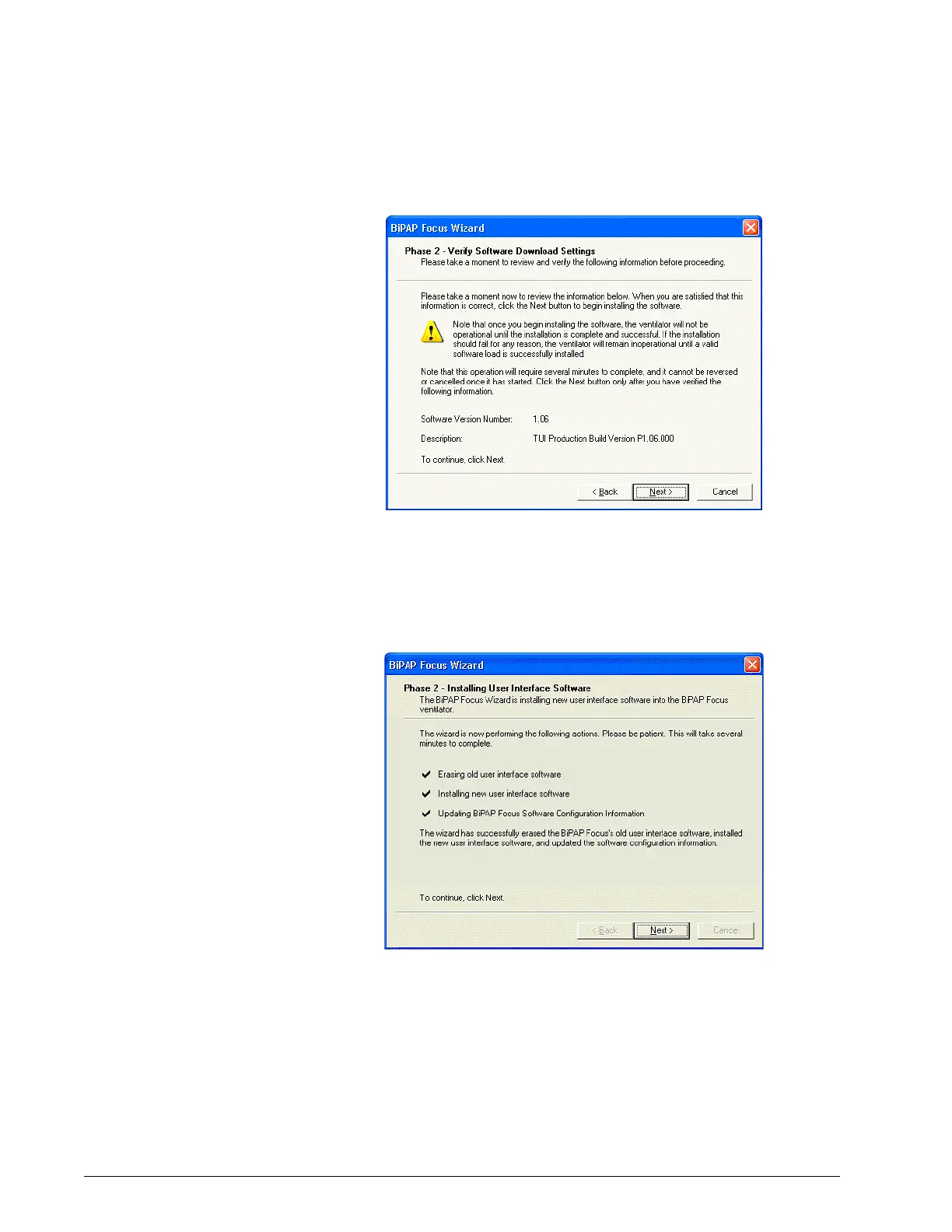
Figure 6-17: Verify Software Download Settings
10. The screen then displays the user interface software installation
process, including erasing old user interface software, installing new
interface software, and updating software configuration information
(Figure 6-18). Click Next.
Figure 6-18: New Software Installation
11. Once the user interface software installation is complete, a completion
screen (Figure 6-19) is displayed. Click Finish.






 To Next Page