RE 30126-01-B/08.07 | Manual Hydraulics | Bosch Rexroth AG 33/76
Application: Valve control for the 4WRE6 / 4WRE10 3
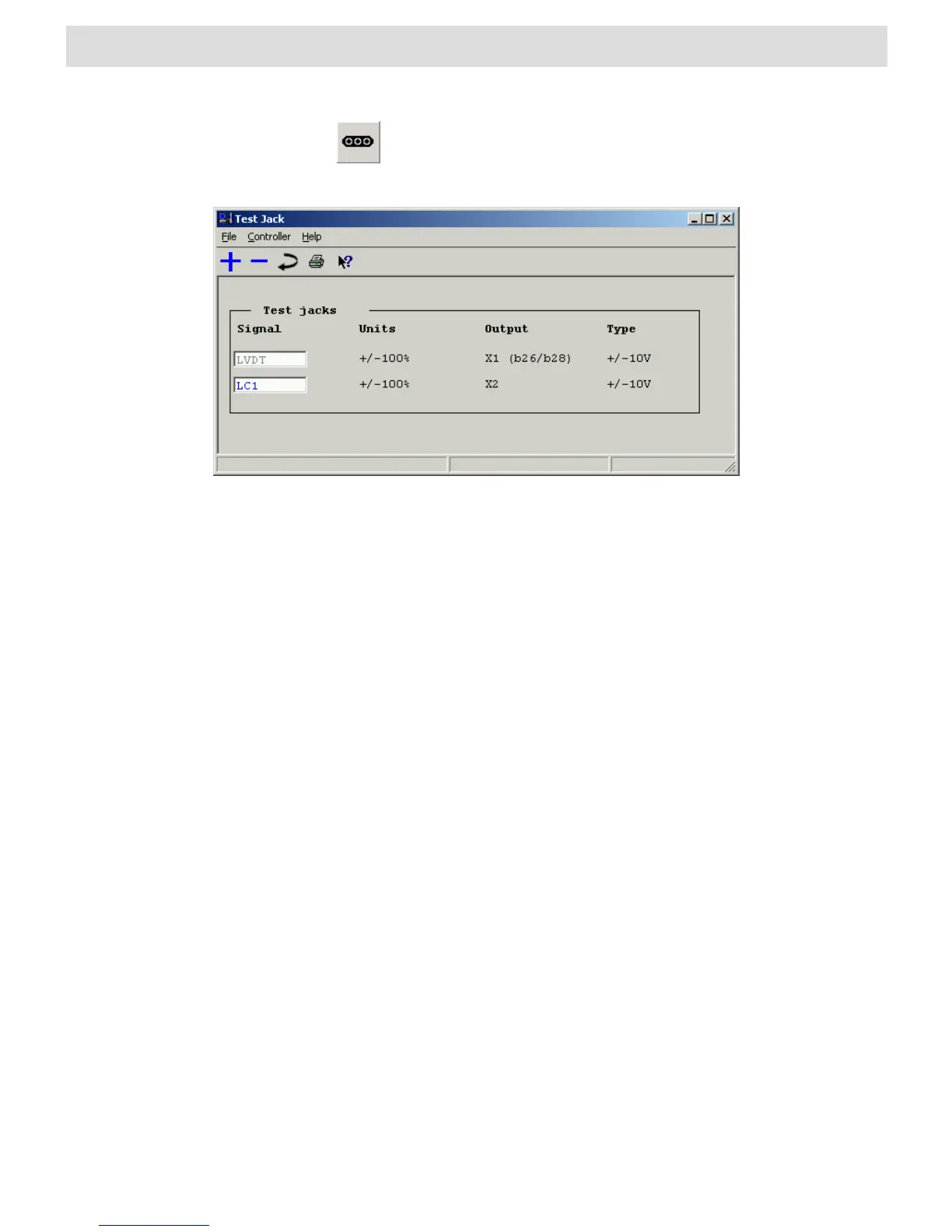
also opens the “Test points” window. A list of existing shortcuts for the
toolbar can be found in Section 4.2 “BODAC Toolbar”.
Fig. 17 “Test jacks” window
The File menu in the “Test jacks” window corresponds to the BODAC main window
“File menu”.
The Controller menu contains commands for reading, writing and modifying
parameters.
The Help menu takes you directly to the help for the current topic, or to the contents
page of the BODAC windows help.
Test jack X1 is permanently set to the actual value „LVDT“. X2 can be configured as
the command before the Command Adjustment (LC1) or the Command after the
Command Adjustment (OUT1).
3.9 Start Application
The application is started by setting the digital input „Enable“ (d18).
See also "Electric and Hydraulic Installation plan"



 To Next Page