current data will be lost!
5.6 Application Window menu
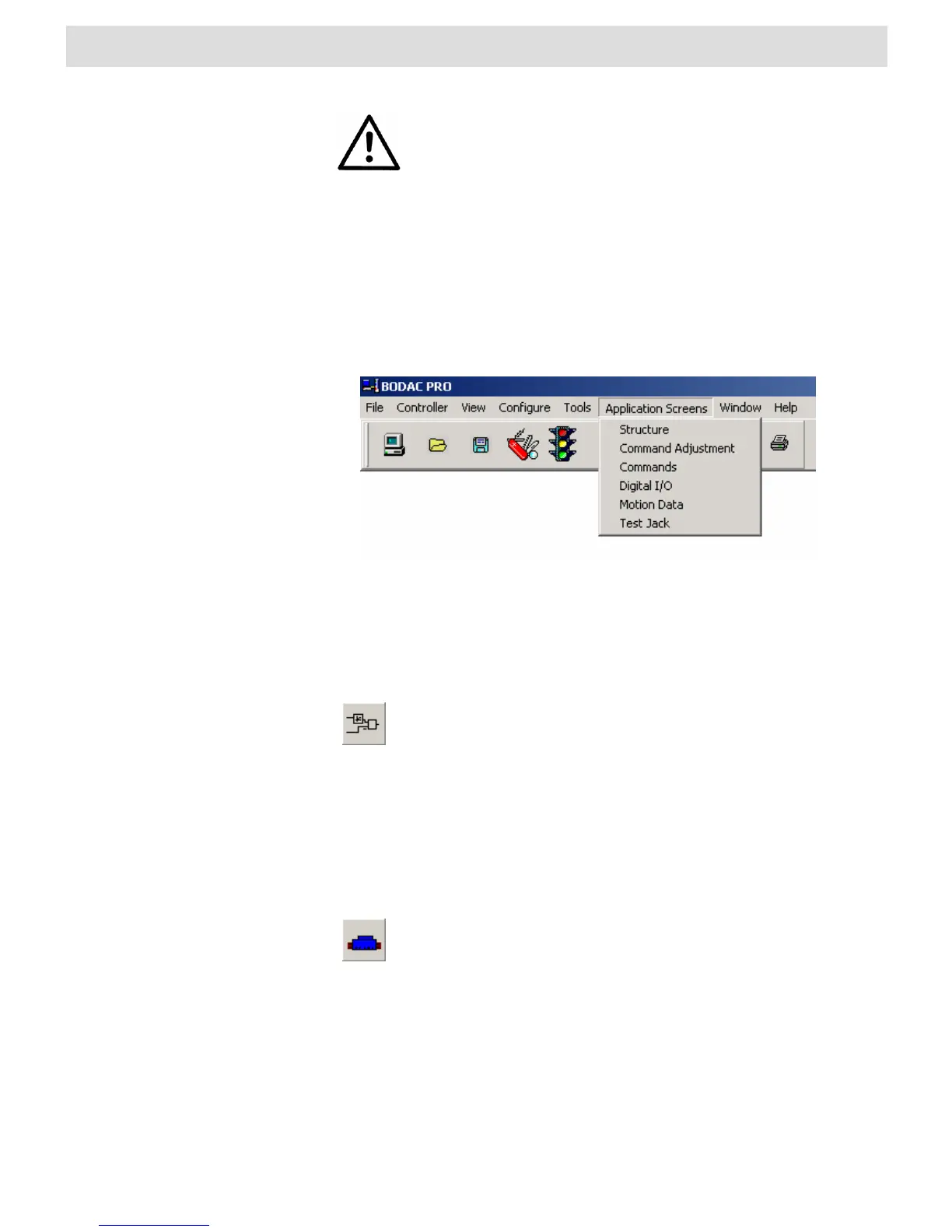
Fig. 43“Application Screens” menu
Structure
Configuring inputs and active components of the structure can be done in this window.
Clicking on the preceding icon, which is a component of the toolbar,
also opens the “Structure” window. A list of existing shortcuts for the
toolbar can be found in Section 4.2 “BODAC Toolbar”.
See also: Section 3.4 “Configure profiles”.
Command adjustment
In this window the command can be adjusted for the specific characteristics of the
applied valve.
Clicking on the preceding icon, which is a component of the toolbar,
also opens the “Command Adjustment” window. A list of existing
shortcuts for the toolbar can be found in Section 4.2 “BODAC
Toolbar”.
See also: Section 3.6 “Valve configuration”.
Commands
Opens the "Commands“ window for parameterizing the command values.


 To Next Page