RE 30126-01-B/08.07 | Manual Hydraulics | Bosch Rexroth AG 74/76
BODAC – Menu Description 5
5.7 Windows menu
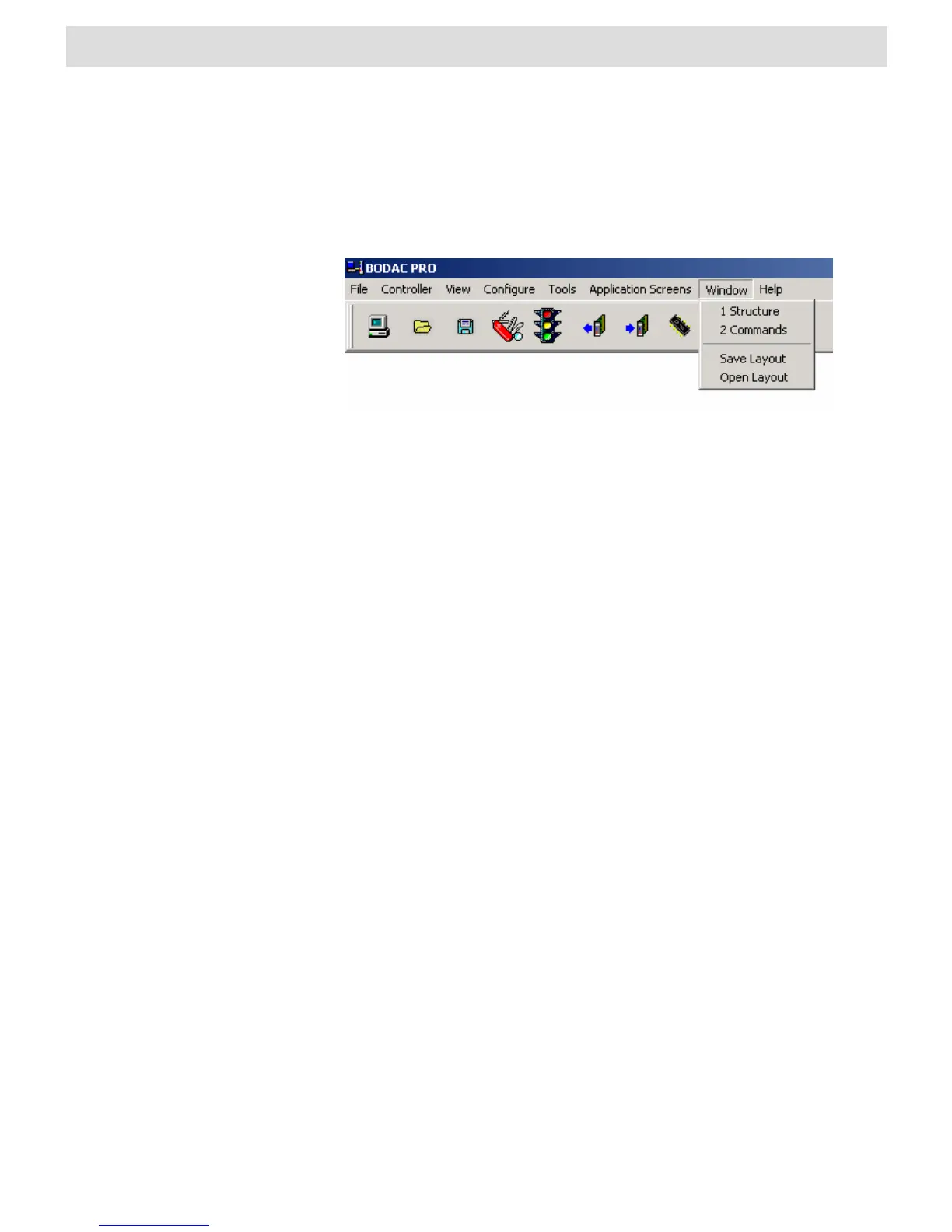
The Windows menu contains commands for saving and opening specified window
layouts. Already opened windows can be directly selected here.
Fig. 52 “Windows” menu
When the BODAC is first started, only the main window is shown after loading the
program. The “Save layout” function saves your current appearance of BODAC with
all the currently opened windows and window positions in a file. This allows you to
save preferred window combinations for working with BODAC and opening them at
any time.
Select an opened window
Already opened windows (e.g., Structure, see Fig. 45 “Windows” menu) can be
selected by a simple mouse click. This allows you to navigate quick and easy through
opened windows.
Save layout
The “Save layout” function saves your current appearance of BODAC with all the
currently opened windows and window positions in a file. This allows you to save
preferred window combinations for working with BODAC and opening them at any
time.
Open layout
Opens a window in which you can select files that contain saved layouts of BODAC.
After opening the file BODAC recreates the saved window combination.


 To Next Page